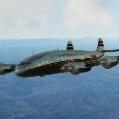
Douglas DC-8
All support and discussion about our DC8 project
258 topics in this forum
-
Any comments about liveries, put them here. For the first 10 liveries uploaded here I will get a free download of your choice (from our products) assuming that the repaint looks okay.
-
-
- 174 replies
- 67k views
- 1 follower
-
-
https://drive.google.com/file/d/15oRlJpjt4aI3soOuTk__S4XtM-rpJmJG/view?usp=sharing This new link should give you a replacement DC8_ground_interface.xml file. It goes into the DC-8_50\Panel\DC8_Loader folder. If someone can confirm they are able to download the file and that it fixes the problem that would be great. The old link broke I guess because I ran out of Google Drive space and had to go to a paid subscription.
-
- 2 replies
- 1.5k views
-
-
-
- 0 replies
- 2.7k views
-
-
The Aerosoft DC8 P3DV4 has been updated to 2.1.0.0 Added 2D popup autopilot panel Minor optimization of VC model Adjusted material settings of radio frequency glass to make digits more visible in sunlight Fixed animation of landing light extension/retraction to require electrical power. This update is done via de Updater Tool.
-
- 0 replies
- 3.9k views
-
-
The installer installs all the aircraft files in a single folder (called "Aerosoft DC8") . The installer offers you complete freedom where to place this folder. For example I install all aircraft add-ons on my NAS so all my machines can use them. After the folder has been copied, the installer notifies P3D V4 where the files can be found. If you have ever used one of our newer installers it will have remembered the location and will offer that as default. We know my users created a folder called 'Aerosoft Add-ons' for that. The big advantage is that you can de-install and re-install your simulator without ever having to re-install the…
-
- 3 replies
- 5.7k views
-
-
Q: Manual tells me to press two buttons at the same time. How do i do that? A: To simulate this, you need to right-click the two buttons in sequence. Q: It looks like a number of people are having trouble with the INS not following the flight plan when the autopilot is put into AUX mode. A: In most cases I think is happening after going to cold and dark and then starting up the aircraft. When you do this, you must enter the ramp position into each INS and align them. If you don't enter the ramp position, even though it already shows that position, alignment will not work and the INS won't function properly.
-
- 0 replies
- 5.3k views
-
-
If you find ANY issue, just leave a message in this forum section. Do not make lists (they are very hard to handle) and do not hijack other topics, new issue, new topic. We will handle support via our email ticket system (https://aerosoft.zendesk.com/hc/en-us) but it won't be half as fast or effective as via this forum. And do not let language be an issue. If you got problems explaining the issue in English just write in your own language, we'll try to sort it out.
-
- 0 replies
- 4.4k views
-
-
Yesterday i bought this great ac, but have (how i see here on forum) old problem with loader. 1. I can load fuel properly and its ok in P3D weight and fuel, 2. i can load passengers visually on loader but in P3D all 19 station remain at 0 weight 3. I can't load cargo with loader, amount not move from 0 at all I have properly installed XMLTools64.dll and i have dll.xml in P3D root and in Roaming/Lockheed Martin/Prepar3D with properly entry ... <Launch.Addon> <Name>XMLTools64</Name> <Disabled>False</Disabled> <ManualLoad>False</ManualLoad> &…
-
- 1 reply
- 1.4k views
-
-
Hi all, Haven't flown the DC-8 for some time and realized there is no P3Dv5 installer yet? Can we have some news about this?
-
-
- 6 replies
- 4.2k views
-
-
There are a couple of things that the DC-8 manuals are not explaining. One is the DC-8 Services menu and the other is the Fuel and Payload Loader. Their descriptions are not explained anywhere in the manuals, at least, I haven't found them. But I've been through every manual and every page for information about these menus. I pretty much understand most of them but there are at least 3 items that need to be explained regarding the DC-8 Services Menu. They are 'Auto Flight Engineer,' 'Set Destination Altitude,' and 'Begin Decent.' I don't understand why these menus have not been explained in detail in the manual. Some of these are not self explanatory. Example, what does t…
-
- 0 replies
- 725 views
- 1 follower
-
-
I want to know why it is that I cannot get no manifold pressure in the DC-8-50 to start the engines in FSX. I have the external air connected but there's still no manifold pressure, and the manifold pressure light remains lit even though external air is connected. I don't have this problem in P3D and there is manifold pressure when I connect the external air. It does this in FSX. What's the problem? Ken.
-
-
- 2 replies
- 930 views
- 1 follower
-
-
Love this aircraft, reinstalled P3Dv4 just to fly this. I'm searching for specifically longhaul routes, the longer the better actually. It's very murky waters trolling the internet for hard data, especially as there were more than one type of DC-8 so it's not always accurate. KLM Delta United Iberia Lufthansa Scanair Swissair Pan Am American Airlines Air Canada Canada Pacific These airlines as far as I know flew the -50. Does anyone have longhaul routes that they know actually were flown, off the tops of your heads? Many Thanks!
-
- 0 replies
- 384 views
-
-
Hi guys, I raised this issue in 2021 without success. I uninstalled the DC8 (V3001) and forgot about it. Since then I have built a new high end computer and a flight sim module loaded with Saitek hardware. I decided to reload the DC8 into P3Dv5 (via regedit trickery) and almost everything works perfectly. Unfortunately I am having exactly the same issue as with P3Dv4 - The elevator trim wheel is stuck at zero and the aircraft nosedives into the ground when I let go of the yoke. Given that no one is replying to the posts in the DC8 thread, I don't expect any help, but I thought I'd give it another try. In the meantime it's back to the amazing …
-
- 1 reply
- 897 views
-
-
Hi there, I am having the previously addressed air start unit problem, but no valid link for the fixes exists on the forums today. Could you please provide me one? Kind regards, Balint Edited: I use FSX-SE btw
-
- 1 reply
- 960 views
-
-
uninstalled previous version and reinstalled version 3.0 but the function "EXTERNAL AIR" no longer works this obviously involves problems with the various ignition procedures and more PRACTICALLY DO NOT FLY ......... but after a long wait for this update...... what a disappointmen
-
- 17 replies
- 5k views
-
-
Good morning, I'd like to inquire, I installed the aircraft and it seems to run "OK", however it comes to my attention that the no.4 engine static vanes are missing, they show "behind" the "FAN" or N1 compressor. Also the slots on the lower part of the right wing leading edge show on blank. No texturing at all. Could somebody please be so kind in pointing to a solution or if there is another reason for this to happen?. Thank you. Running on FSX Deluxe and Windows 7 64Bit.
-
- 0 replies
- 686 views
-
-
Good evening, I would like to ask if there is any tiny chance, that the FSX version of the Diesel 8 working in P3D V1?. I just bought it and could easily install it in FSX....... no problem there, however I do use more often P3D V1 as it is a more stable platform, However while trying installation in P3D V1 it indicates that XMLTools was not able to be installed. Is there any miniscule possibility to get this working?. Best Regards. ( I did not knew that Micheal's 8 was the one being shown on FSDeveloper ended here, good to know it got thru). Best Regards. Ed.
-
- 0 replies
- 765 views
-
-
In a normal procedure to start INS CDU units I set the MSU (mode selector unit) knobs to standby in the overhead panel to turn on both CDU INS units but the lamps of the left CDU won't turn on, only the right CDU INS unit turn on. I have tried all possible ways (cold and dark and hot start etc). I am desperate with this. Any idea ?
-
- 0 replies
- 868 views
-
-
Hi I know officially is not supported. I installed it to p3dv5. When I load the plane I get 25-30fps and then it's start decreasing slowly and goes down to 3-5fps. My specs is very decent. 12700kf ,rtx3060, 32GBram, nvme ssd. win11 the Gpu utilization is around 5%, the CPU single core utilization is 15% , VRam is 5-6gb with Volumetric clouds set to high. locked fps 40 When I use A330 The Cpu single core utilization is 90-100%, the GPU is 70-90% ,VRam is 5-6gb with Volumetric clouds set to high. locked fps 40 and the fps is around 35-40fps in VC with high scenery settings. I'm not a programmer, Can I solve this problem or should I just forget a…
-
- 1 reply
- 1.3k views
-
-
I`m posting this topic (once again) `cause I must have at least 3 comment/topic posted to be able to adress Michael 12 on this issue.
-
- 1 reply
- 943 views
- 1 follower
-
-
Hi is there any one who could help me to fix or fine a solution for the external air in the DC-8 Douglas ? .I installed it in my FSX-steam version and it was impossible me to bring it im use,after after following all the tips and recommendations given in this forum it was me imposible to solve the problem . I replace the the DC8_loader(DC8 _groundinterface)folder im Panel for another one (Posted November 17, 2020, Michael2) but it didn´t work well having to go back to the original , still mapping a new key combination for the tail hook .... Developer 530 …
-
- 5 replies
- 2.2k views
-
-
My DC-8 flies beautifully, start up/taxi/take off/climb/AUTOPILOT ON/ cruise/descent/approach/AUTOPILOT OFF - everything off. Engines off/nav. systems off/general electrical power off - complete cold & dark situation = Plunge to the ground = Everybody RIP. Flying FSX-SE. Any clues? Thanks in advance for support. Best wishes Miguel
-
- 0 replies
- 914 views
-
-
Hello. I need help. I need to remove windows to work with JF pure DC-8 freighters (not CF) and they always appear again. Any suggestion? Thanks in advanced
-
- 0 replies
- 995 views
-
-
Had problems when purchased (FSX Version), so put it in the hanger. An update came out, installed, still not able to get off ground. Then i recalled the post that there would be a FE added. so much time passed i got bored of waiting and moved on. I then remembered about it, ran the updater, for it to tell me to re-download from shop. OK, so i done that. Now i cant even start an engine...no air on ground...come here, seen posts about it. In these post from the developer, there is links for files for the ground interface. GREAT!... but no, its not, because the links are dead. unable to download the file to fix it... Check downloads section here..…
-
- 1 reply
- 1.3k views
-
-
I would like to know if this forum is active and if it is worth uploading repaints. Thanks in advance.
-
- 1 reply
- 1.2k views
-