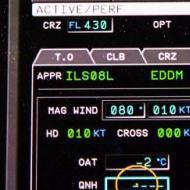
MCDU (Left side)
All discussions and questions about the MCDU.
717 topics in this forum
-
- 153 replies
- 45k views
-
- 0 replies
- 172 views
-
- 1 reply
- 233 views
-
- 11 replies
- 5.6k views
-
- 0 replies
- 453 views
-
- 1 reply
- 503 views
-
- 3 replies
- 650 views
-
- 0 replies
- 780 views
-
- 1 reply
- 675 views
-
- 1 reply
- 656 views
-
- 1 reply
- 804 views
-
- 2 replies
- 1.1k views
-
- 2 replies
- 1k views
-
- 1 reply
- 1.3k views
-
- 1 reply
- 932 views
-
- 1 reply
- 1.4k views
-
- 0 replies
- 910 views
-
- 0 replies
- 1k views
-
- 0 replies
- 1.1k views
-
- 2 replies
- 1.3k views
-
- 0 replies
- 1.2k views
-
- 13 replies
- 1.7k views
-
- 3 replies
- 1.5k views
-
- 0 replies
- 1.2k views
-
- 5 replies
- 1.7k views



![Aerosoft Team [Inactive Account]](https://forum.aerosoft.com/uploads/monthly_2023_09/Aerosoft_Social_Media_Profilbild_Neu23.thumb.jpg.03721825e6a434ed4af0c8b2b73a5898.jpg)
Announcements
-
Popular Topics
-
-
Latest Posts
-
 Das ist ein sehr interessanter Hinweis. Sowohl Ortho4XP, als auch simHeaven generieren Sceneries mit Hilfe von Tools, die keine spezielle Anpassung an XP12 bekommen haben. Einzig das Network-System ist in diesem Kontext in XP12 geändert. Tatsache ist aber, dass im Screenshot von @Coverdaleder Raum zwischen unterer und oberer Straßenführung vertikal durch eine Straßentextur optisch "verschlossen" ist. Das kann in meinen Augen nur durch ein "Interpretationsproblem" in der Übersetzung des Network-Vektors in konkrete XP12-Straße entstehen. Im Übrigen hat das XPlane-Network ja auch kein Problem, Autobahnen an Kachelgrenzen mit Tunneleinfahrten auszustatten, den XPlane-Straßenverkehr komplett zu sperren und darüber hinaus, entgegen der Mesh-Definitionen, sogar sichtbar ins Nirwana zu versenken, während für alle anderen Straßentypen ein Kachelwechsel offensichtlich keine Rolle spielt.
 -
 Also... hier geht jetzt einiges durcheinander: 1) Der Tunnel kann nicht im Mesh realisiert werden, Im Mesh kann der Entwickler nur eine Vertiefung anlegen, so dass man ein Objekt mit dem 'Dach' des Tunnels sowie der vorderen und hinteren Wand obendrüber legen kann, das ist dann aber nicht Teil des eigentlichen Meshes auch wenn es optisch im besten Fall den Eindruck erweckt. Ich schätze, dass hier bei der Erstellung des Meshes mit dem Patch irgendwas nicht ganz richtig läuft und dort, wo die Vertiefung sein soll, stattdessen eine Wand entsteht (daher läuft auf der Wandseite auch das Luftbild die Wand hoch, gut zu sehen an dem Lastwagen links im ersten Bild). 2) Die Straßen können keine Meshes verschließen, die liegen immer auf dem Mesh drauf und die Straße hier in diesem Fall müsste in der Szenerie platziert worden sein und deren Erscheinung wäre unabhängig von der XP-Version: an dieser Stelle keine Brücke in XP11 bedeutet auch keine Brücke in XP12 (falls überhaupt eine XP Straße vorhanden ist und der Verkehr nicht über GroundTraffic- oder LivingScenery-Plugins gemacht wurde). 3) Bezüglich der DSF-Bearbeitung und der Bäume: Die Overlay-DSF per Texteditor zu bearbeiten ist nicht zielführend, du kannst mit dem WED den ganzen Airport, also apt.dat und dsf, importieren und dann prinzipiell alles anfassen und die Bäume einfach alle austauschen (aber lass die Finger von der Mesh-DSF, die hat mit den 2D-Bäumen ohnehin nichts zu tun, die Bäume tauschst du in der Overlay-DSF).
 -
 Admittedly I do not fly VR. However, I would have to guess that Asobo put something in the sim to be able to customize VR camera(s).
 -
Das hatte ich vergessen zu erwähnen: Wenn ich das alte Mesh lade, dann ist es schon korrekt mit dem Tunnel. Allerdings habe ich dann das alte autogen und die alten forests, also keine 3D-Bäume. Ich habe das DSF angepasst, so das die alten Bäume nicht mehr geladen werden. Daraufhin habe ich aber ein anderes Problem: Neue 3D-Bäume werden garnicht mehr geladen und SimHeaven wird auch nicht richtig dargestellt. Daraus entnehme ich Folgendes: Es muß irgendwie gehen, wenn man das DSF-File anpasst.
-
Hallo Bernd, leider kann ich dir auf deine Frage keine Lösung präsentieren. Ich vermute aber, dass dieses Phänomen primär dem XP12-Straßen-Network zugeordnet werden muss. Wenn man in deinem Beispiel genau hinsieht, wird die "Wand" aus Road-Network-Texturen erzeugt, die "Wand" selbst verbindet den "Untergrund"-highway layer -1 mit dem darüber liegenden highway. Ähnliche Probleme gibt es mit etlichen Network-Brücken, die teilweise, oder komplett "zugemauert" sind. Im Raum zwischen Mainz/Wiesbaden und Frankfurt kann man aktuell einige derartiger "Staumauern" an Rhein und Main zu bewundern. Ich vermute, dass im XP12-Straßen-Network ein Bug dafür verantwortlich dafür ist, es könnte sich aber auch um besonderen Konstellationen in OSM, oder sogar eine Kombination aus beidem handeln. 2, 3 Brücken habe ich mir in OSM genau angesehen und ein paar Korrekturen vorgenommen. Mal sehen, ob sich mit den nächsten Updates etwas verändert. Auf der anderen Seite hat LR ja angekündigt, zukünftig auf Rasterdaten zu setzen. Damit dürften Vektor-orientierte Lösungen, wie das heute sehr dürftig anmutende Straßen-/Bahn-Network hoffentlich bald ersetzt werden.
-