Honeycomb Profiles
Honeycomb Profiles for the Alpha Flight Control and Bravo Throttle Quadrant (FSX/P3D/X-Plane)
>>Please note the subcategories on the right<<
29 files
-
This is the latest Software for the Honeycomb Yoke and Throttle.
Only For MSFS 2020 and 2024
===================================================
For the new MSFS, you don't need a configuration tool and you only need this software to light up the LEDs,
the rest can be made inside the Simulator. As soon as we can access more functions inside the new Simulator, we will give them to you.
Changelog
v2.1
----
- compiled against latest SDK 0.9
- fixed bug with "ENG OIL PRESSURE" variable in default Bravo throttle profile
- IAS LED now driven by "AUTOPILOT FLIGHT LEVEL CHANGE"
- LEDs stay off when there is no electric current present
v2.11
----
- on manual start the LED driver application does not need an aircraft change anymore
- fixed bug where 'LOCAL' profile load would be displayed as 'GLOBAL' profile load
v2.12
----
- added support for MSFS 2024
- 38601 Downloads
-
The official drivers for the Honeycomb - Sierra TPM. This driver will ensure the lights on the TPM are functional.
- 237 Downloads
-
The official drivers for the Honeycomb - Sierra TPM. This driver will ensure the lights on the TPM are functional.
- 129 Downloads
-
Profiles for the Honeycomb Alpha and Bravo. Includes printable labels for the Bravo toggle switches and PDFs explaining the mappings. Important: I suggest creating a blank joystick profile (particularly for the Bravo) in XP11 (to avoid conflicting assignments!) and simply adding in the assignments recommended in the included documentation indicated by an asterisk (*). Tested extensively - if you find any errors please comment or suggest an improvement and I will try to fix as soon as I can!
Currently only the following lights (for the Bravo) are programmed:
Master Warning Master Caution Engine Fire Parking Brake (only shows if you've set it properly ) Anti Ice Starter Engaged APU Door
Note 1: The aircraft needs to be electrically powered for the lights to work.
Note 2: Ensure all Yoke switches are in the up position and all on the Bravo are down before loading up for optimum results. I programmed (most) switches to operate in the direction they operate in the sim.
UPDATE 25 JAN 22: Reverser bindings would only work on the Honeycomb Airbus throttle set - updated to work with the original 'Boeing' style throttles. File included if you wish to use your Airbus levers which adds an extra button (ATS Disconnect on lever 2).
Currently, I cannot seem to program TOGA, Max reverse or AP Disc functions as these variables don't seem to work in the HC Configurator. Will update if a fix appears in the future.
Credits to Dendarian (Ian) who has been incredibly helpful!
- 1754 Downloads
-
Honeycomb Bravo Throttle "Christmas Tree" application to test the Bravo LEDs outside of a simulator environment.
mind the included Readme.txt for requirements * don't try and run the application together with a flight simulator that is currently driving the LEDs as this might cause unexpected results * minimal usage instructions are available via the "(i)nfo" button
- 4341 Downloads
-
Hi all,
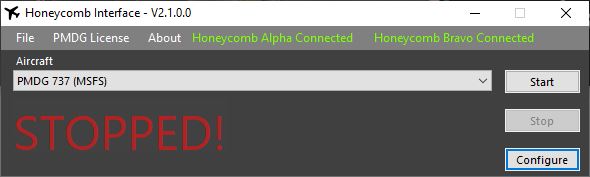
Quite a while back, a created a very early version of an interface called the PMDG Honeycomb Interface found here. It only worked for the PMDG 737 and 777 and only for the Alpha Yoke.
This was until the Aerosoft team created the very excellent Honeycomb software, that also included the PMDG group of aircraft after a few revisions.
However, I had a few requests to continue with development and recently, PMDG have of course released their MSFS 737-800, 737-700, & 737-600 which is also not currently covered by the Aerosoft tool. (for now 😉 )
So, here is the new shiny version of my Honeycomb interface. This now covers:
Honeycomb Alpha Yoke Honeycomb Bravo Throttle
Works with the following platforms:
FSX Prepar3D MSFS
The following aircraft are catered for:
FSLabs A319, A320 & A321 PMDG 737 NGX PMDG 737 NGXu PMDG 737-600 for MSFS (May work with other versions) PMDG 777 TFDi 717
NOTE: This utility requires SimConnect to work. It's included in the download.
NOTE: Please remember that you IP Address may need to be amended in the included SimConnect.cfg depending on your setup.
NOTE: I've created a small utility that will help you diagnose any MSFS SimConnect issues. This will come in useful if you're not sure if you have set up SimConnect correctly. You can find it here.
I should point out that I'm not affiliated with PMDG, TFDi, FSLabs, Honeycomb or Aerosoft in anyway. This is a private project and due to PMDG's EULA, MUST ONLY BE USED for personal entertainment as per the EULA that I'm obligated to initially display for acceptance before you are able to use this utility.
Also, thanks to Raphael Jakob from Aerosoft who helped me with the original version of this with some tips and code and thanks to @Bazza_Melb who has helped to find several bugs, suggested new features and tested for me.
There's a manual included, any questions, please feel free to ask in the comments here.
Thanks,
- 1150 Downloads
-
I had a lot of trouble finding profiles that actually worked in the honeycomb configurator, so I decided to tweak what I had found and create my own profiles. I'd like to share my contribution to the community in hopes it helps someone as they have done for me. This took in excess of 20 hours to complete, all included. I have included both profiles, .json text backups, reference pictures (in game control mapping), control descriptions, commands used, overlays, and command and datarefs. If there is an error please reach out to me. Of course, feel free to take this and use it to mold your own controls! Happy flying.
Thanks to Eddy R. for their contribution with this profile. I could not get that profile to work (formatting appeared to not translate correctly), so I used their description to make an (almost) identical copy. I then edited their description page to match my profile.
Thanks to highflyer525 for their contribution with this profile. I was able to get this profile working, and tweaked it to my liking. I also edited their button overlays to be correctly sized, and match my controls.
Thanks to DemonTraitor for their contribution with this list of commands and datarefs.
- 1429 Downloads
-
This is the latest Software for the Honeycomb Yoke and Throttle.
if you need further assistance, please check out the following videos
https://www.youtube.com/watch?v=EHMP5Kj3ebA&list=PL-CM2J7huv9GsJLInEaXS71CKKU_5g3Sl
- 9204 Downloads
-
This is the latest Software for the Honeycomb Yoke and Throttle.
if you need further assistance, please check out the following videos
https://www.youtube.com/watch?v=EHMP5Kj3ebA&list=PL-CM2J7huv9GsJLInEaXS71CKKU_5g3Sl
- 24574 Downloads
-
This profile provides support for FSX users who have purchased the Honeycomb products only to find that they are very cumbersome and time consuming to configure. As I spent about 20 hours working it all out I thought I would share my profiles and save others the effort. These profiles are not aircraft specific and should work with most aircraft.
The .txt file provides a detailed description of the assignments and limitations.
Enjoy
Glen
- 13747 Downloads
-
This is the latest Software for the Honeycomb Yoke and Throttle.
if you need further assistance, please check out the following videos
https://www.youtube.com/watch?v=EHMP5Kj3ebA&list=PL-CM2J7huv9GsJLInEaXS71CKKU_5g3Sl
- 294 Downloads
-
- 236 Downloads
-
This is the latest Software for the Honeycomb Yoke and Throttle.
if you need further assistance, please check out the following videos
https://www.youtube.com/watch?v=EHMP5Kj3ebA&list=PL-CM2J7huv9GsJLInEaXS71CKKU_5g3Sl
- 3998 Downloads
-
This is the latest Software for the Honeycomb Yoke and Throttle.
if you need further assistance, please check out the following videos
https://www.youtube.com/watch?v=EHMP5Kj3ebA&list=PL-CM2J7huv9GsJLInEaXS71CKKU_5g3Sl
- 10134 Downloads
-
Hi,
I was struggling with most of the published profiles for airliners, so finally started to take a deep dive in the configurator and managed to create profiles for Zibo and LevelUp's B738, FF 757-767, and the E175-195's from X-crafts and SSG.
No development skills, so open to any improvements.
==============================
IF YOU EXPERIENCE PROBLEMS IMPORTING THE PROFILES IN THE HONEYCOMB CONFIGURATOR:
Some users have reported they were unable to import the profiles via de Honeycomb Configurator. I could not understand why, they worked perfectly well for me. That was until I had to re-install X-Plane 11 and 12 on a new (Windows) computer and I ran into the same problem. I found that the problem had to do with an advice I found on this forum to install the downloaded configurator not via the installer ("AS_HONEYCOMB_XP11WINDOWS_V2200.exe") but via a "SETUP.EXE" in one of the subfolders of the zip-file. I followed that advice and was unable to import my own profile.
The solution was simple:
- I de-installed the HC configurator
- Then re-installed it using AS_HONEYCOMB_XP11WINDOWS_V2200.exe in XP11
- I added all my previous AFC and BFC config files to the "D:\X-Plane 11\Resources\plugins\AFC_Bridge\honeycomb_profiles" folder (checked and they all showed up in the HC Configurator)
- Then copied the whole plugin folder ("") from XP11 to XP12
All works well now. Not sure if this an older version of the installer, but it works for me in both XP11 and XP12.
ALTERNATIVELY:
You can also
- add a subfolder "" to your aircraft folder (for example: "D:\X-Plane 12\Aircraft\FlightFactor & StepToSky\Boeing 757-Full\honeycomb_profiles"
- copy the appropriate config-files to that folder, renaming each respectively "AFC_Yoke_Config.json" and "BFC_Throttle_Config.json"
The should then be automatically selected and activated when you load your airplane, irrespective of which version of the HC Configurator you have installed.
This does not solve the problem for mac-users unfortunately. Let's hope Aerosoft comes up with an functional version of the HC Configurator that addresses this issue.
- 976 Downloads
-
Dear Friends,
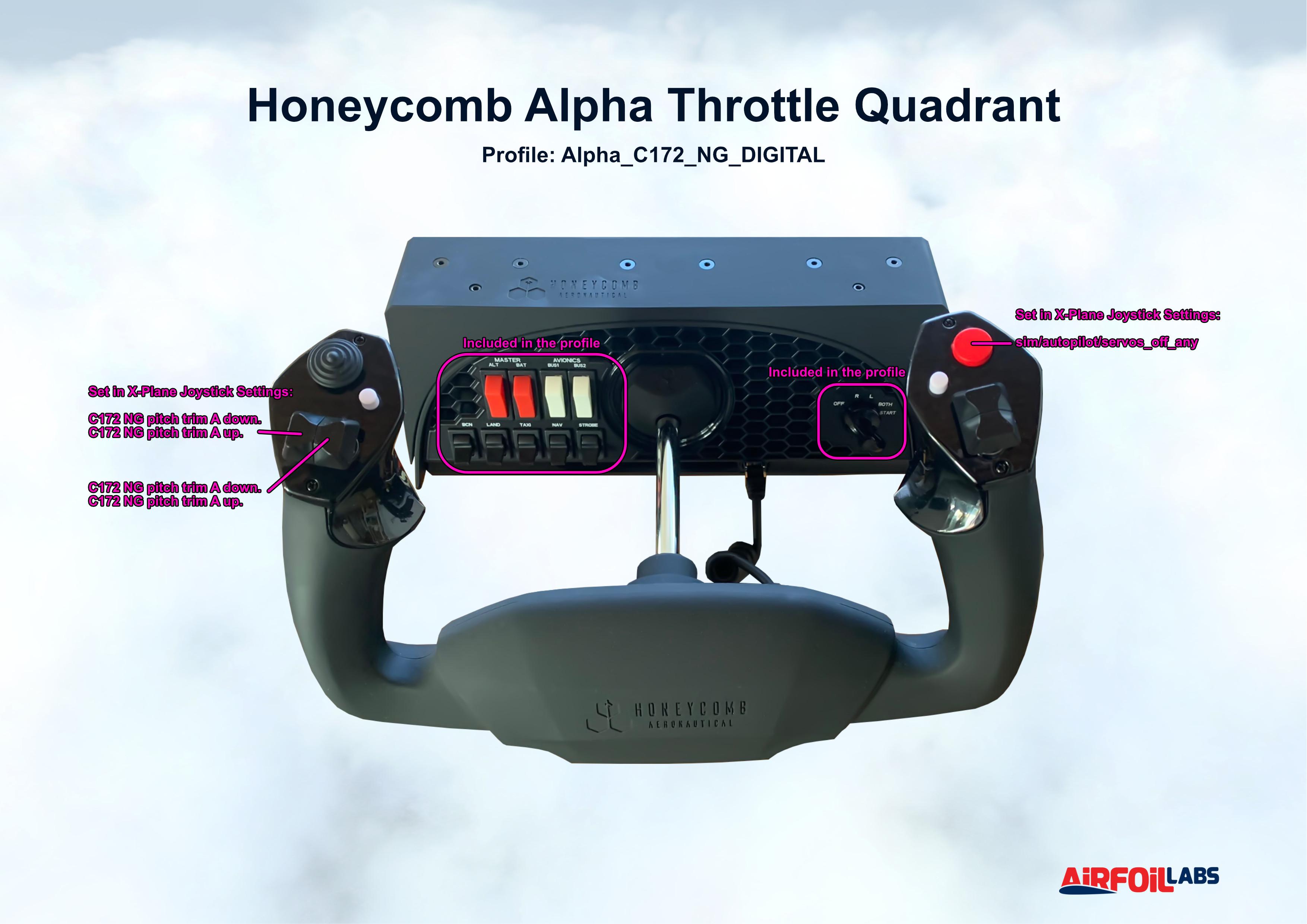
We have prepared official Alpha/Bravo profiles for Airfoillabs C172 NG DIGITAL.
Have a good flight!
- 1122 Downloads
-
- 55 Downloads
-
VFR Marcos A Gelabert Intl to Cap Scarlet Martinez.PLN
- 6 Downloads
-
All Leds working (gear and annunciators)
AP Lights - HDG - selected heading, NAV - managed heading, APR - Approach mode, REV - nothing, ALT - Managed Alt, VS - VS enabled, IAS - ATHR enabled
No buttons have been assigned except Trim UP/DOWN, HDG (Selected), VS (Enable), IAS (ATHR Enable), Rightmost switch
When the rightmost switch is down, clicking the HDG button will flip COM1. When clicking the VS button, turning the rightmost dial after will tune coarse STBY radio, and clicking the IAS button will tune fine STBY radio. When the switch is up, HDG button will enable heading select, VS button will enable VS mod and IAS will enable/disable auto throttle. (Bravo throttle advanced configuration detailed guide (multi-mode, trim wheel) - HoneyComb Controllers - X-Plane.Org Forum - guide)
When CRS is selected on the FCU knob, the dial will change the Barometer.
- 24 Downloads
-
Hi,
I was struggling with most of the published profiles for airliners, so finally started to take a deep dive in the configurator and managed to create profiles for Zibo and LevelUp's B738, FF 757-767, and the E175-195's from X-crafts and SSG.
Total beginner at this, so open to any improvements.
- 425 Downloads
-
Hi,
I was struggling with most of the published profiles for airliners, so finally started to take a deep dive in the configurator and managed to create profiles for Zibo and LevelUp's B738, FF 757-767, and the E175-195's from X-crafts and SSG.
Total beginner at this, so open to any improvements.
- 182 Downloads
-
Hi,
I was struggling with most of the published profiles for airliners, so finally started to take a deep dive in the configurator and managed to create profiles for Zibo and LevelUp's B738, FF 757-767, and the E175-195's from X-crafts and SSG.
No development skills, so open to any improvements.
==============================
IF YOU EXPERIENCE PROBLEMS IMPORTING THE PROFILES IN THE HONEYCOMB CONFIGURATOR:
Some users have reported they were unable to import the profiles via de Honeycomb Configurator. I could not understand why, they worked perfectly well for me. That was until I had to re-install X-Plane 11 and 12 on a new (Windows) computer and I ran into the same problem. I found that the problem had to do with an advice I found on this forum to install the downloaded configurator not via the installer ("AS_HONEYCOMB_XP11WINDOWS_V2200.exe") but via a "SETUP.EXE" in one of the subfolders of the zip-file. I followed that advice and was unable to import my own profile.
The solution was simple:
- I de-installed the HC configurator
- Then re-installed it using AS_HONEYCOMB_XP11WINDOWS_V2200.exe in XP11
- I added all my previous AFC and BFC config files to the "D:\X-Plane 11\Resources\plugins\AFC_Bridge\honeycomb_profiles" folder (checked and they all showed up in the HC Configurator)
- Then copied the whole plugin folder ("") from XP11 to XP12
All works well now. Not sure if this an older version of the installer, but it works for me in both XP11 and XP12.
ALTERNATIVELY:
You can also
- add a subfolder "" to your aircraft folder (for example: "D:\X-Plane 12\Aircraft\FlightFactor & StepToSky\Boeing 757-Full\honeycomb_profiles"
- copy the appropriate config-files to that folder, renaming each respectively "AFC_Yoke_Config.json" and "BFC_Throttle_Config.json"
The should then be automatically selected and activated when you load your airplane, irrespective of which version of the HC Configurator you have installed.
This does not solve the problem for mac-users unfortunately. Let's hope Aerosoft comes up with an functional version of the HC Configurator that addresses this issue.
- 1466 Downloads
-
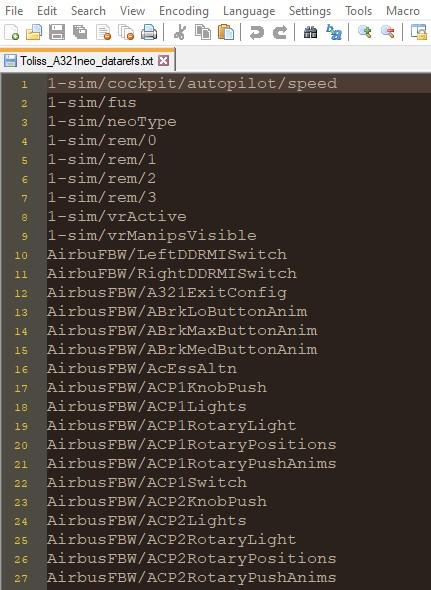
Extracted using DataRefTool for using with Honeycomb and Stream Deck Will hopefully be useful to others.
I have obviously only included aircraft that I have haha! I will most probably add more if they prove useful.
Airfoillabs_350_commandrefs
Airfoillabs_350_datarefs
Airfoillabs_C172_Digital_commandrefs
Airfoillabs_C172_Digital_datarefs
Colimata_Concorde_FXP__commandrefs
Colimata_Concorde_FXP_datarefs
Felis_742_commandrefs
Felis_742_datarefs
FF_767_commandrefs
FF_767_datarefs
FJS_727_commandrefs
FJS_727_datarefs
FJS_732_commandrefs
FJS_732_datarefs
Inibuilds_A300_Beluga_commandrefs
Inibuilds_A300_Beluga_datarefs
IniBuilds_A300_commandrefs
Inibuilds_A300_datarefs
Inibuilds_A310_MRTT_commandrefs
Inibuilds_A310_MRTT_datarefs
Inibuilds_A310F_commandrefs
Inibuilds_A310F_datarefs
LES_SAAB_340A_commandrefs
LES_SAAB_340A_datarefs
Rotate_MD80_commandrefs
Rotate_MD80_datarefs
SSG_747i_commandrefs
SSG_747i_datarefs
Toliss_A321neo_commandrefs
Toliss_A321neo_datarefs
Zibo_737_commandrefs
Zibo_737_datarefs
- 475 Downloads