-
Recent Achievements




-
Recently Browsing
- No registered users viewing this page.
-
Posts
-

By samlevy0515 · Posted
That sounds frustrating—three weeks is a long time. It looks like the download page may be broken or returning invalid XML, so I’d suggest trying a different browser or clearing your cache, and if that doesn’t help, reaching out to MSFS support directly. -
By Mr.Dutch-67 · Posted
Good morning, Don't worry, I appreciate your effort! That's right, both the ALPHA FLIGHT CONTROLS LITE and the BRAVO THROTTLE QUADRANT LITE are connected via a usb hub. but also connected directly to PC makes no difference. Since Honeycomb haven't responded in 7 days now, I've decided to return the Bravo LITE. I still have a few days to do so. Hopefully, they'll respond in time for a return ticket. For a €200 device, it should work perfectly. Have a nice day! -
Hallo Michael, danke. Ist eingetragen und wird ausprobiert. Viele Grüße Helge
-
Hallo zusammen! Ich habe mit diesem XP-Update keine Probleme. NVIDIA 591.86 | Little Navmap 3.0.18 | keine Frameeinbrüche. Grüße, Peter
-
By Pilatus PC-12 · Posted
Was ist denn das neues.....hatte ich auch noch nie Gruss Thomas -
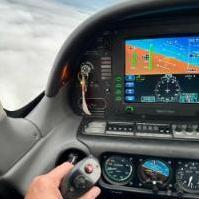 „Texture usage is 4.74 gb out of 4.71 gb available.“
 -
By Pilatus PC-12 · Posted
Hallo zusammen Leider hab ich mich zu früh gefreut. Habe Little Navmap noch nicht neu eingerichtet.....gestern gefloge alles so weit gut.........heute geflogen und ..CRASH !! Gruss Thomas Log.txt -

By Michael1955 · Posted
Und genauso eintragen: ==> wo befindet sich Xp12/ Global Scenery auf dem Rechner? bei mir unter C:/Devises...... hier die Adresse auswählen und mit einem " / " erweitern um dann genau diese Schreibweise einfügen "X-Pane 12 Global Scenery" Also dein Speicherort von XP12/Global Scenery + "/X-Pane 12 Global Scenery" und das sollte es gewesen sein -
Ok, I am really clutching at straws, but do you use a USB hub between the computer and the Sierra ?
-
-
-
Popular Contributors
-
1
-
2

-
3
-
4

-
5

-
-
Forum Statistics
-
Total Topics121.9k
-
Total Posts842k
-
-
Files
-