Goshob
-
Posts
199 -
Joined
-
Last visited
1 Follower
Recent Profile Visitors
2698 profile views



Goshob's Achievements






-
 ,
, -
,
-
Reinstall MSFS boxed version
Goshob replied to Goshob's topic in Installation and Activation issues (boxed version only)
, -
Reinstall MSFS boxed version
Goshob replied to Goshob's topic in Installation and Activation issues (boxed version only)
, -
,
-
,
-
Goshob changed their profile photo
-
Airbus A320 & A321 2048px HD Virtual Cockpit
Goshob commented on Emi's file in Airbus A320/A321 liveries
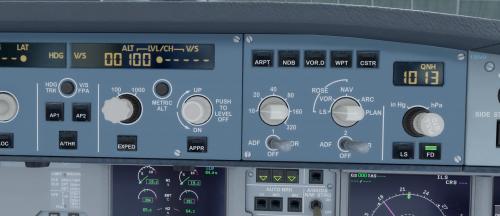 Hi, I would like to agree with Tom first that the SIM is not a sort of 4K movie only, but something completely different, made for getting at least basic knowledge in aviation. Hope it is clear also that such software, even falling into the category of payware cannot be perfect and bugs can be expected all the time. Another thing can be so called the language issues mentioned several times already. Most of us should admit that we are not native English speaking and misusing the correct expressions can happen. I personally am working in an international environment for some time where the only way forward is the mutual tolerance and understanding that people are different and cannot be expected to be ideal in the foreign language. Just of a matter of curiosity, I would like to ask the AS team, are the external lights of the plane part of the livery? I had noticed that the beacon lights on top and belly of the plane are working, but could not see the wing lights.
 -
Airbus A320 & A321 2048px HD Virtual Cockpit
Goshob commented on Emi's file in Airbus A320/A321 liveries
Hi, It really works nice with FSX, if the exact installation procedure is followed. Thanks to Emanuel for the great work done! I have a question anyhow. All the panels when switched (I mean F9, F10, etc.) are coming with low zoom and have to be zoomed in before seeing them clearly. Is there any general zoom setting, which can apply to all views? -
-
Airbus A320 & A321 2048px HD Virtual Cockpit
Goshob commented on Emi's file in Airbus A320/A321 liveries
It seems amazing on the pictures submitted in the posts. Is it working with FSX?