
Jump to content

Aerosoft Team [Inactive Account]

Aerosoft
  • Joined

  • Last visited

Files posted by Aerosoft Team [Inactive Account]
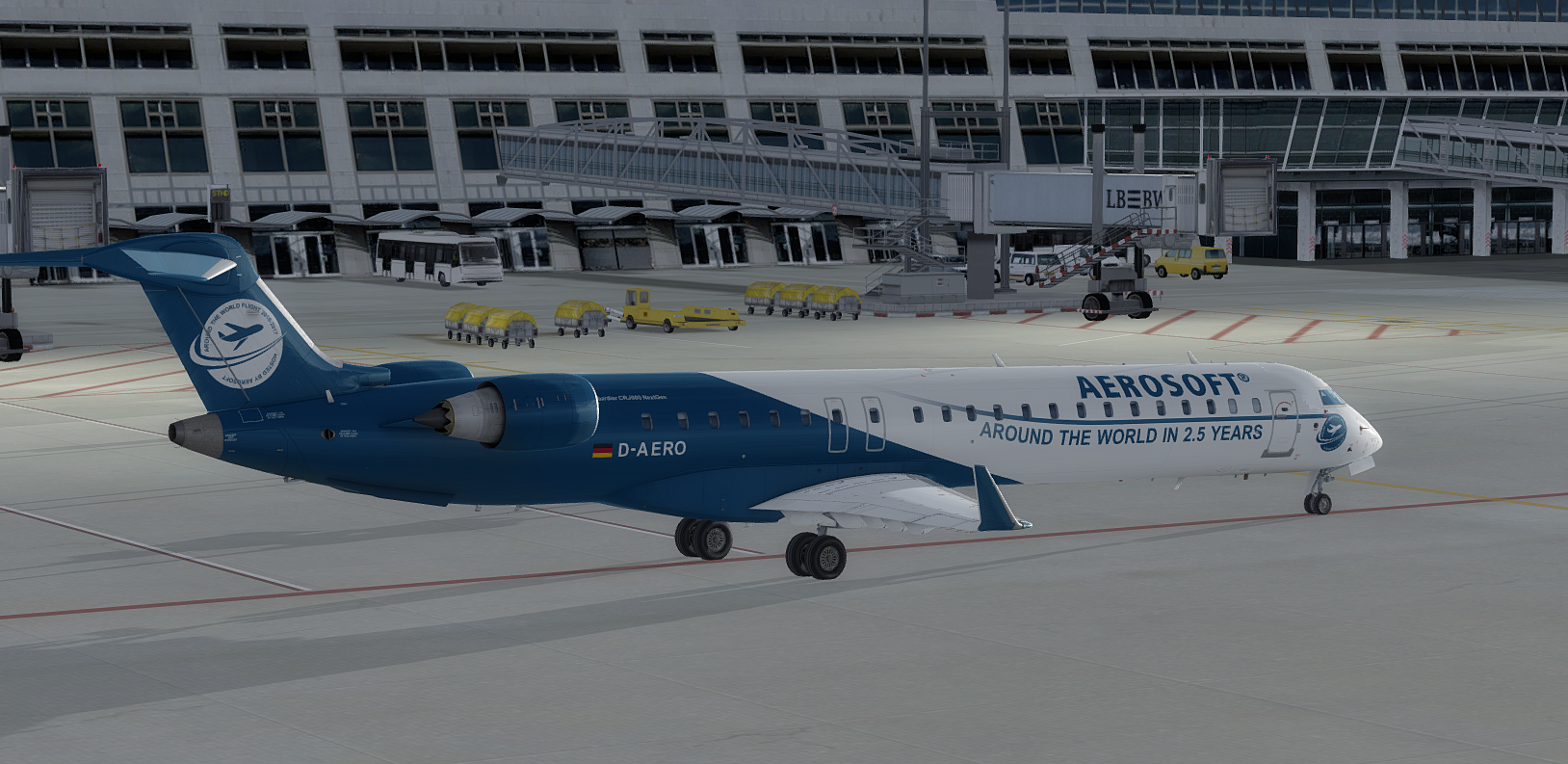
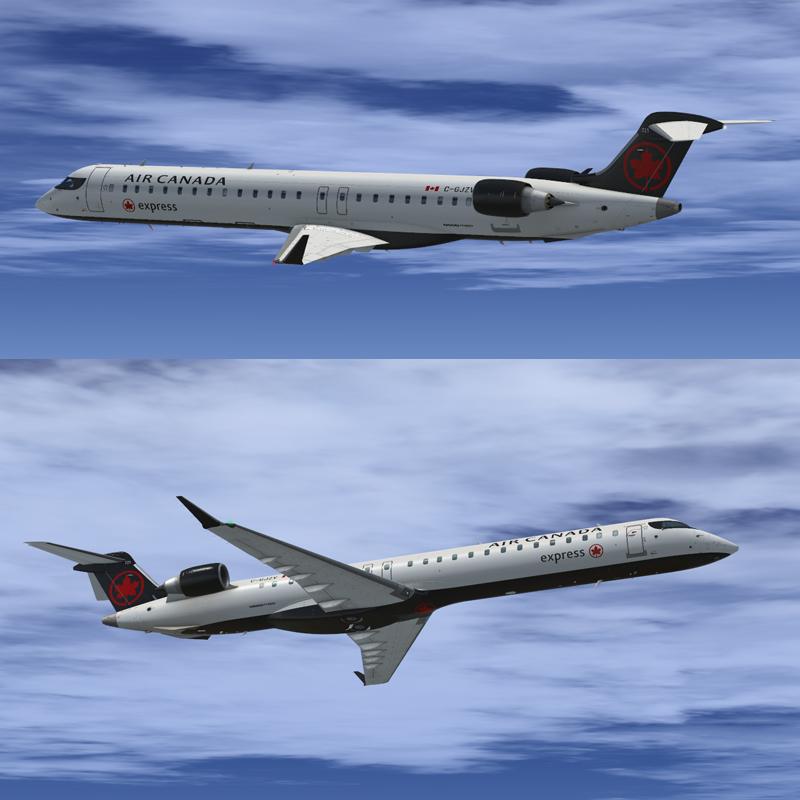
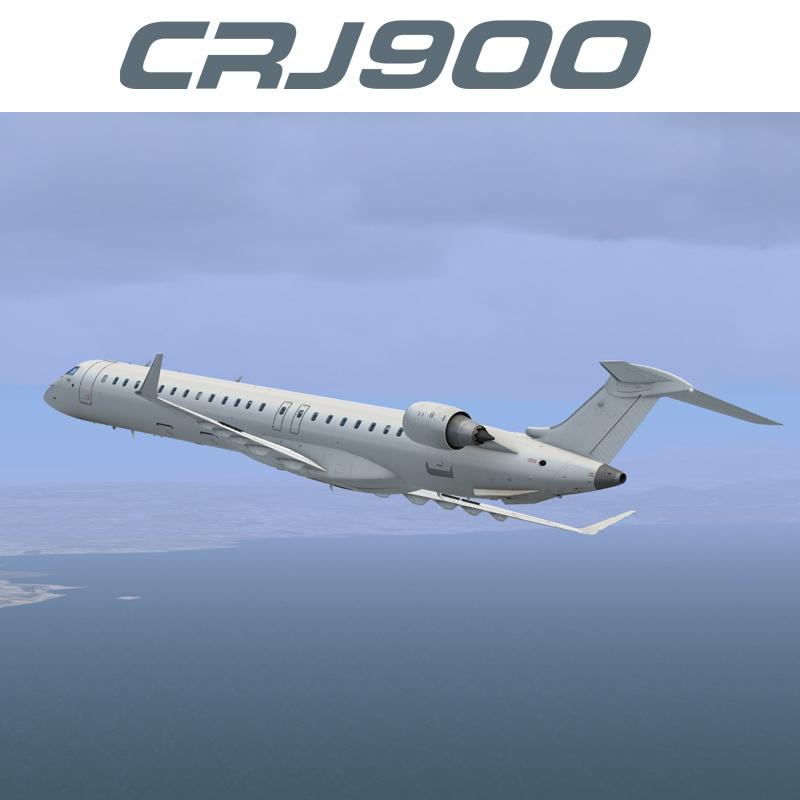
  1. This livery was created to celebrate the Epic Round the World flight that was recently completed.
  2. Contents of this ZIP-package:   Bombardier CRJ900ER Air Canada Express C-GJZV
    Repaint by:  Holger Sobl
    Aerosoft paintkit by:  Stefan Hoffmann
     
    Installation (CRJ Livery Manager):  Start the Aerosoft/Digital Aviation CRJ Livery Manager and drag the ZIP-File into the list - or click "Add Livery" and select the desired file. 
    You get a preview of the new livery - and install it with just one click. (You can read all Livery Manager functions by clicking the "?" button!)
     
    The entry for the aircraft.cfg:
    [FLTSIM.X]
    title=CRJ900ER Air Canada Express C-GJZV
    sim=CRJ900_AMM
    model=
    panel=
    sound=
    texture=ACA_CGJZV
    kb_checklists=BombardierCRJ700_check
    kb_reference=BombardierCRJ700_ref
    atc_id=C-GJZV
    atc_airline=AIR CANADA
    atc_parking_types=GATE,RAMP
    ui_manufacturer="Bombardier"
    ui_type="CRJ900ER"
    ui_variation="Air Canada Express"
    ui_typerole="Regional Jet"
    ui_createdby="Aerosoft/Digital Aviation"
    description="CRJ900ER/Air Canada Express C-GJZV \nwww.aerosoft.com\nRepaint by Holgi (simtexture.de)\n\nThe CRJ (Canadair Regional Jet) family of aircraft was derived from the Canadair Challenger business jet, which began its operational life as the LearStar 600. The Bombardier Canadair CRJ700, which entered service in 2001, is a stretched version of the CRJ100/200 regional jet, with increased seating capacity from 50 to 70. With increased length and upgraded landing gear, the CRJ700 features a longer wing span and leading edge slats. Like other members of the CRJ family, the CRJ700 features an electronic flight instrument system (EFIS) avionics suite and “glass cockpit” instrumentation."
    category=airplane
     
    Acknowledgements:  The blanks used as a basis for this repaint are by Aerosoft/Digital Aviation. Thank you for the wonderful model and the great paintkit.  Thank you Hans.
     
    Legal Stuff:  This repaint is released as FREEWARE. You may use and modify it in any way you wish, but you may NOT use it in any kind of money-making endeavor, and you may NOT publicly distribute any copies of it, whether modified or not, without my permission. 
     
     Holgi
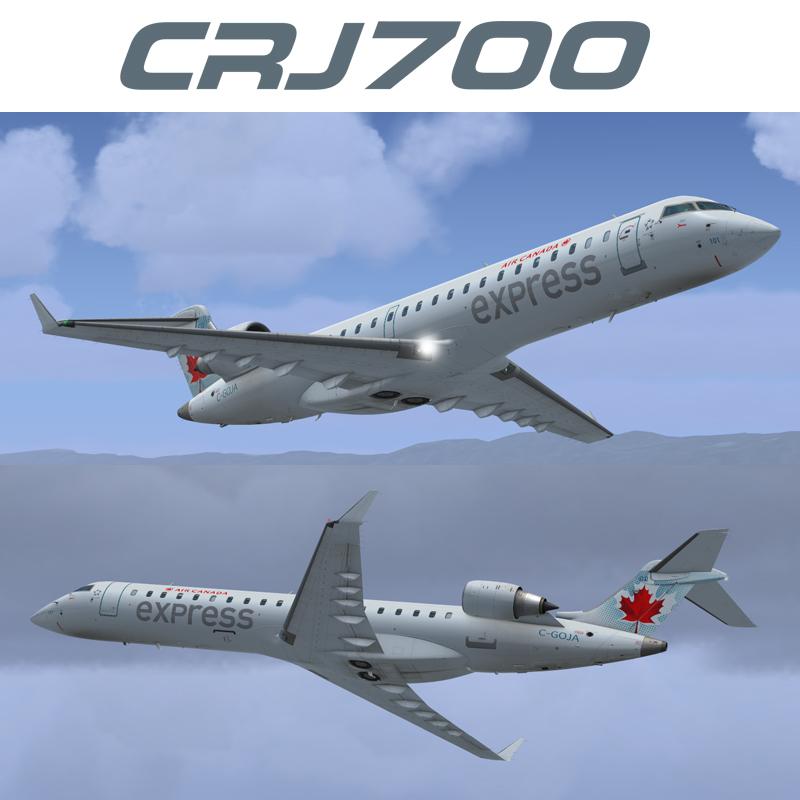
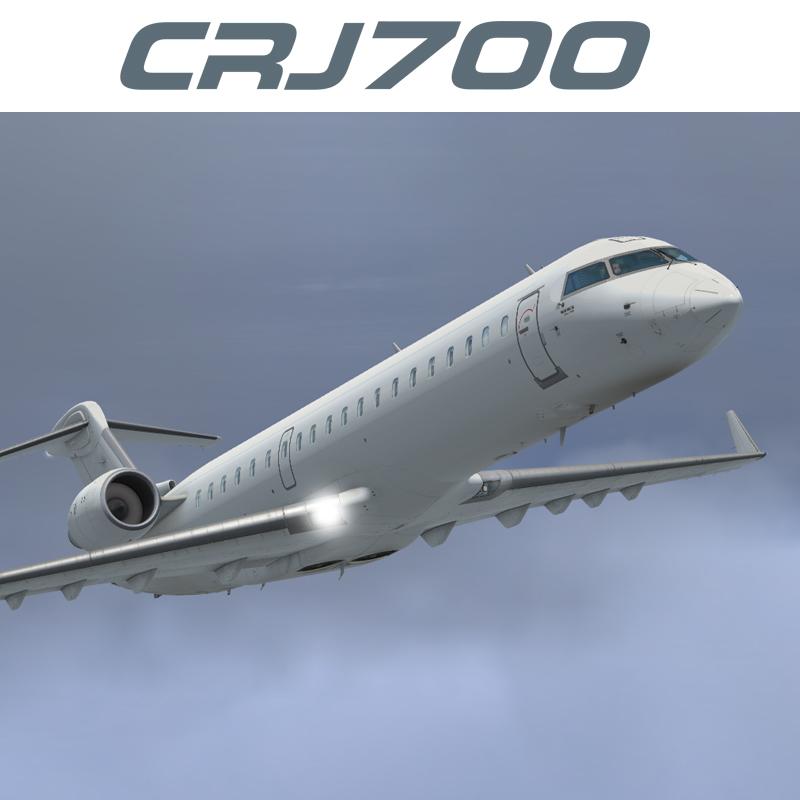
  3. Contents of this ZIP-package:   Bombardier CRJ700ER Air Canada Express C-GOJA fictional
    Repaint by:  Holger Sobl
    Aerosoft paintkit by:  Stefan Hoffmann
     
    Installation (CRJ Livery Manager):  Start the Aerosoft/Digital Aviation CRJ Livery Manager and drag the ZIP-File into the list - or click "Add Livery" and select the desired file.   You get a preview of the new livery - and install it with just one click. (You can read all Livery Manager functions by clicking the "?" button!)
     
    The entry for the aircraft.cfg:
    [FLTSIM.X]
    title=CRJ700ER Air Canada Express C-GOJA fictional
    sim=CRJ700_AMM
    model=
    panel=
    sound=
    texture=ACA_CGOJA
    kb_checklists=BombardierCRJ700_check
    kb_reference=BombardierCRJ700_ref
    atc_id=C-GOJA
    atc_airline=AIR CANADA
    atc_parking_types=GATE,RAMP
    ui_manufacturer="Bombardier"
    ui_type="CRJ700ER"
    ui_variation="Air Canada Express"
    ui_typerole="Regional Jet"
    ui_createdby="Aerosoft/Digital Aviation"
    description="CRJ700ER/Air Canada Express C-GOJA\nwww.aerosoft.com\nRepaint by Holgi (simtexture.de)\n\nThe CRJ (Canadair Regional Jet) family of aircraft was derived from the Canadair Challenger business jet, which began its operational life as the LearStar 600. The Bombardier Canadair CRJ700, which entered service in 2001, is a stretched version of the CRJ100/200 regional jet, with increased seating capacity from 50 to 70. With increased length and upgraded landing gear, the CRJ700 features a longer wing span and leading edge slats. Like other members of the CRJ family, the CRJ700 features an electronic flight instrument system (EFIS) avionics suite and “glass cockpit” instrumentation."
    category=airplane
     
    Acknowledgements:  The blanks used as a basis for this repaint are by Aerosoft/Digital Aviation. Thank you for the wonderful model and the great paintkit.  Thank you Hans.
     
    Legal Stuff: This repaint is released as FREEWARE. You may use and modify it in any way you wish, but you may NOT use it in any kind of money-making endeavor, and you may NOT publicly distribute any copies of it, whether modified or not, without my permission. 
     
    Holgi
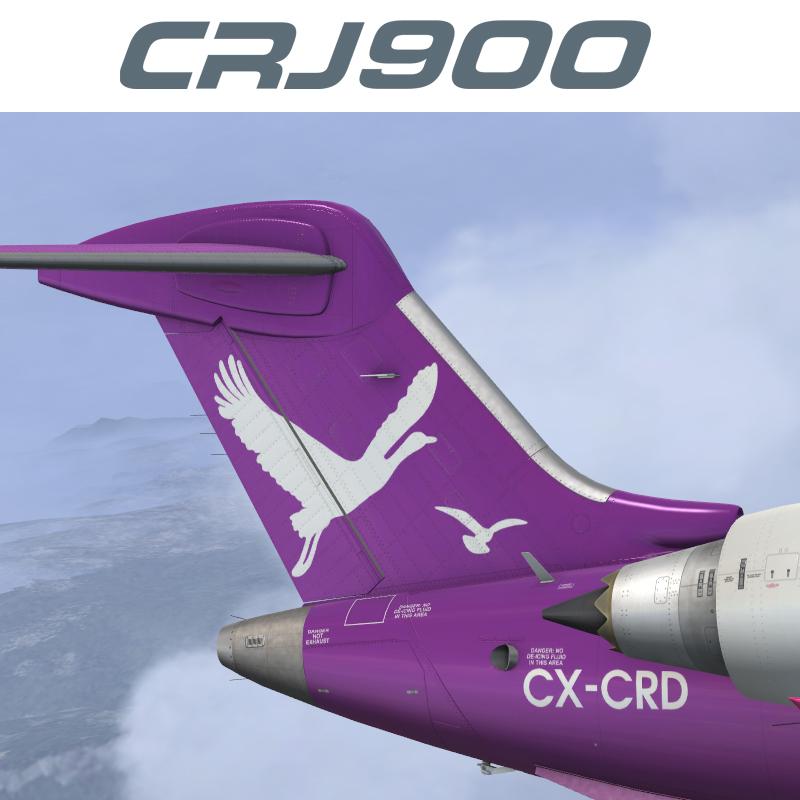
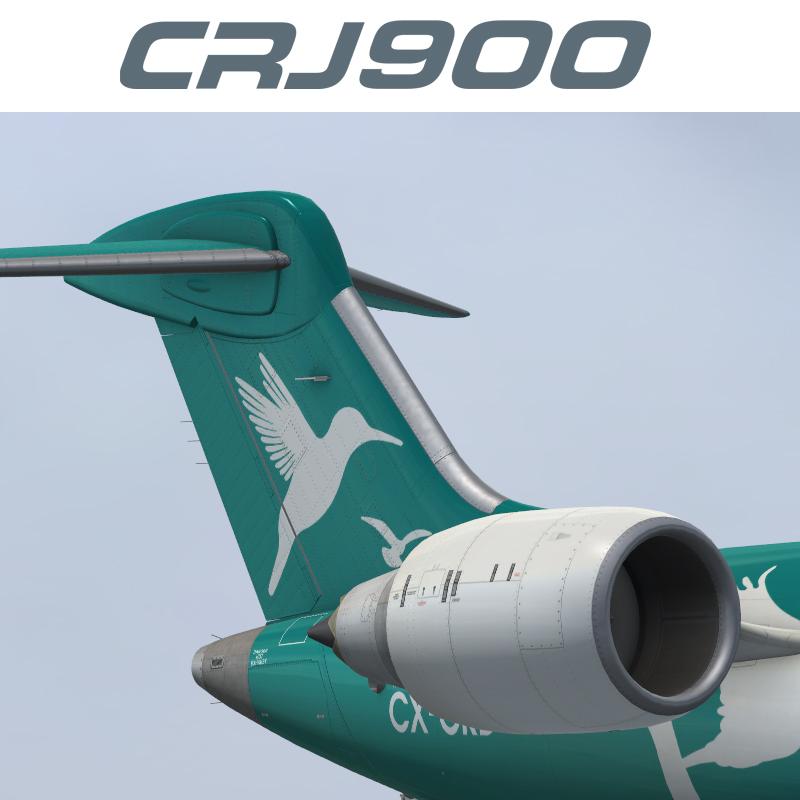
  4. Contents of this ZIP-package:   Bombardier CRJ900ER PLUNA CX-CRD
    Repaint by:  Holger Sobl
    Aerosoft paintkit by:  Stefan Hoffmann
     
    Installation (CRJ Livery Manager):  Start the Aerosoft/Digital Aviation CRJ Livery Manager and drag the ZIP-File into the list - or click "Add Livery" and select the desired file.   You get a preview of the new livery - and install it with just one click. (You can read all Livery Manager functions by clicking the "?" button!)
     
    The entry for the aircraft.cfg:
    [fltsim.X]
    title=CRJ900ER PLUNA CX-CRD
    sim=CRJ900_AMM
    model=
    panel=
    sound=
    texture=PUA_CX-CRD
    kb_checklists=BombardierCRJ900_check
    kb_reference=BombardierCRJ900_ref
    atc_id=CX-CRD
    atc_airline=PLUNA
    atc_parking_types=GATE,RAMP
    ui_manufacturer="Bombardier"
    ui_type="CRJ900ER"
    ui_variation="PLUNA"
    ui_typerole="Regional Jet"
    ui_createdby="Aerosoft/Digital Aviation"
    description="CRJ900ER/PLUNA CX-CRD\nwww.aerosoft.com\nRepaint by Holgi (simtexture.de)\n\nThe CRJ (Canadair Regional Jet) family of aircraft was derived from the Canadair Challenger business jet, which began its operational life as the LearStar 600. The Bombardier Canadair CRJ700, which entered service in 2001, is a stretched version of the CRJ100/200 regional jet, with increased seating capacity from 50 to 70. With increased length and upgraded landing gear, the CRJ700 features a longer wing span and leading edge slats. Like other members of the CRJ family, the CRJ700 features an electronic flight instrument system (EFIS) avionics suite and “glass cockpit” instrumentation."
    category=airplane
     
    Acknowledgements:  The blanks used as a basis for this repaint are by Aerosoft/Digital Aviation. Thank you for the wonderful model and the great paintkit. Thank you Hans.
     
    Legal Stuff: This repaint is released as FREEWARE. You may use and modify it in any way you wish, but you may NOT use it in any kind of money-making  endeavor, and you may NOT publicly distribute any copies of it, whether modified or not, without my permission. 
     Holgi
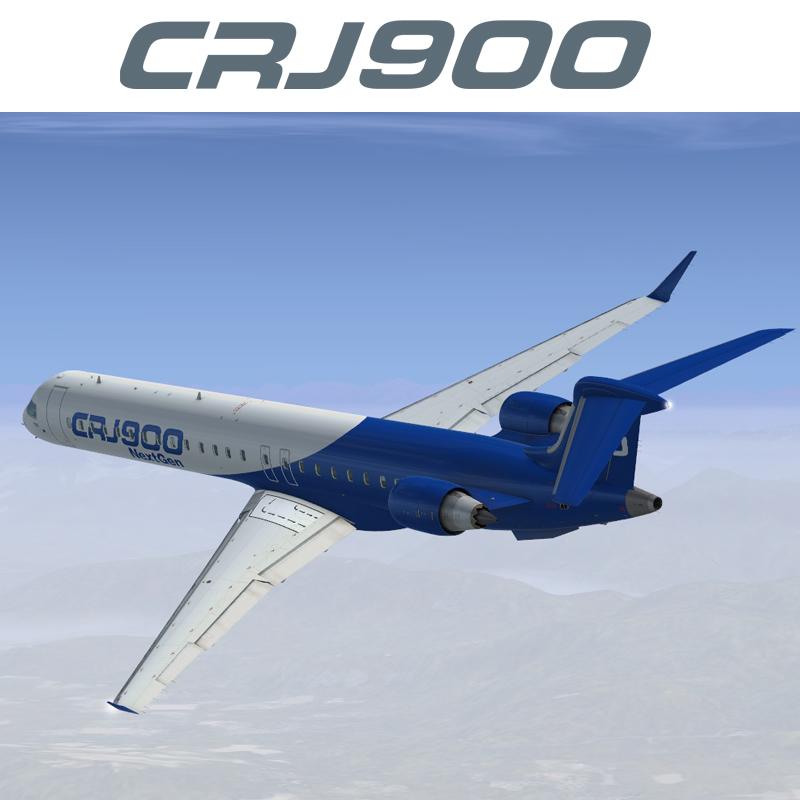
  5. Contents of this ZIP-package:   Bombardier CRJ900ER House Color
    Repaint by:  Holger Sobl
    Aerosoft paintkit by:  Stefan Hoffmann
     
    Installation (CRJ Livery Manager):  Start the Aerosoft/Digital Aviation CRJ Livery Manager and drag the ZIP-File into the list - or click "Add Livery" and select the desired file. 
     You get a preview of the new livery - and install it with just one click. (You can read all Livery Manager functions by clicking the "?" button!)
     
    The entry for the aircraft.cfg:
    [FLTSIM.X]
    title=CRJ900ER House Color
    sim=CRJ900_AMM
    model=
    panel=
    sound=
    texture=House_Color
    kb_checklists=BombardierCRJ900_check
    kb_reference=BombardierCRJ900_ref
    atc_id=
    atc_airline=Bombardier
    atc_parking_types=GATE,RAMP
    ui_manufacturer="Bombardier"
    ui_type="CRJ900ER"
    ui_variation="House Color"
    ui_typerole="Regional Jet"
    ui_createdby="Aerosoft/Digital Aviation"
    description="CRJ900ER/House Color\nwww.aerosoft.com\nRepaint by Holgi (simtexture.de)\n\nThe CRJ (Canadair Regional Jet) family of aircraft was derived from the Canadair Challenger business jet, which began its operational life as the LearStar 600. The Bombardier Canadair CRJ700, which entered service in 2001, is a stretched version of the CRJ100/200 regional jet, with increased seating capacity from 50 to 70. With increased length and upgraded landing gear, the CRJ700 features a longer wing span and leading edge slats. Like other members of the CRJ family, the CRJ700 features an electronic flight instrument system (EFIS) avionics suite and “glass cockpit” instrumentation."
    category=airplane
     
    Acknowledgements:  The blanks used as a basis for this repaint are by Aerosoft/Digital Aviation. Thank you for the wonderful model and the great paintkit.
    Thank you Hans.
     
    Legal Stuff:  This repaint is released as FREEWARE. You may use and modify it in any way you wish, but you may NOT use it in any kind of money-making endeavor, and you may NOT publicly distribute any copies of it, whether modified or not, without my permission. 
     
     Holgi
  6. Contents of this ZIP-package:   Bombardier CRJ900ER UNTITLED
    Repaint by:  Holger Sobl
    Aerosoft paintkit by:  Stefan Hoffmann
     
    Installation (CRJ Livery Manager):  Start the Aerosoft/Digital Aviation CRJ Livery Manager and drag the ZIP-File into the list - or click "Add Livery" and select the desired file.   You get a preview of the new livery - and install it with just one click. (You can read all Livery Manager functions by clicking the "?" button!)
     
    The entry for the aircraft.cfg:
    [FLTSIM.X]
    title=CRJ900ER UNTITLED
    sim=CRJ900_AMM
    model=
    panel=
    sound=
    texture=UNTITLED
    kb_checklists=BombardierCRJ900_check
    kb_reference=BombardierCRJ900_ref
    atc_id=
    atc_airline=
    atc_parking_types=GATE,RAMP
    ui_manufacturer="Bombardier"
    ui_type="CRJ900ER"
    ui_variation="UNTITLED"
    ui_typerole="Regional Jet"
    ui_createdby="Aerosoft/Digital Aviation"
    description="CRJ900ER/UNTITLED\nwww.aerosoft.com\nRepaint by Holgi (simtexture.de)\n\nThe CRJ (Canadair Regional Jet) family of aircraft was derived from the Canadair Challenger business jet, which began its operational life as the LearStar 600. The Bombardier Canadair CRJ700, which entered service in 2001, is a stretched version of the CRJ100/200 regional jet, with increased seating capacity from 50 to 70. With increased length and upgraded landing gear, the CRJ700 features a longer wing span and leading edge slats. Like other members of the CRJ family, the CRJ700 features an electronic flight instrument system (EFIS) avionics suite and “glass cockpit” instrumentation."
    category=airplane
     
    Acknowledgements:  The blanks used as a basis for this repaint are by Aerosoft/Digital Aviation. Thank you for the wonderful model and the great paintkit.  Thank you Hans.
     
    Legal Stuff:  This repaint is released as FREEWARE. You may use and modify it in any way you wish, but you may NOT use it in any kind of money-making  endeavor, and you may NOT publicly distribute any copies of it, whether modified or not, without my permission. 
     Holgi
  7. Contents of this ZIP-package:  Bombardier CRJ700ER UNTITLED
    Repaint by:  Holger Sobl
    Aerosoft paintkit by:  Stefan Hoffmann
     
    Installation (CRJ Livery Manager):  Start the Aerosoft/Digital Aviation CRJ Livery Manager and drag the ZIP-File into the list - or click "Add Livery" and select the desired file.   You get a preview of the new livery - and install it with just one click. (You can read all Livery Manager functions by clicking the "?" button!)
     
    The entry for the aircraft.cfg:
    [FLTSIM.X]
    title=CRJ700ER UNTITLED
    sim=CRJ700_AMM
    model=
    panel=
    sound=
    texture=UNTITLED
    kb_checklists=BombardierCRJ700_check
    kb_reference=BombardierCRJ700_ref
    atc_id=
    atc_airline=
    atc_parking_types=GATE,RAMP
    ui_manufacturer="Bombardier"
    ui_type="CRJ700ER"
    ui_variation="UNTITLED"
    ui_typerole="Regional Jet"
    ui_createdby="Aerosoft/Digital Aviation"
    description="CRJ700ER/UNTITLED\nwww.aerosoft.com\nRepaint by Holgi (simtexture.de)\n\nThe CRJ (Canadair Regional Jet) family of aircraft was derived from the Canadair Challenger business jet, which began its operational life as the LearStar 600. The Bombardier Canadair CRJ700, which entered service in 2001, is a stretched version of the CRJ100/200 regional jet, with increased seating capacity from 50 to 70. With increased length and upgraded landing gear, the CRJ700 features a longer wing span and leading edge slats. Like other members of the CRJ family, the CRJ700 features an electronic flight instrument system (EFIS) avionics suite and “glass cockpit” instrumentation."
    category=airplane
     
    Acknowledgements:  The blanks used as a basis for this repaint are by Aerosoft/Digital Aviation. Thank you for the wonderful model and the great paintkit.  Thank you Hans.
     
    Legal Stuff:  This repaint is released as FREEWARE. You may use and modify it in any way you wish, but you may NOT use it in any kind of money-making endeavor, and you may NOT publicly distribute any copies of it, whether modified or not, without my permission. 
     Holgi
  8. Contents of this ZIP-package:   Bombardier CRJ900ER PLUNA CX-CRB
    Repaint by:  Holger Sobl
    Aerosoft paintkit by:  Stefan Hoffmann
     
    Installation (CRJ Livery Manager):  Start the Aerosoft/Digital Aviation CRJ Livery Manager and drag the ZIP-File into the list - or click "Add Livery" and select the desired file.   You get a preview of the new livery - and install it with just one click. (You can read all Livery Manager functions by clicking the "?" button!)
     
    The entry for the aircraft.cfg:
    [fltsim.X]
    title=CRJ900ER PLUNA CX-CRB
    sim=CRJ900_AMM
    model=
    panel=
    sound=
    texture=PUA_CX-CRB
    kb_checklists=BombardierCRJ900_check
    kb_reference=BombardierCRJ900_ref
    atc_id=CX-CRB
    atc_airline=PLUNA
    atc_parking_types=GATE,RAMP
    ui_manufacturer="Bombardier"
    ui_type="CRJ900ER"
    ui_variation="PLUNA"
    ui_typerole="Regional Jet"
    ui_createdby="Aerosoft/Digital Aviation"
    description="CRJ900ER/PLUNA CX-CRB\nwww.aerosoft.com\nRepaint by Holgi (simtexture.de)\n\nThe CRJ (Canadair Regional Jet) family of aircraft was derived from the Canadair Challenger business jet, which began its operational life as the LearStar 600. The Bombardier Canadair CRJ700, which entered service in 2001, is a stretched version of the CRJ100/200 regional jet, with increased seating capacity from 50 to 70. With increased length and upgraded landing gear, the CRJ700 features a longer wing span and leading edge slats. Like other members of the CRJ family, the CRJ700 features an electronic flight instrument system (EFIS) avionics suite and “glass cockpit” instrumentation."
    category=airplane
     
    Acknowledgements:  The blanks used as a basis for this repaint are by Aerosoft/Digital Aviation. Thank you for the wonderful model and the great paintkit. Thank you Hans.
     
    Legal Stuff:  This repaint is released as FREEWARE. You may use and modify it in any way you wish, but you may NOT use it in any kind of money-making endeavor, and you may NOT publicly distribute any copies of it, whether modified or not, without my permission. 
     
    Holgi
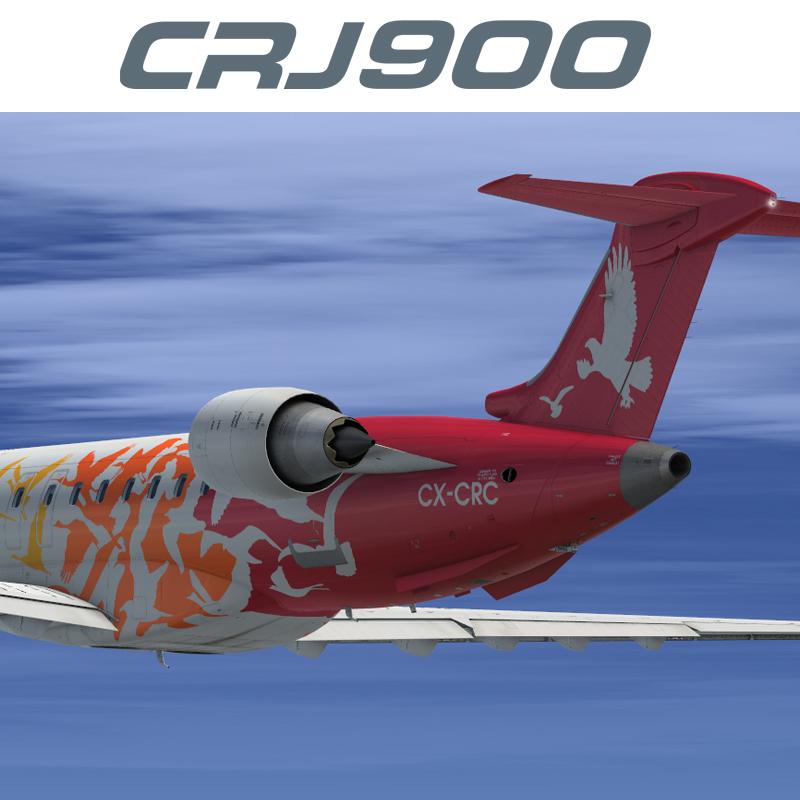
  9. Contents of this ZIP-package:   Bombardier CRJ900ER PLUNA CX-CRC
    Repaint by:  Holger Sobl
    Aerosoft paintkit by:  Stefan Hoffmann
     
    Installation (CRJ Livery Manager):  Start the Aerosoft/Digital Aviation CRJ Livery Manager and drag the ZIP-File into the list - or click "Add Livery" and select the desired file.  You get a preview of the new livery - and install it with just one click. (You can read all Livery Manager functions by clicking the "?" button!)
     
    The entry for the aircraft.cfg:
    [fltsim.X]
    title=CRJ900ER PLUNA CX-CRC
    sim=CRJ900_AMM
    model=
    panel=
    sound=
    texture=PUA_CX-CRC
    kb_checklists=BombardierCRJ900_check
    kb_reference=BombardierCRJ900_ref
    atc_id=CX-CRC
    atc_airline=PLUNA
    atc_parking_types=GATE,RAMP
    ui_manufacturer="Bombardier"
    ui_type="CRJ900ER"
    ui_variation="PLUNA"
    ui_typerole="Regional Jet"
    ui_createdby="Aerosoft/Digital Aviation"
    description="CRJ900ER/PLUNA CX-CRC\nwww.aerosoft.com\nRepaint by Holgi (simtexture.de)\n\nThe CRJ (Canadair Regional Jet) family of aircraft was derived from the Canadair Challenger business jet, which began its operational life as the LearStar 600. The Bombardier Canadair CRJ700, which entered service in 2001, is a stretched version of the CRJ100/200 regional jet, with increased seating capacity from 50 to 70. With increased length and upgraded landing gear, the CRJ700 features a longer wing span and leading edge slats. Like other members of the CRJ family, the CRJ700 features an electronic flight instrument system (EFIS) avionics suite and “glass cockpit” instrumentation."
    category=airplane
     
    Acknowledgements:  The blanks used as a basis for this repaint are by Aerosoft/Digital Aviation. Thank you for the wonderful model and the great paintkit.  Thank you Hans.
     
    Legal Stuff:  This repaint is released as FREEWARE. You may use and modify it in any way you wish, but you may NOT use it in any kind of money-making  endeavor, and you may NOT publicly distribute any copies of it, whether modified or not, without my permission. 
     
    Holgi
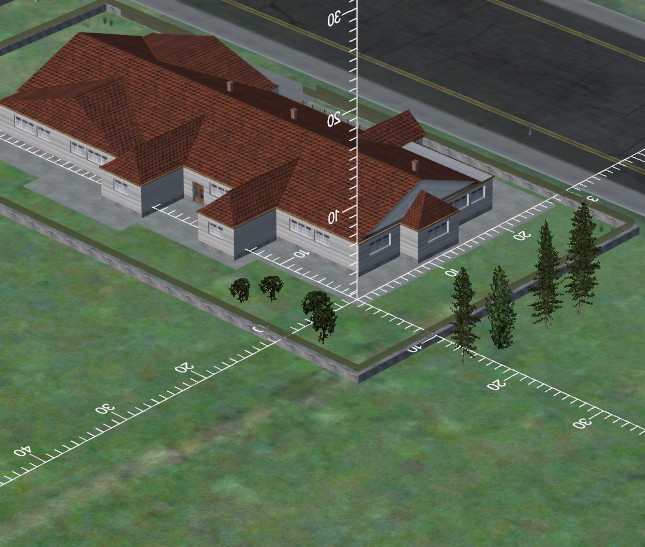
  10. This 'aircraft' is nothing more then a 3 dimensional measuring tool that you can move around in FSX using the slew mode. It allows you to measure any object in FSX. Very useful for scenery designers! Install as any aircraft.

    This is a freeware product but it is copyright by Aerosoft. Please do not spread it without our permission.
    • 697 Downloads
    • 1 Comments
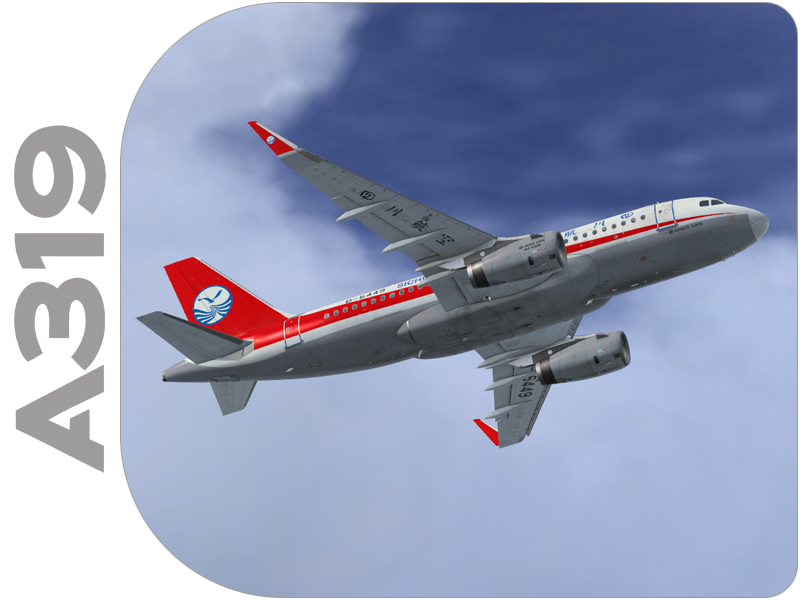
  11. Contents of this ZIP-package:
    Airbus A319 IAE Sichuan Airlines B-6449
    (clean and dirt)

    Repaint by:
    Holger Sobl

    Aerosoft paintkit by:
    Stefan Hoffmann

    Installation (Airbus Livery Manager):
    Start the aerosoft Airbus Livery Manager and drag the ZIP-File into the list - or click "Add Livery" and select the desired file. You get a preview of the new livery - and install it with just one click. (You can read all Livery Manager functions by clicking the "?" button!)

    If you are looking for more or other repaints then you can also look on my homepage http://simtexture.de!
    • 2006 Downloads
    • 3 Comments
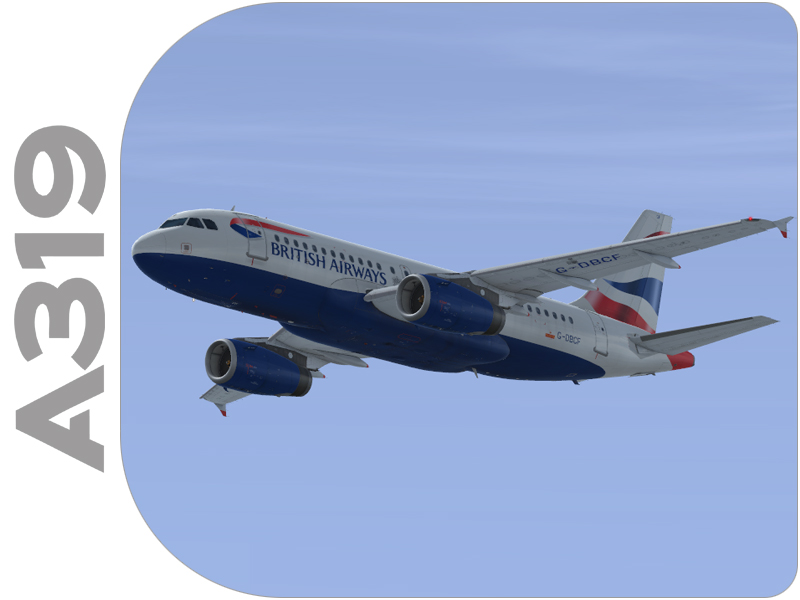
  12. Contents of this ZIP-package:
    Airbus A319 IAE British Airways G-DBCF
    (clean and dirt)

    Repaint by:
    Holger Sobl
    Stefan Hoffmann

    Aerosoft paintkit by:
    Stefan Hoffmann

    Installation (Airbus Livery Manager):
    Start the aerosoft Airbus Livery Manager and drag the ZIP-File into the list - or click "Add Livery" and select the desired file. You get a preview of the new livery - and install it with just one click. (You can read all Livery Manager functions by clicking the "?" button!)

    If you are looking for more or other repaints then you can also look on my homepage http://simtexture.de!
    • 4325 Downloads
    • 13 Comments
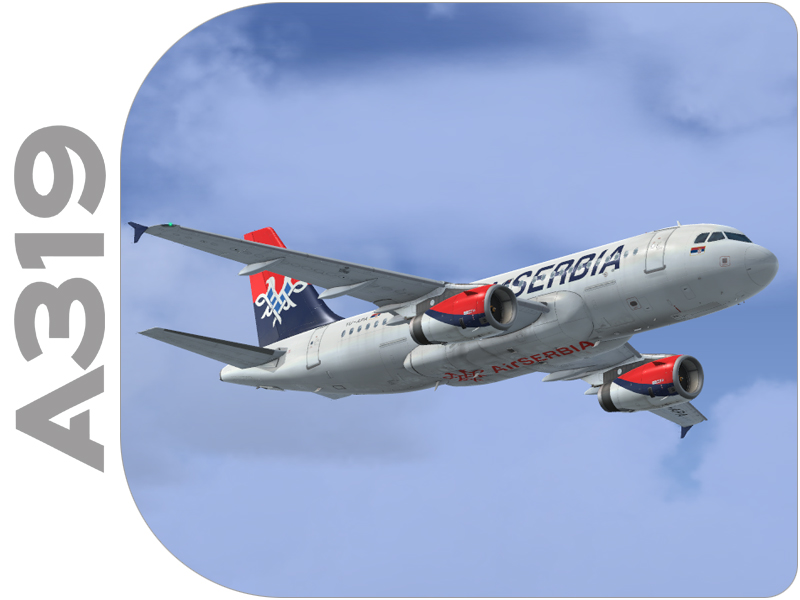
  13. Contents of this ZIP-package:
    Airbus A319 IAE Air Serbia YU-APA
    (clean and dirt)

    Repaint by:
    Holger Sobl

    Aerosoft paintkit by:
    Stefan Hoffmann

    Installation (Airbus Livery Manager):
    Start the aerosoft Airbus Livery Manager and drag the ZIP-File into the list - or click "Add Livery" and select the desired file. You get a preview of the new livery - and install it with just one click. (You can read all Livery Manager functions by clicking the "?" button!)

    If you are looking for more or other repaints then you can also look on my homepage http://simtexture.de!
    • 3995 Downloads
    • 1 Comments
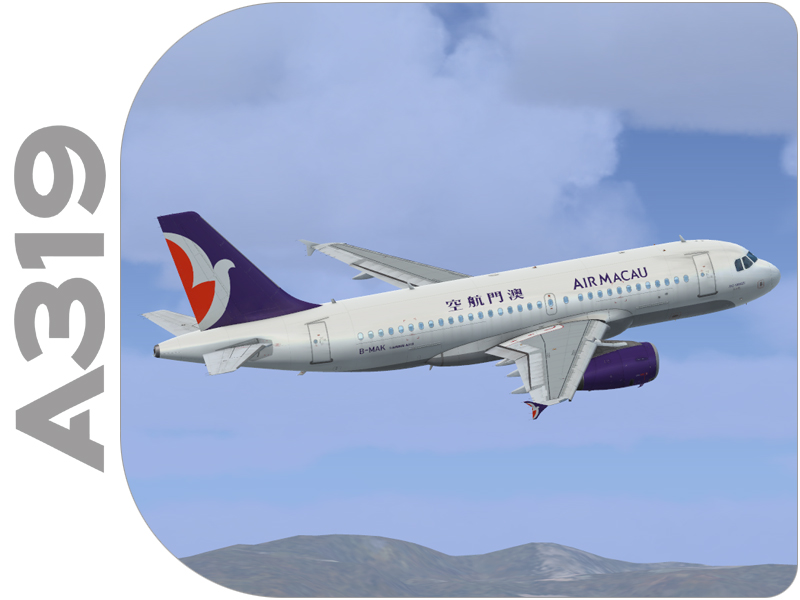
  14. Contents of this ZIP-package:
    Airbus A319 IAE Air Macau B-MAK
    (clean and dirt)

    Repaint by:
    Holger Sobl

    Aerosoft paintkit by:
    Stefan Hoffmann

    Installation (Airbus Livery Manager):
    Start the aerosoft Airbus Livery Manager and drag the ZIP-File into the list - or click "Add Livery" and select the desired file. You get a preview of the new livery - and install it with just one click. (You can read all Livery Manager functions by clicking the "?" button!)

    If you are looking for more or other repaints then you can also look on my homepage http://simtexture.de!
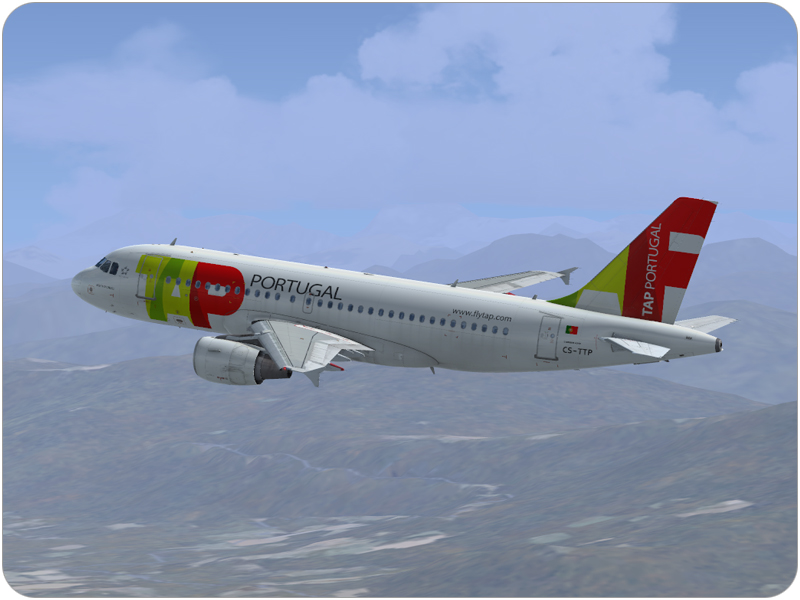
  15. Contents of this ZIP-package:
    Airbus A319 CFM TAP Portugal CS-TTP
    (clean and dirt)

    Repaint by:
    Holger Sobl

    Aerosoft paintkit by:
    Stefan Hoffmann

    Installation (Airbus Livery Manager):
    Start the aerosoft Airbus Livery Manager and drag the ZIP-File into the list - or click "Add Livery" and select the desired file. You get a preview of the new livery - and install it with just one click. (You can read all Livery Manager functions by clicking the "?" button!)

    If you are looking for more or other repaints then you can also look on my homepage http://simtexture.de!
    • 8028 Downloads
    • 7 Comments
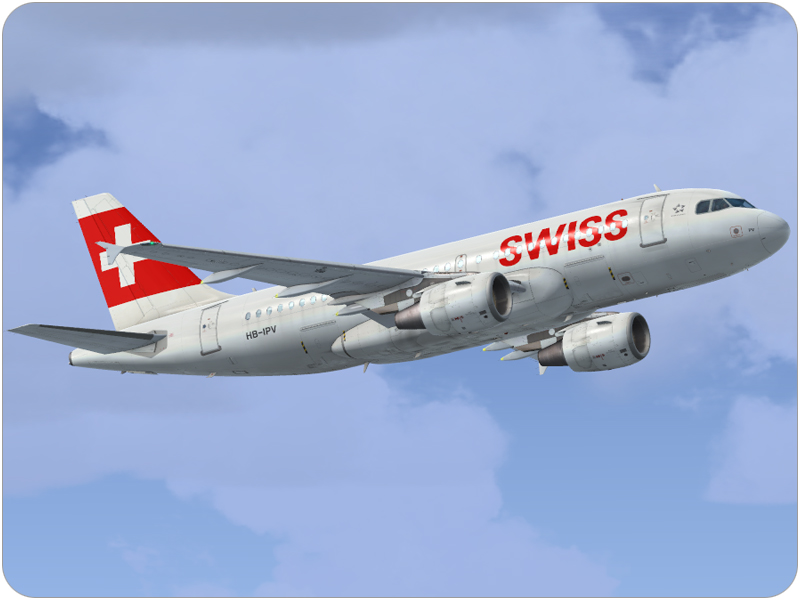
  16. Contents of this ZIP-package:
    Airbus A319 CFM SWISS HB-IPV
    (clean and dirt)

    Repaint by:
    Holger Sobl

    Aerosoft paintkit by:
    Stefan Hoffmann

    Installation (Airbus Livery Manager):
    Start the aerosoft Airbus Livery Manager and drag the ZIP-File into the list - or click "Add Livery" and select the desired file. You get a preview of the new livery - and install it with just one click. (You can read all Livery Manager functions by clicking the "?" button!)

    If you are looking for more or other repaints then you can also look on my homepage http://simtexture.de!
    • 12879 Downloads
    • 8 Comments
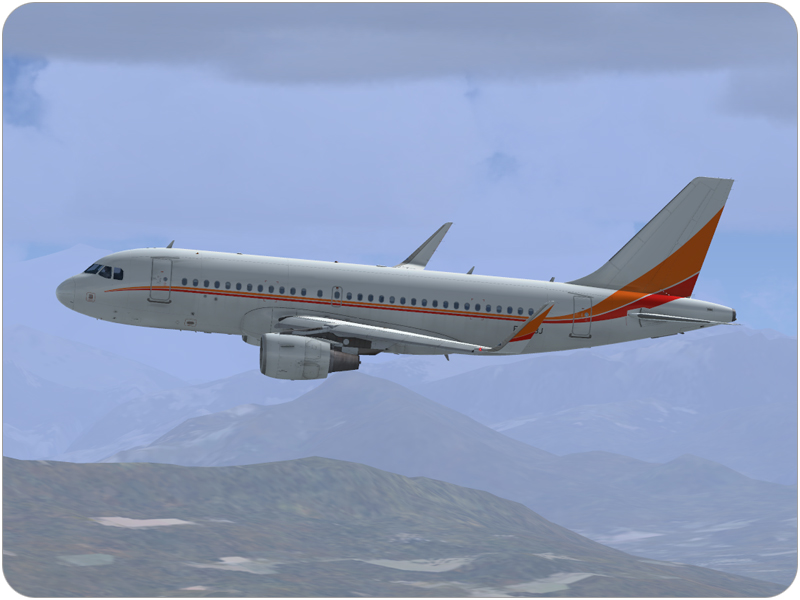
  17. Contents of this ZIP-package:
    Airbus A319 CFM Private F-WZBJ
    (clean and dirt)

    Repaint by:
    Holger Sobl

    Aerosoft paintkit by:
    Stefan Hoffmann

    Installation (Airbus Livery Manager):
    Start the aerosoft Airbus Livery Manager and drag the ZIP-File into the list - or click "Add Livery" and select the desired file. You get a preview of the new livery - and install it with just one click. (You can read all Livery Manager functions by clicking the "?" button!)

    If you are looking for more or other repaints then you can also look on my homepage http://simtexture.de!
    • 3827 Downloads
    • 1 Comments
  18. Contents of this ZIP-package:
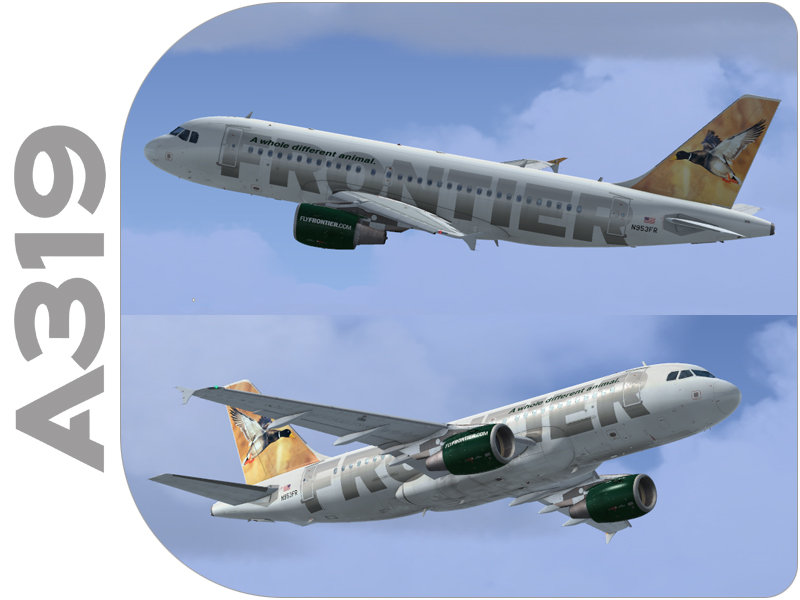
    Airbus A319 CFM Frontier Airlines N953FR
    (clean and dirt)

    Repaint by:
    Holger Sobl

    Aerosoft paintkit by:
    Stefan Hoffmann

    Installation (Airbus Livery Manager):
    Start the aerosoft Airbus Livery Manager and drag the ZIP-File into the list - or click "Add Livery" and select the desired file. You get a preview of the new livery - and install it with just one click. (You can read all Livery Manager functions by clicking the "?" button!)

    If you are looking for more or other repaints then you can also look on my homepage http://simtexture.de!
    • 3574 Downloads
    • 4 Comments
  19. Contents of this ZIP-packed:
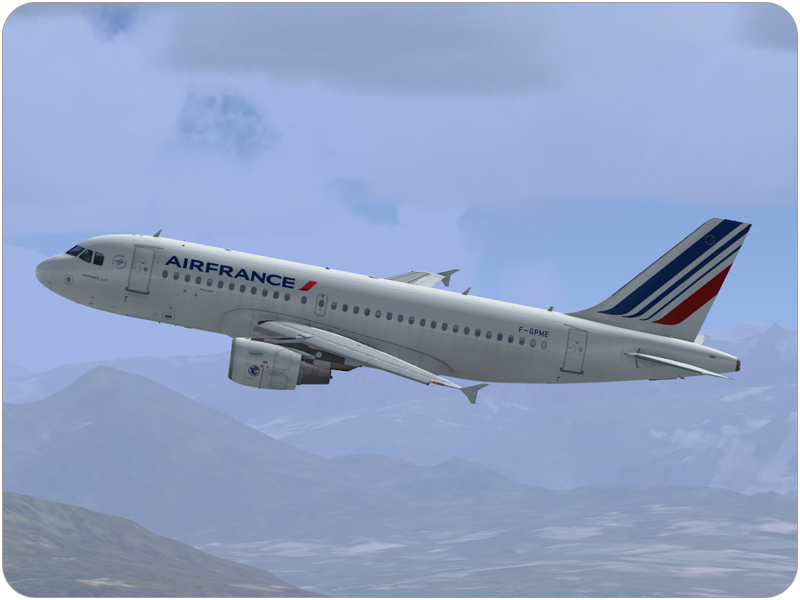
    Airbus A319 Air France F-GPME
    (clean and dirt)

    Repaint by:
    Holger Sobl

    Aerosoft paintkit by:
    Stefan Hoffmann

    Installation (Airbus Livery Manager):
    Start the aerosoft Airbus Livery Manager and drag the ZIP-File into the list - or click "Add Livery" and select the desired file. You get a preview of the new livery - and install it with just one click. (You can read all Livery Manager functions by clicking the "?" button!)

    If you are looking for more or other repaints then you can also look on my homepage http://simtexture.de!
    • 12939 Downloads
    • 1 Comments
  20. Contents of this ZIP-package:
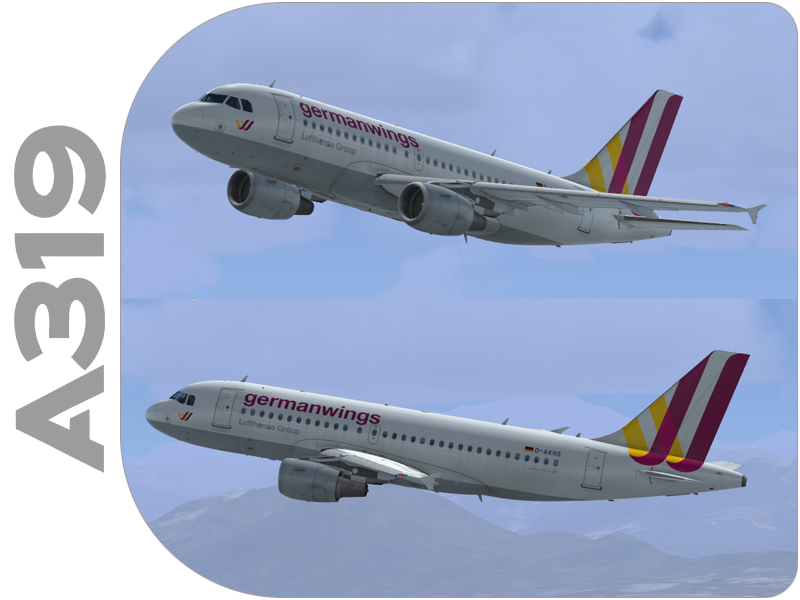
    Airbus A319 GERMANWINGS D-AKNS
    (clean and dirt)

    Repaint by:
    Holger Sobl
    Stefan Hoffmann

    Aerosoft paintkit by:
    Stefan Hoffmann

    Installation (Airbus Livery Manager):
    Start the aerosoft Airbus Livery Manager and drag the ZIP-File into the list - or click "Add Livery" and select the desired file. You get a preview of the new livery - and install it with just one click. (You can read all Livery Manager functions by clicking the "?" button!)

    If you are looking for more or other repaints then you can also look on my homepage http://simtexture.de!
    • 5977 Downloads
    • 2 Comments
  21. Here are three scenarios with a explanatory text that will teach you to depart and approach Gatwick airport.
    Copy the files to the C:\Users\Your Name\Documents\Aerosoft\GATC\Scenarios folder
  22. This is a fully functional demo of GATC covering Munchen airport!
  23. This is NOT an official update for Global Air Traffic Control but a very large user created project (though it might be used in a later official build. Our newest best friend Peter Faase has converted some real aviation databases to make the traffic in GATC far more realistic.

    There are now a whopping 704 airline files (was 112!) and the amount of aircraft files has grown from 83 to 134. That means that you will see a far greater variety of airlines at each airports and that chances of seeing an airline that does not belong at an airport are serious reduced.

    The easiest way to install these new files is to remove the folders AirlineFiles and AircraftFiles from your C:\Users\your name here\Documents\Aerosoft\GATC and replace them with the two folder in this zip. We do not advise you to overwrite them. If you have any other tweaks in these files make sure you save them first.

    We thank Peter for these superb files!

    Robert Miroszweski
    Mathijs Kok

    2/12/2014
  24. Short tutorial on departing aircraft.
  25. The Fokker 50 for your GATC fleet.

Important Information

We have placed cookies on your device to help make this website better. You can adjust your cookie settings, otherwise we'll assume you're okay to continue. Privacy Policy & Terms of Use

Account

Navigation

Search

Configure browser push notifications

Chrome (Android)
  1. Tap the lock icon next to the address bar.
  2. Tap Permissions → Notifications.
  3. Adjust your preference.
Chrome (Desktop)
  1. Click the padlock icon in the address bar.
  2. Select Site settings.
  3. Find Notifications and adjust your preference.