Skip to content

Aerosoft A330 professional liveries

All liveries for the Aerosoft A330 professional 

258 files

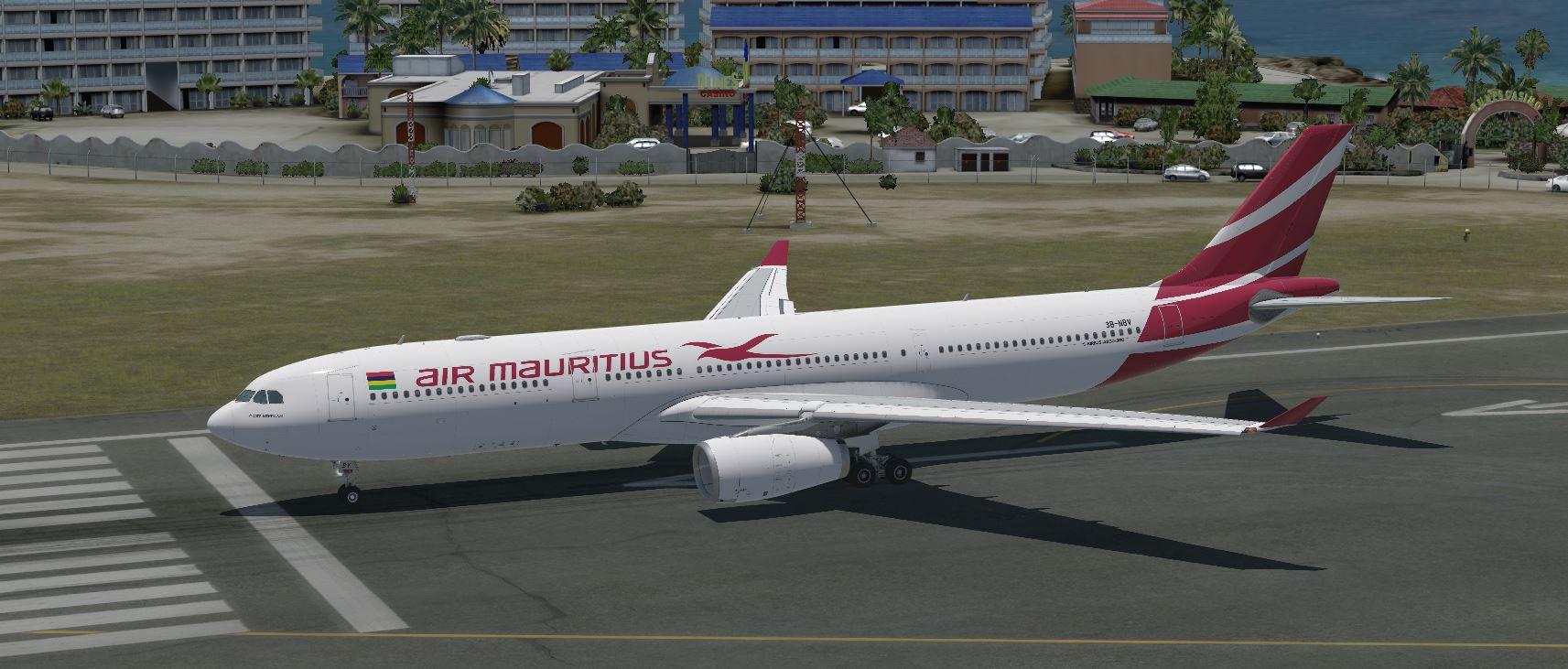
  1. A330 AIR MAURITIUS NEW COLORS
     
    HEAVY FUN
     
    I don't read or respond to comments.
    If there is an error, send me a private message.
    If I agree, I will do the repair.
    If you don't agree, I appreciate the concern.
    • 898 Downloads
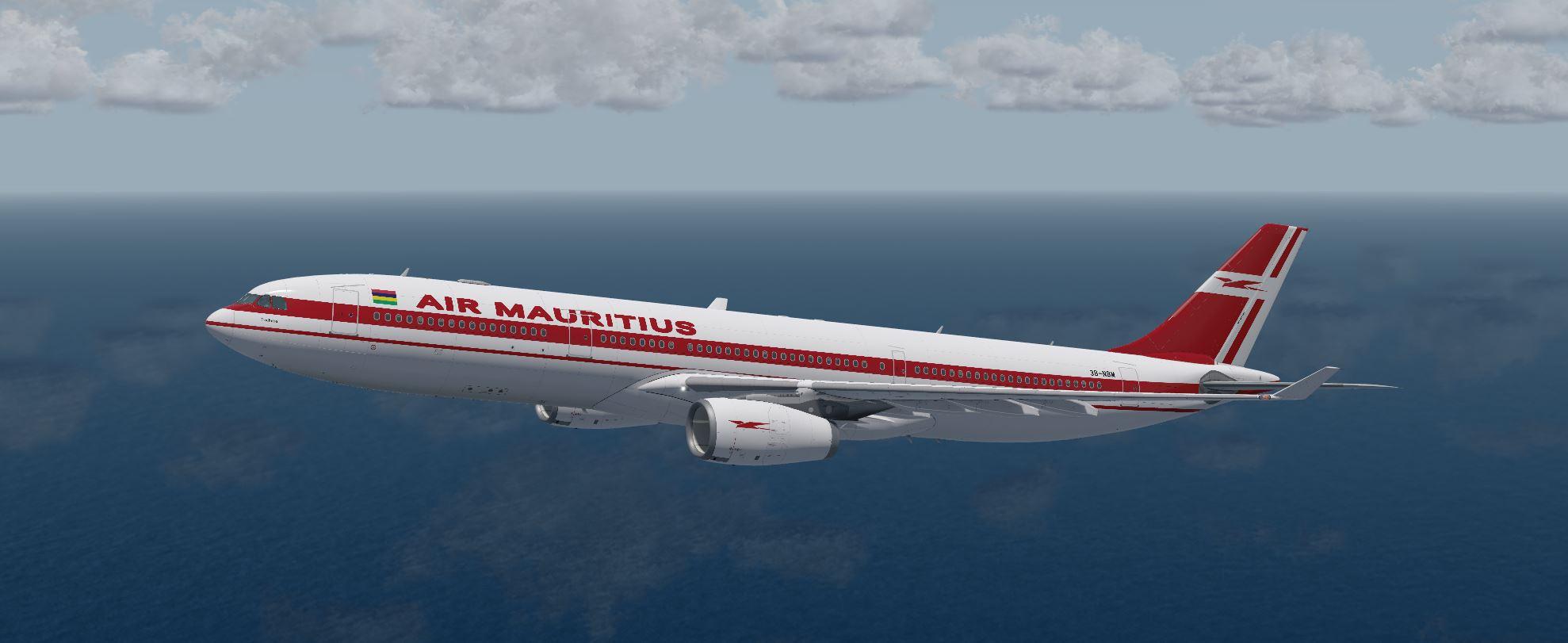
  2. A330 AIR MAURITIUS OLD COLORS
     
    HEAVY FUN !
     
    I don't read or respond to comments.
    If there is an error, send me a private message.
    If I agree, I will do the repair.
    If you don't agree, I appreciate the concern.
    • 123 Downloads
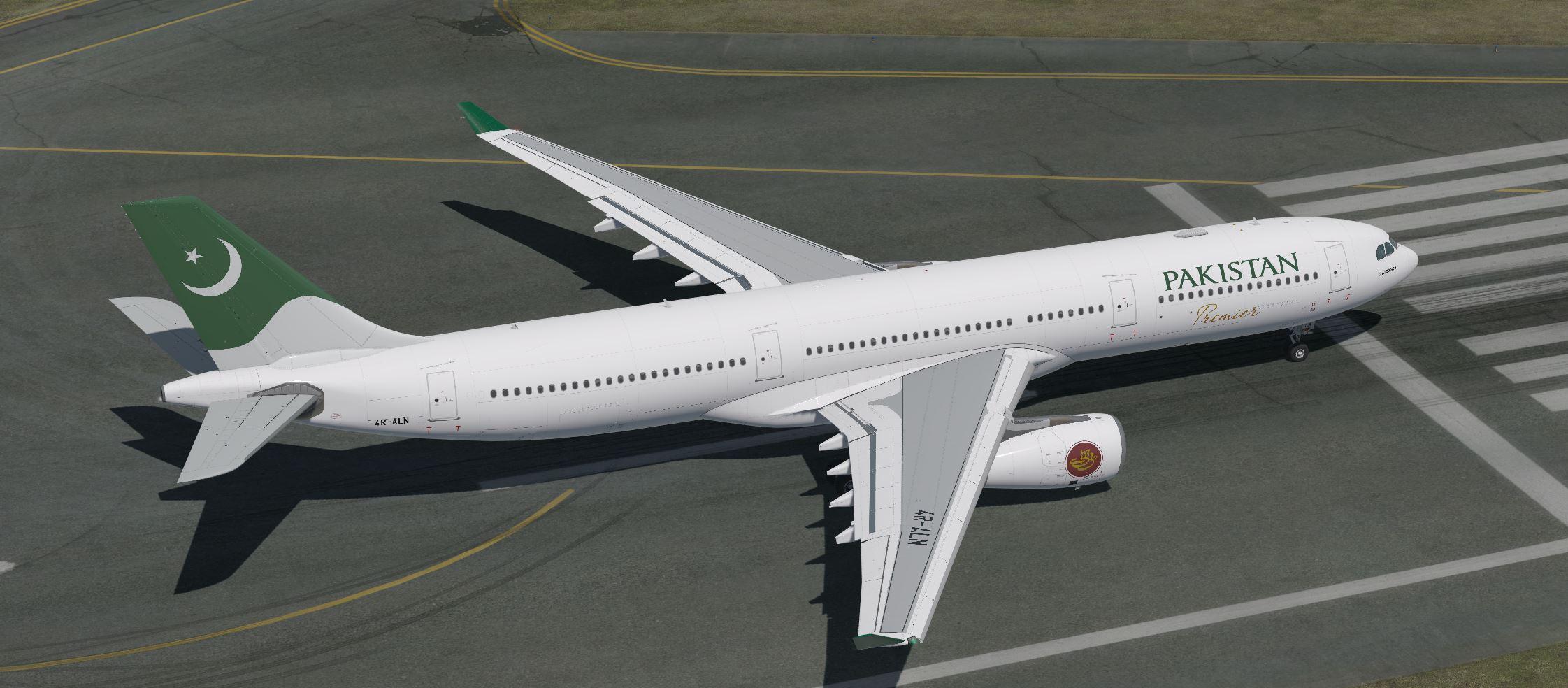
  3. A330 PAKISTAN

    HEAVY FUN !
     
    I don't read or respond to comments.
    If there is an error, send me a private message.
    If I agree, I will do the repair.
    If you don't agree, I appreciate the concern.
    • 195 Downloads
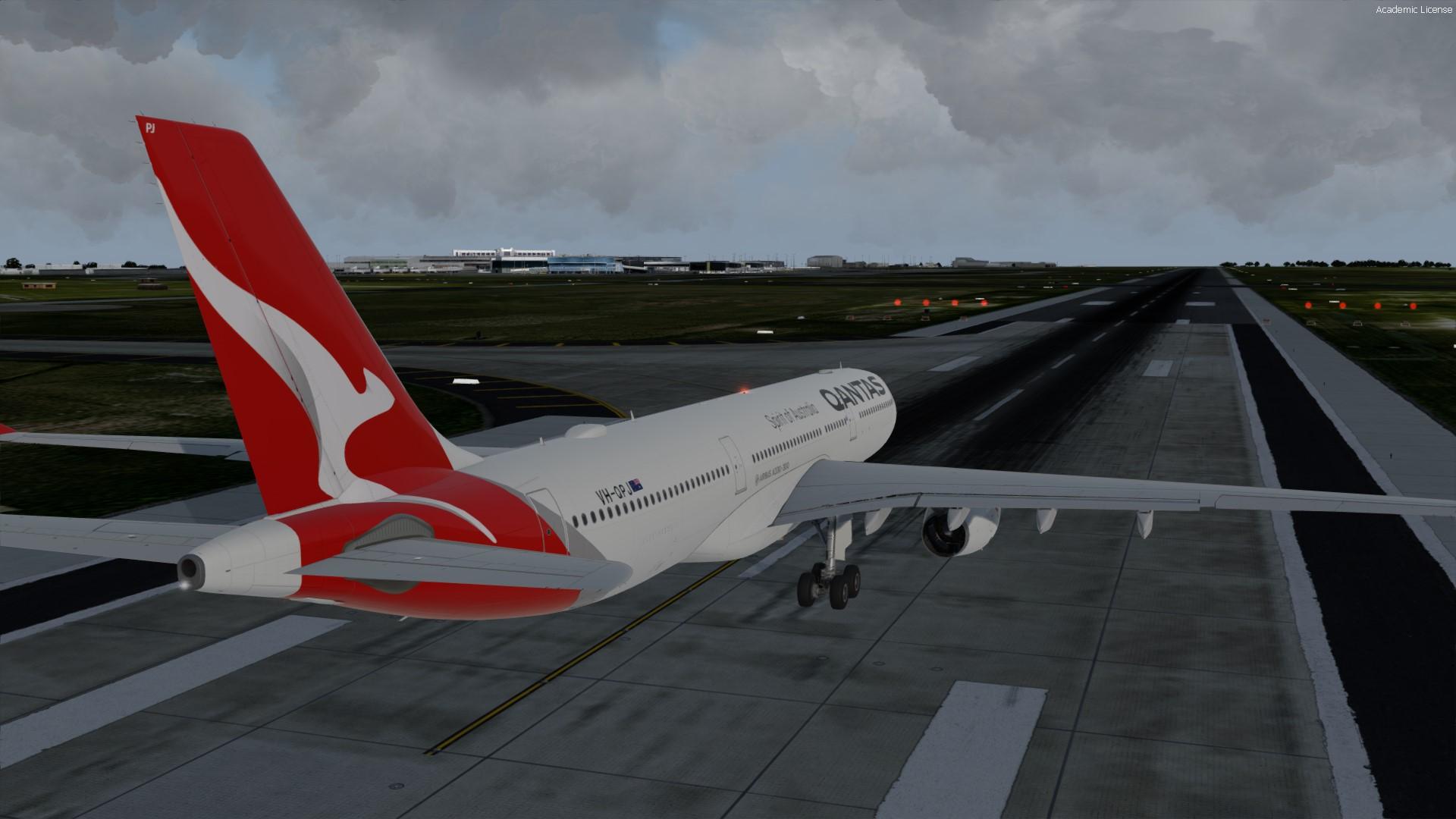
  4. This is a repaint for the Aerosoft A330-300 of Qantas VH-QPJ. This repaint is base off an aircraft with GE engines.
     
    2k AND 4k TEXTURES AVAILABLE
    4k textures dont actually do anything so dont bother with them
     
     
    • 5242 Downloads
    • 10 Comments
  5. Give my site a visit and see all my paints here
     
    https://moho43.wixsite.com/htextures

     
    • 491 Downloads
    • 1 Comments
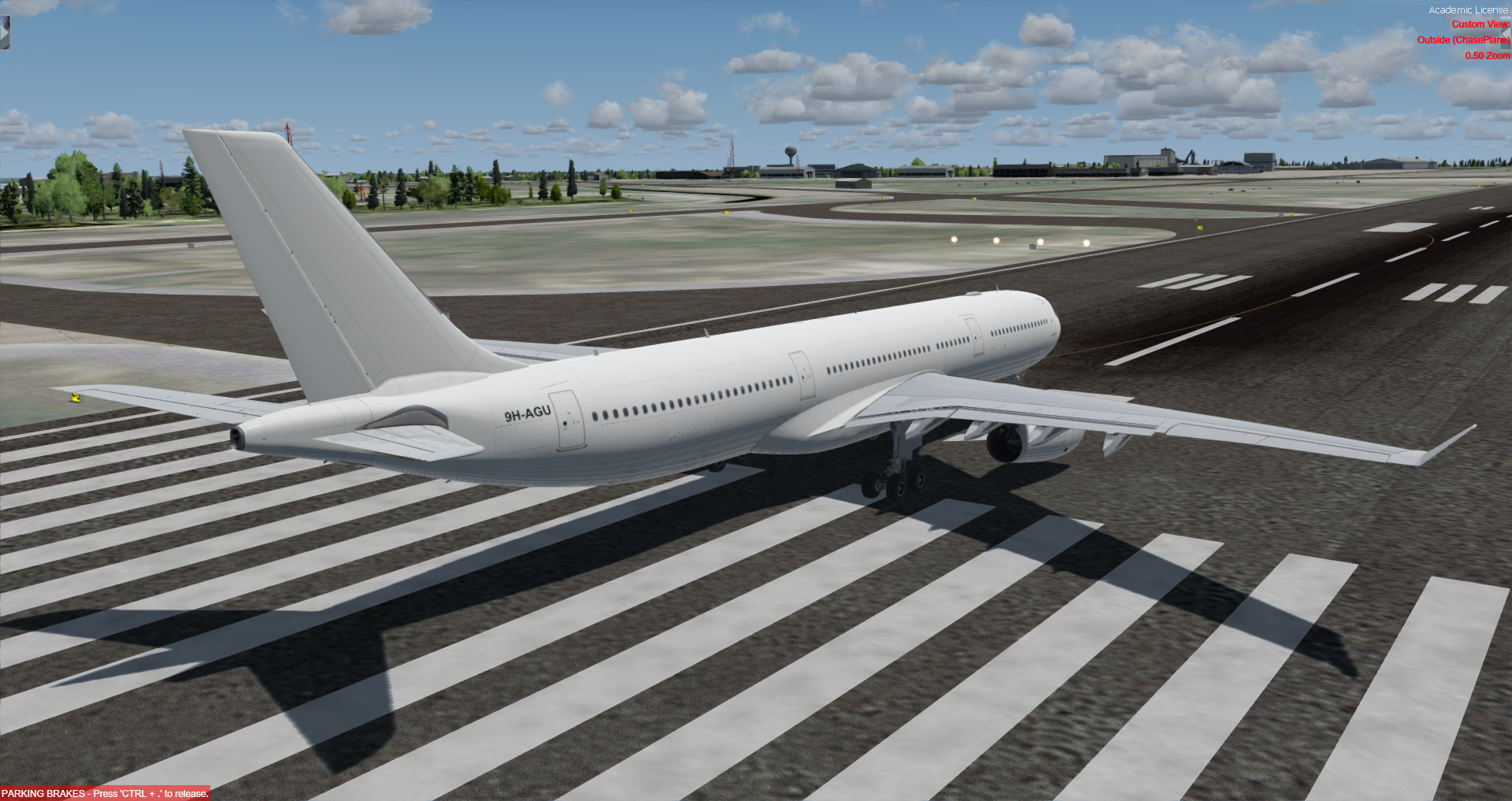
  6. Texture made by me, based on the Airbus A330-322 from Hifly Malta, with the prefix 9H-AGU, however, the real aircraft has PW4168 engines by Pratt & Whitney and not Trent 700 engines by Rolls-Royce. The texture itself is completely white and only with the aircraft's prefix.


    To install, just place the 'texture.hifly' folder to C : \ Users \ [yourusername] \ Documents \ Aerosoft \ Aerosoft A330 Professional \ SimObjects \ Airplanes \ Aerosoft A333 RR Professional
    and paste this line of code * into 'aircraft.cfg'
     
    * change the 'x' to the previous number + 1 (see screenshot)


    [FLTSIM.xx]
    title                = Aerosoft A333 professional Hifly 9H-AGU
    sim                = A330-343
    model                = SD3
    panel                =
    sound                =
    texture                = hifly
    kb_checklists            = AirbusA333_check
    kb_reference            = AirbusA333_ref
    atc_id                = 9H-AGU
    atc_airline            = Hifly Malta
    atc_flight_number        = 1000
    ui_manufacturer            = Airbus
    ui_type                = A330-343 ROLLS-ROYCE
    ui_variation            = Hifly Malta 9H-AGU
    ui_typerole            = Commercial Airliner
    ui_createdby            = Aerosoft
    atc_parking_types        = GATE,RAMP
    atc_parking_codes           = TP
    description            = Airbus A330 - 343 RR / Hifly Malta 9H-AGU \nwww.aerosoft.com


    • 737 Downloads
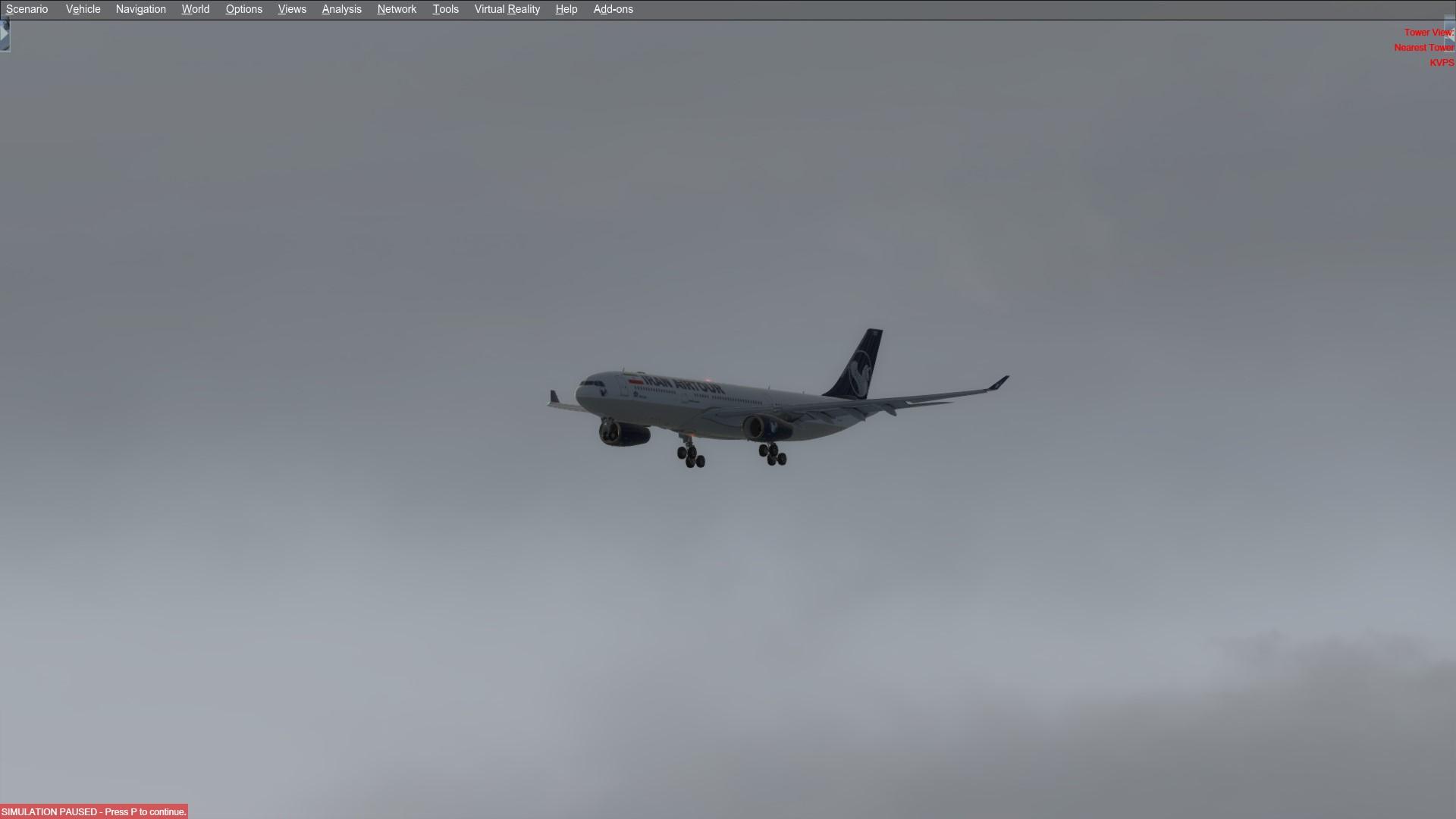
  7. REPAINT BY:
    Mahyar Vahdatpanah
     
    AEROSOFT PAINTKIT BY:
    Mahyar Vahdatpanah
     
    INSTALLATION:
    1. Unzip to a temporary location.
    2. Copy the "texture.EPIJB" folder in this file to your "Aerosoft A333 RR Professional" folder.
    3. Copy and paste the following text into the "aircraft.cfg" file inside the "Aerosoft A333 RR Professional" Folder.
     
    (replacing the X with the next number in line after your last existing paint scheme - if the last paint scheme already on the list is [FLTSIM.2], this should be [FLTSIM.3])
     
    [FLTSIM.XX]
    title                = Aerosoft A333 professional IranAir Tour EP-MDO
    sim                = A330-343
    model                = SD3
    panel                =
    sound                =
    texture                = EPIJB
    kb_checklists            = AirbusA333_check
    kb_reference            = AirbusA333_ref
    atc_id                = EP-MDO
    atc_airline            = IranAir Tour
    atc_flight_number        = 1000
    ui_manufacturer            = Airbus
    ui_type                = A330-343 ROLLS-ROYCE
    ui_variation            = IranAir EP-MDO
    ui_typerole            = Commercial Airliner
    ui_createdby            = Aerosoft
    atc_parking_types        = GATE,RAMP
    atc_parking_codes           = EP
    description            = Airbus A330 - 343 RR / IranAir Tour EP-MDO \nwww.aerosoft.com\nRepaint by Mahyar VahdatPanah
     
    If you are looking for more or other repaints then you can also search my name at aerosoft forum.
     
    ACKNOWLEDGEMENTS:
    ***ITS FREE PLEASE DONT SELL OR BUY IT***
     
    LEGAL STUFF:
    This repaint is released as FREEWARE. You may use and modify it in any way you wish, but you may NOT use it in any kind of money-making endeavor, and you may NOT publicly distribute any copies of it, whether modified or not, without my permission.
    Regards
     
    Mahyar Vahdatpanah
    mahyarvahdatpanah@gmail.com
    • 112 Downloads
    • 1 Comments
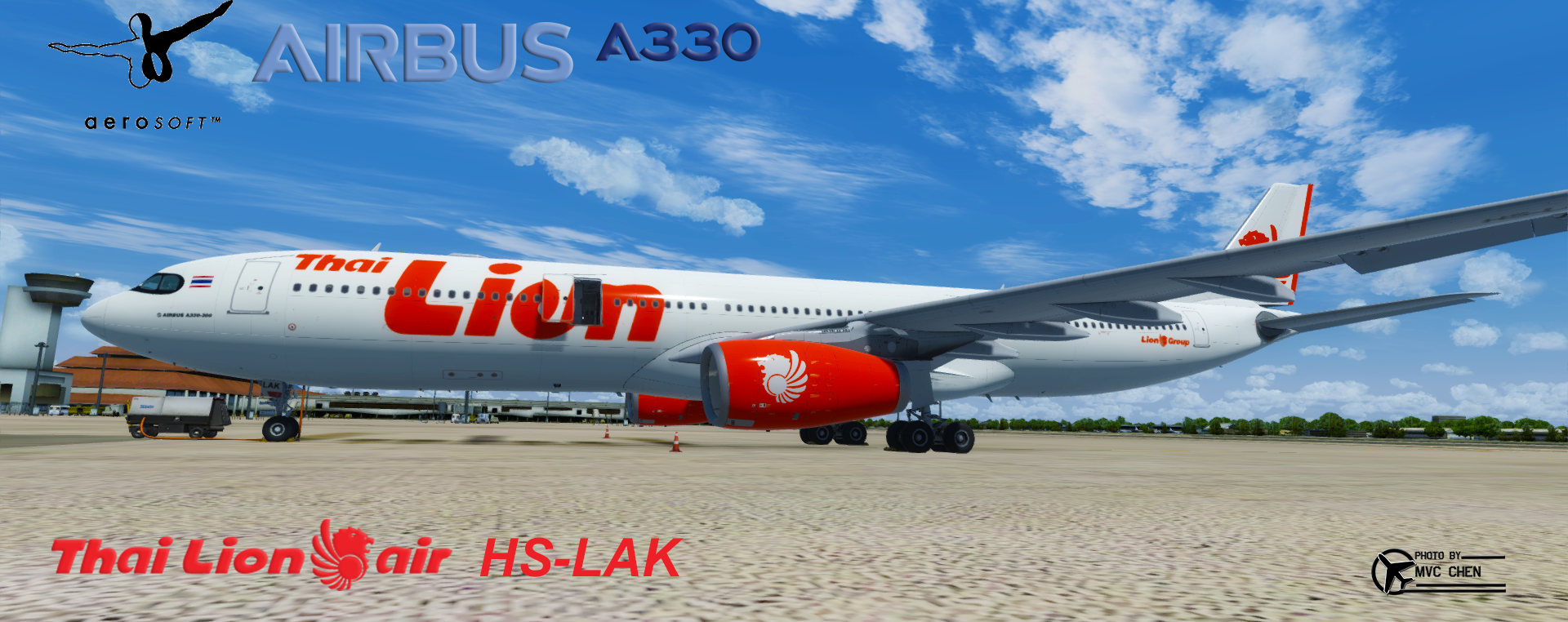
  8. Airbus A330-300 Thai Lion Air ( HS-LAK ) // Fictional ( HS-LAK is NEO Version)
    • 315 Downloads
  9. Repaint for Aerosoft A333 RR Professional AirEuropa EC-MHL. Textures only. Installation instructions on readme file.
    • 2399 Downloads
    • 6 Comments
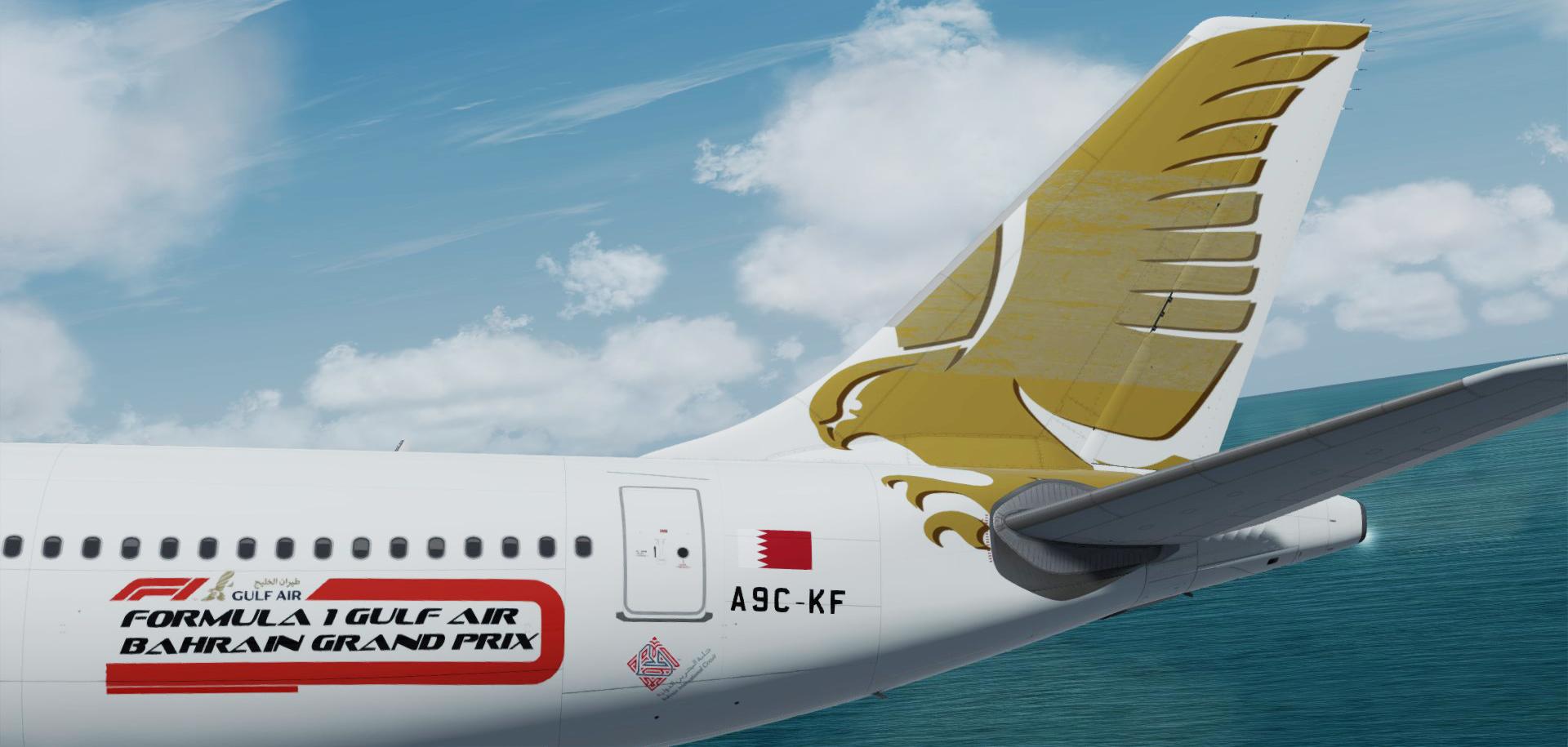
  10. 3 Gulf air paints for the Aerosoft a330 

    --A9C-KE updated : 
       Correct color added 
       Curve corrected 
       Doors corrected 
      Tail repainted as the real one
      logo size and placement corrected .
      Red engine .

    --A9C-KD added to the fleet.
    --A9c-KF added to the fleet.

    enjoy


    • 598 Downloads
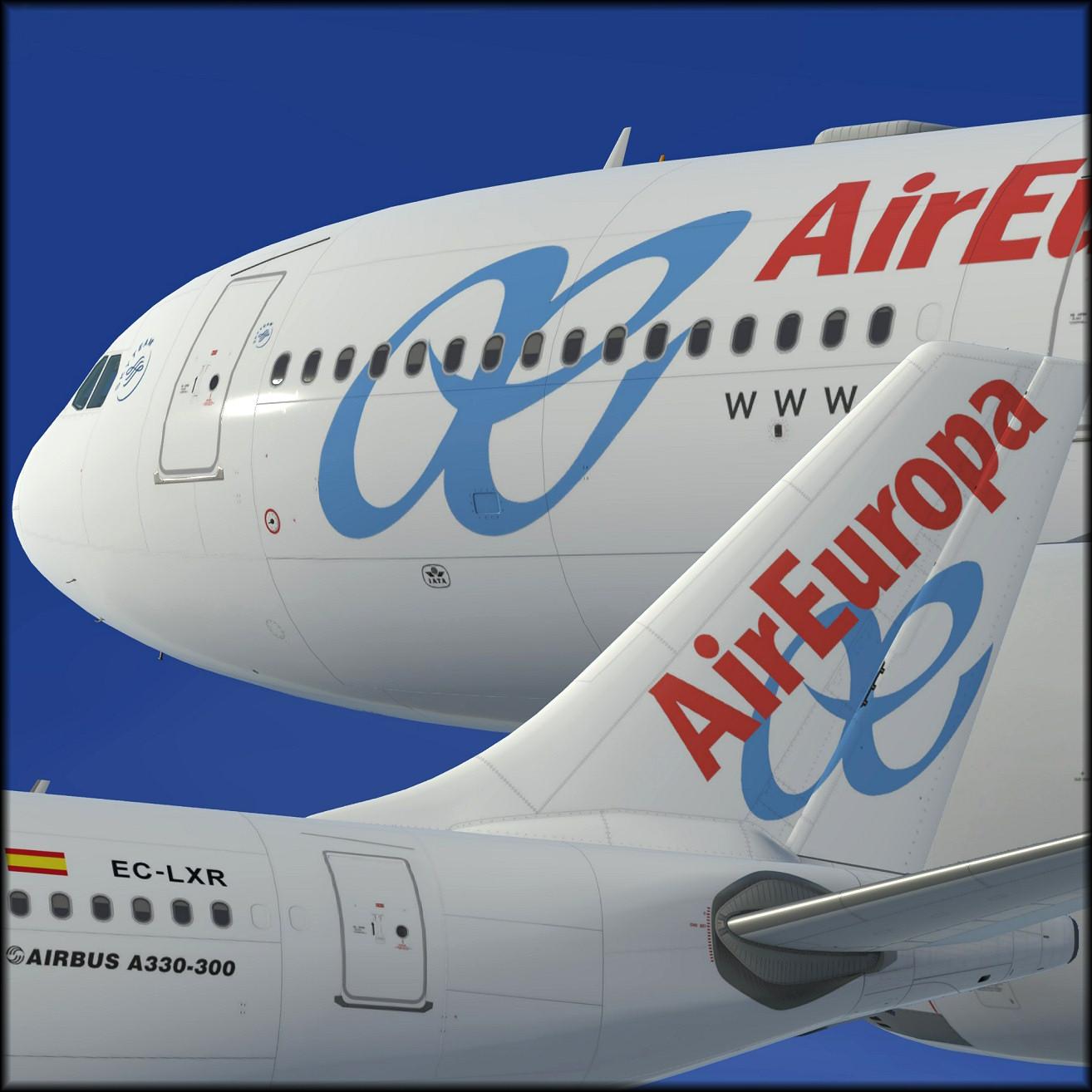
  11. To install this aircraft, copy the following text into your 'aircraft.cfg',  inside the folder 'SimObjects\Airplanes\Aerosoft A333 RR Professional'. Replace the X in [FLTSIM.X] by the next number in your sequence (like [FLTSIM.11,12 etc])
    [FLTSIM.xx]
    title                = Aerosoft A333 professional Air Europa Old EC-LXR
    sim                = A330-343
    model                =
    panel                =
    sound                =
    texture                = EC-LXR
    kb_checklists            = AirbusA333_check
    kb_reference            = AirbusA333_ref
    atc_id                = EC-LXR
    atc_airline            = Air Europa
    atc_flight_number        = 1000
    ui_manufacturer            = Airbus
    ui_type                = A330-343 ROLLS-ROYCE
    ui_variation            = Air Europa
    ui_typerole            = Commercial Airliner
    ui_createdby            = Aerosoft
    atc_parking_types        = GATE,RAMP
    atc_parking_codes           = AE
    description            = Airbus A330 - 343 RR / Air Europa Old EC-LXR \nwww.aerosoft.com\nRepaint by Steve Drabek
    Next, copy the complete texture.EC-LXR folder in the zip file to the your \AS Airbus 330\Aerosoft A330 Professional\SimObjects\Airplanes\Aerosoft A333 RR Professional folder (your folder will be wherever you installed the Airbus)
    That's it!
    • 1422 Downloads
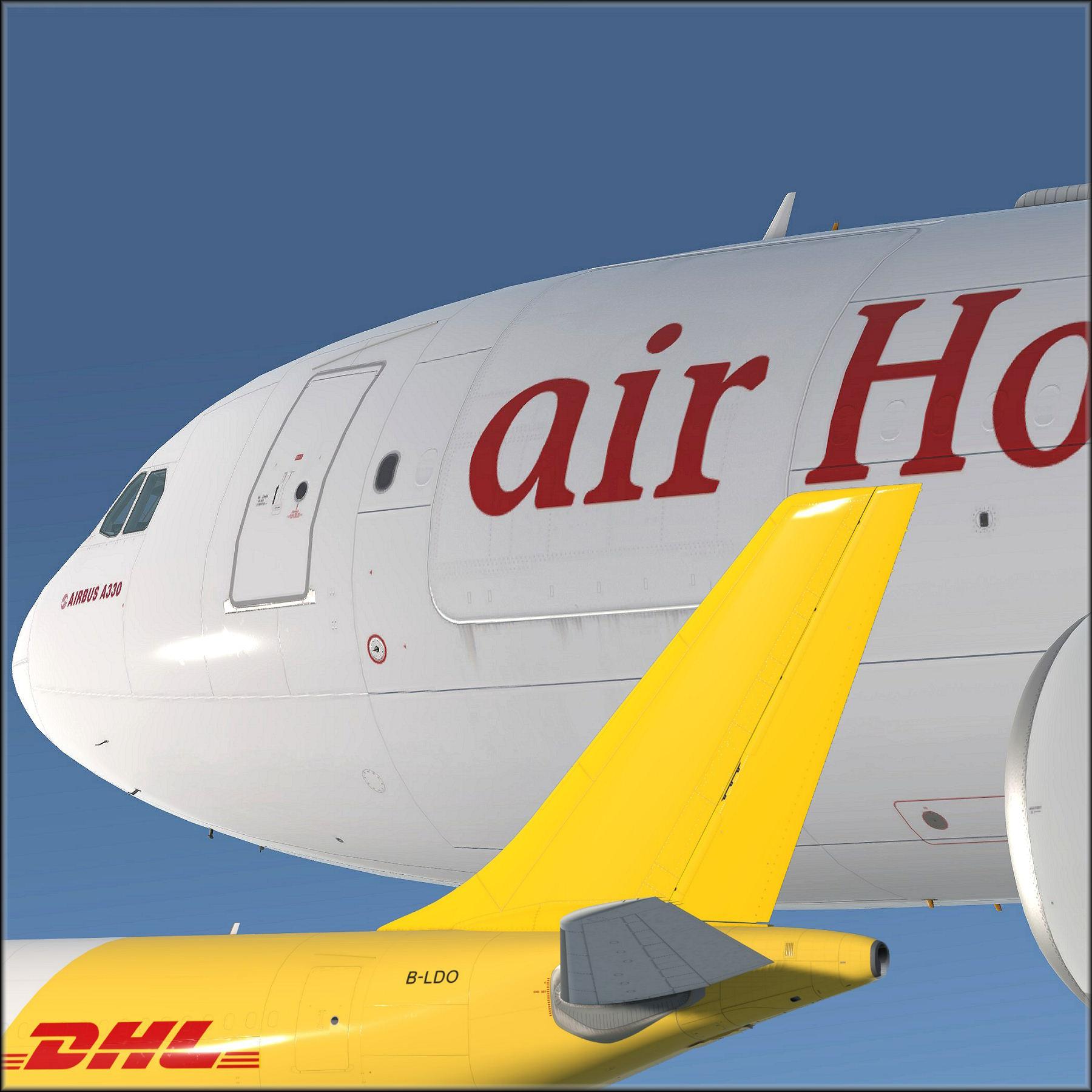
  12. A lot of special work went into this paint. 
    I modified the metal and bump maps to emulate the cargo door where there is none in the model.
    NOTE: The cargo door is non-functional!  It was created by texture mods and visual effects only.  If a freighter (or P2F) version of the A330 is released this paint can be modified to use it.
     
    A special thanks to Brian Thibodeaux for his assistance with texture validation and paint correction.  He's up close to DHL, POLAR, Atlas aircraft in the real world every day so his keen eye for the exact details makes this one of the most accurate DHL paints out there.
     
     
    To install this aircraft, copy the following text into your 'aircraft.cfg',  inside the folder 'SimObjects\Airplanes\Aerosoft A333 RR Professional'. Replace the XX in [FLTSIM.XX] by the next number in your sequence (like [FLTSIM.11,12 etc])
    [FLTSIM.XX]
    title                = Aerosoft A333 professional air Hongkong/DHL B-LDO
    sim                = A330-343
    model                = SD3
    panel                =
    sound                =
    texture                = B-LDO
    kb_checklists            = AirbusA333_check
    kb_reference            = AirbusA333_ref
    atc_id                = B-LDO
    atc_airline            = DHL
    atc_flight_number        = 1000
    ui_manufacturer            = Airbus
    ui_type                = A330-343 ROLLS-ROYCE
    ui_variation            = DHL B-LDO
    ui_typerole            = Commercial Airliner
    ui_createdby            = Aerosoft
    atc_parking_types        = GATE,RAMP
    atc_parking_codes           = EI
    description            = Airbus A330 - 343 RR / air Hongkong/DHL B-LDO \nwww.aerosoft.com\nRepaint by Steve Drabek

    Next, copy the complete texture.XXXXXXX folder in the zip file to the your \AS Airbus 330\Aerosoft A330 Professional\SimObjects\Airplanes\Aerosoft A333 RR Professional folder (your folder will be wherever you installed the Airbus)
    That's it!
    ---------------------------------------------------- 
    Steved20@yahoo.com
    Do not use any of my material without prior consent please
    • 870 Downloads
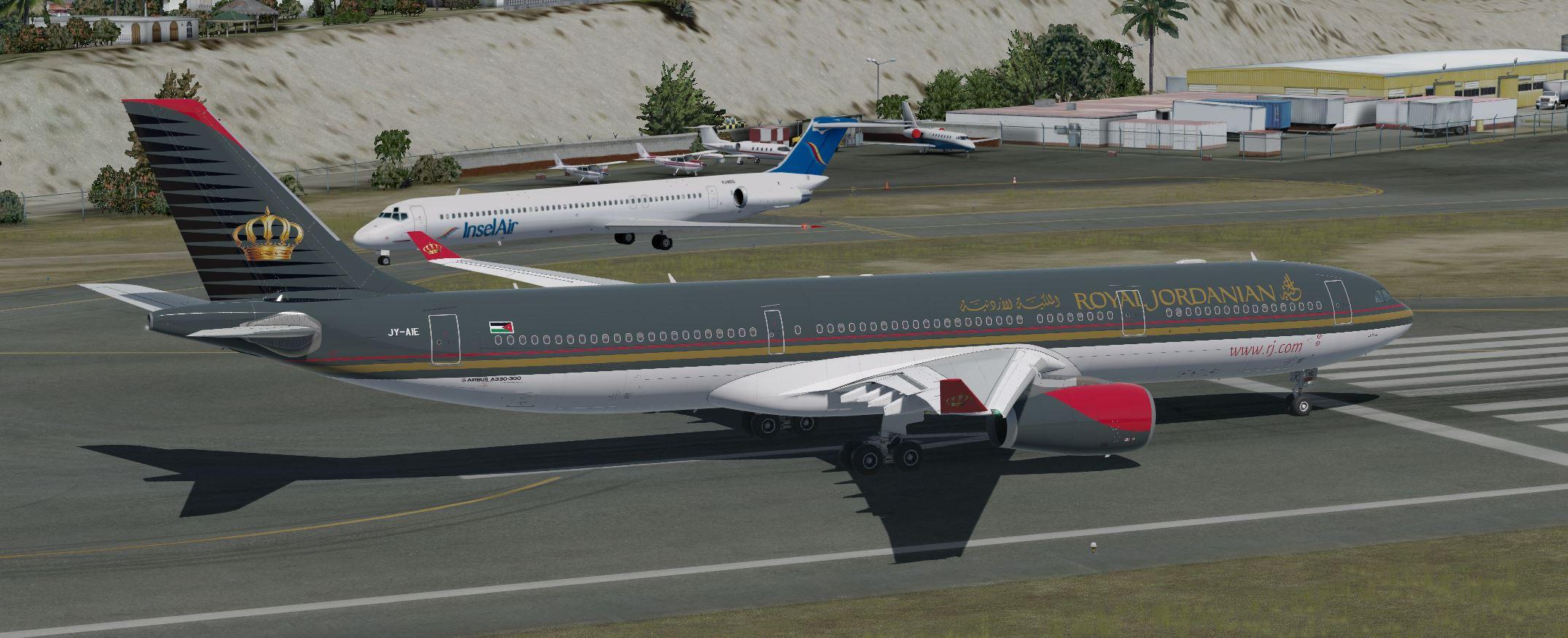
  13. AS330 Royal Jordanian

     
    JUST LOWER TEXTURE AND MAKE GOOD FLIGHTS
    DO NOT SUBMIT TEXTURE REQUEST, I DO NOT READ MORE COMMENTS!
    DO NOT SEND "FIXES" AS YOU "THINK" I MUST DO, I DO NOT READ MORE COMMENTS!
    DON'T WASTE YOUR TIME WITH criticizing , WIN YOUR TIME BY FLYING.
    KIND REGARDS

     
    • 382 Downloads
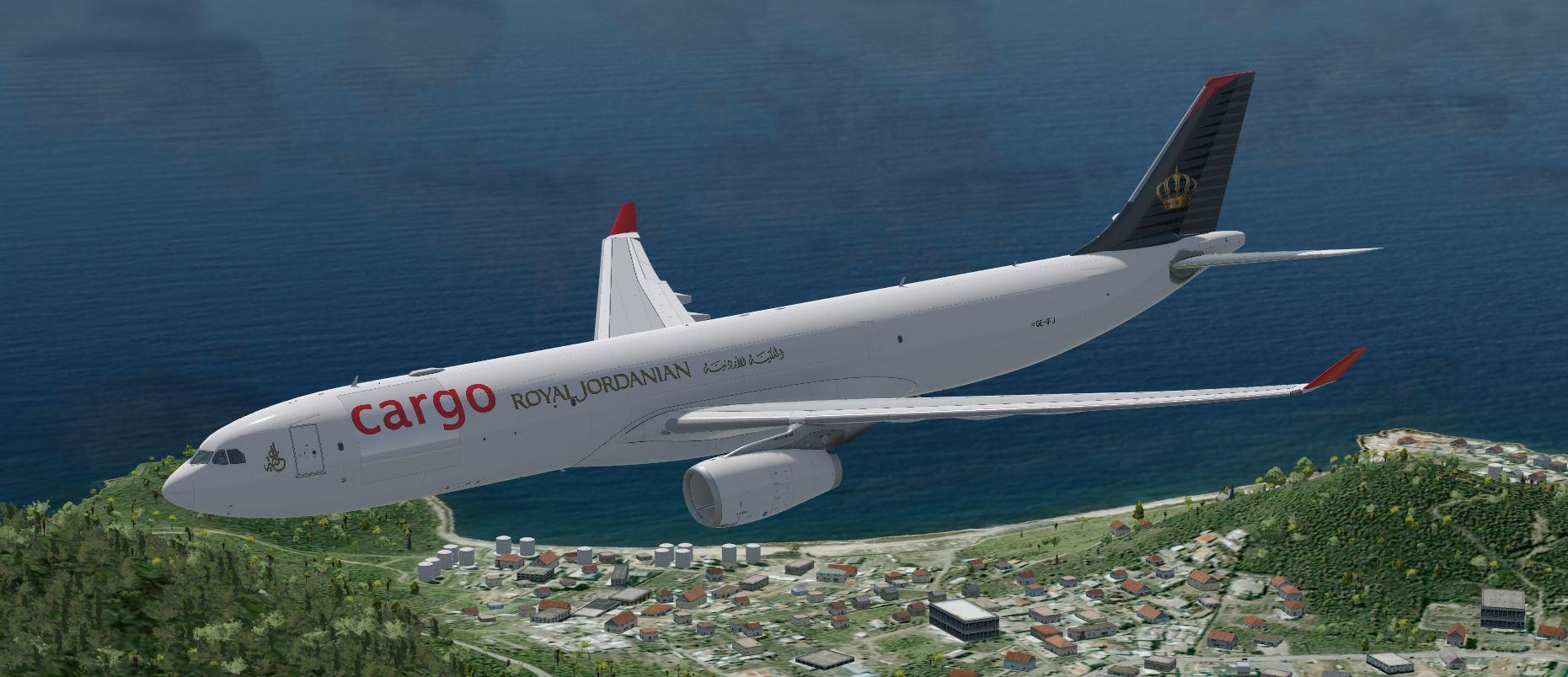
  14. AS330 Royal Jordanian Cargo

     
    JUST LOWER TEXTURE AND MAKE GOOD FLIGHTS
    DO NOT SUBMIT TEXTURE REQUEST, I DO NOT READ MORE COMMENTS!
    DO NOT SEND "FIXES" AS YOU "THINK" I MUST DO, I DO NOT READ MORE COMMENTS!
    DON'T WASTE YOUR TIME WITH criticizing , WIN YOUR TIME BY FLYING.
    KIND REGARDS

     
    • 148 Downloads
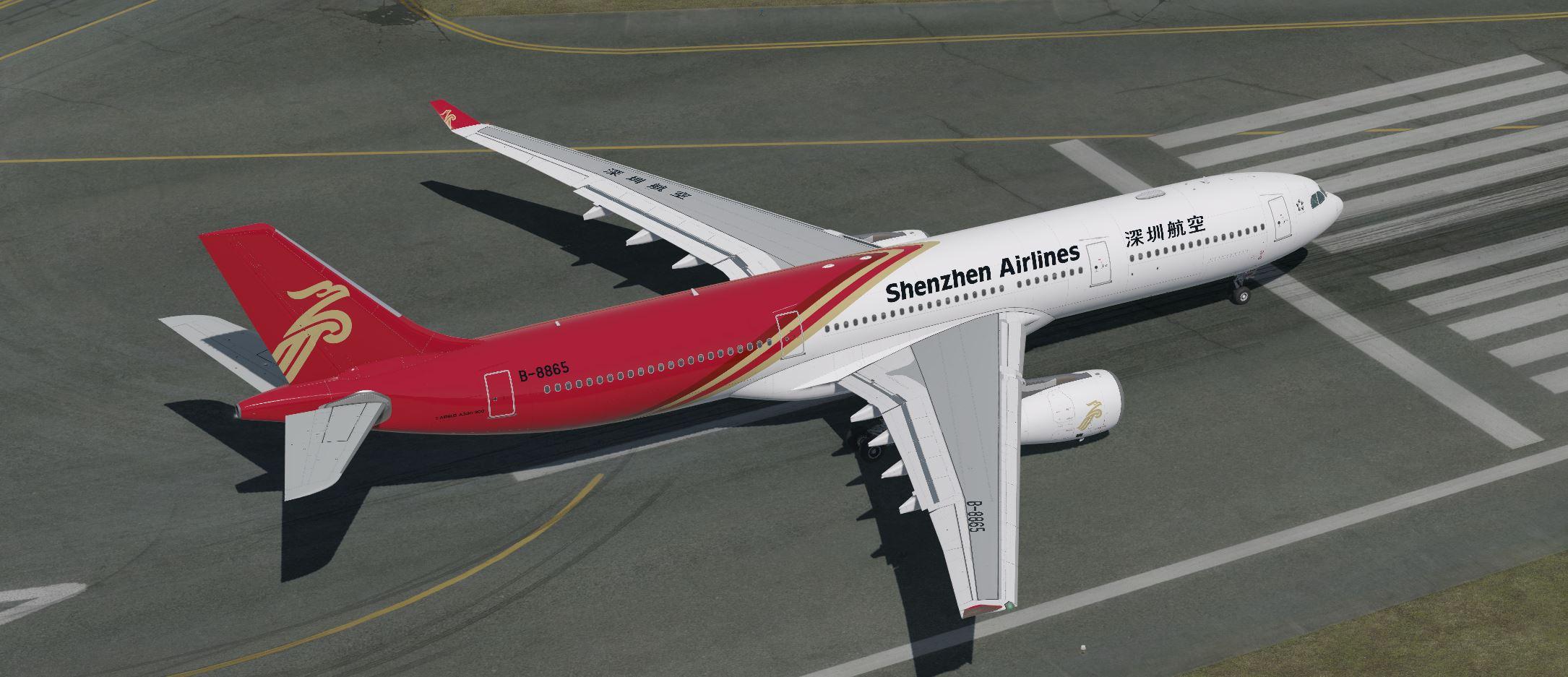
  15. AS330 SHENZHEN
     
    JUST LOWER TEXTURE AND MAKE GOOD FLIGHTS
    DO NOT SUBMIT TEXTURE REQUEST, I DO NOT READ MORE COMMENTS!
    DO NOT SEND "FIXES" AS YOU "THINK" I MUST DO, I DO NOT READ MORE COMMENTS!
    DON'T WASTE YOUR TIME WITH criticizing , WIN YOUR TIME BY FLYING.
    KIND REGARDS

     
    • 678 Downloads
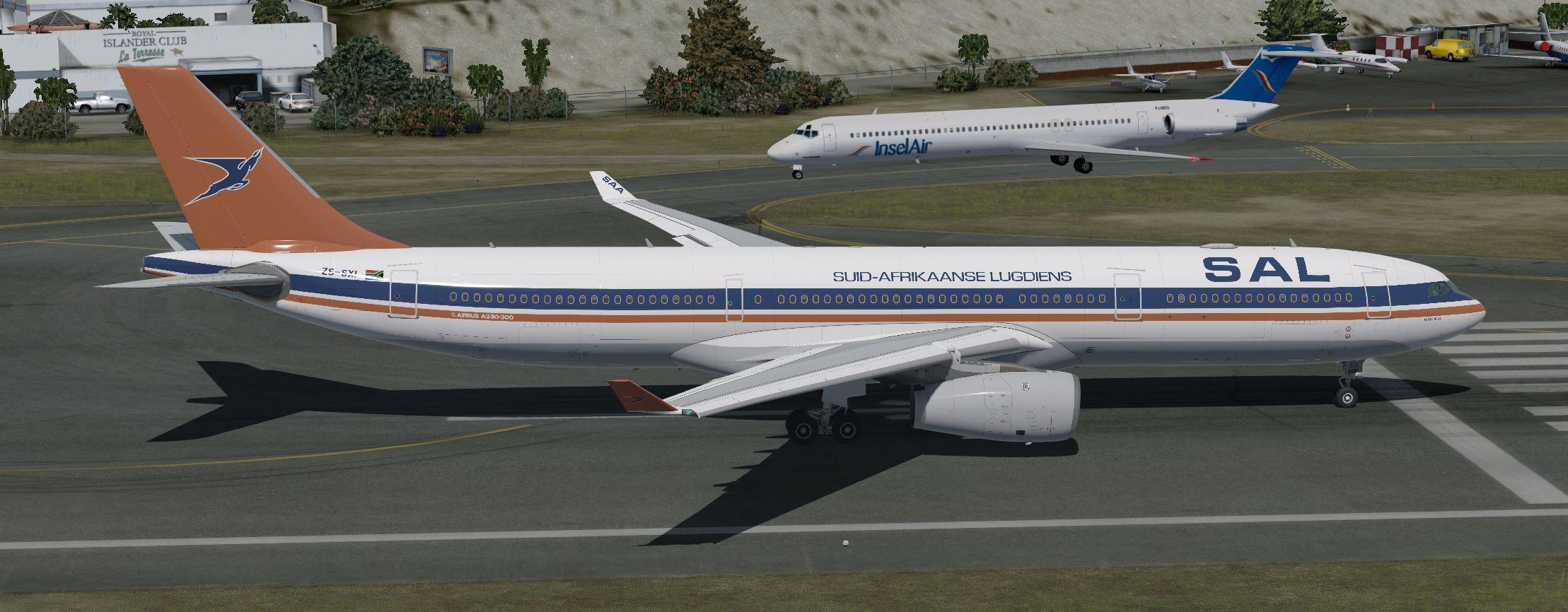
  16. AS330 South Africa VINTAGE
     
    JUST LOWER TEXTURE AND MAKE GOOD FLIGHTS
    DO NOT SUBMIT TEXTURE REQUEST, I DO NOT READ MORE COMMENTS!
    DO NOT SEND "FIXES" AS YOU "THINK" I MUST DO, I DO NOT READ MORE COMMENTS!
    DON'T WASTE YOUR TIME WITH criticizing , WIN YOUR TIME BY FLYING.
    KIND REGARDS

     
    • 186 Downloads
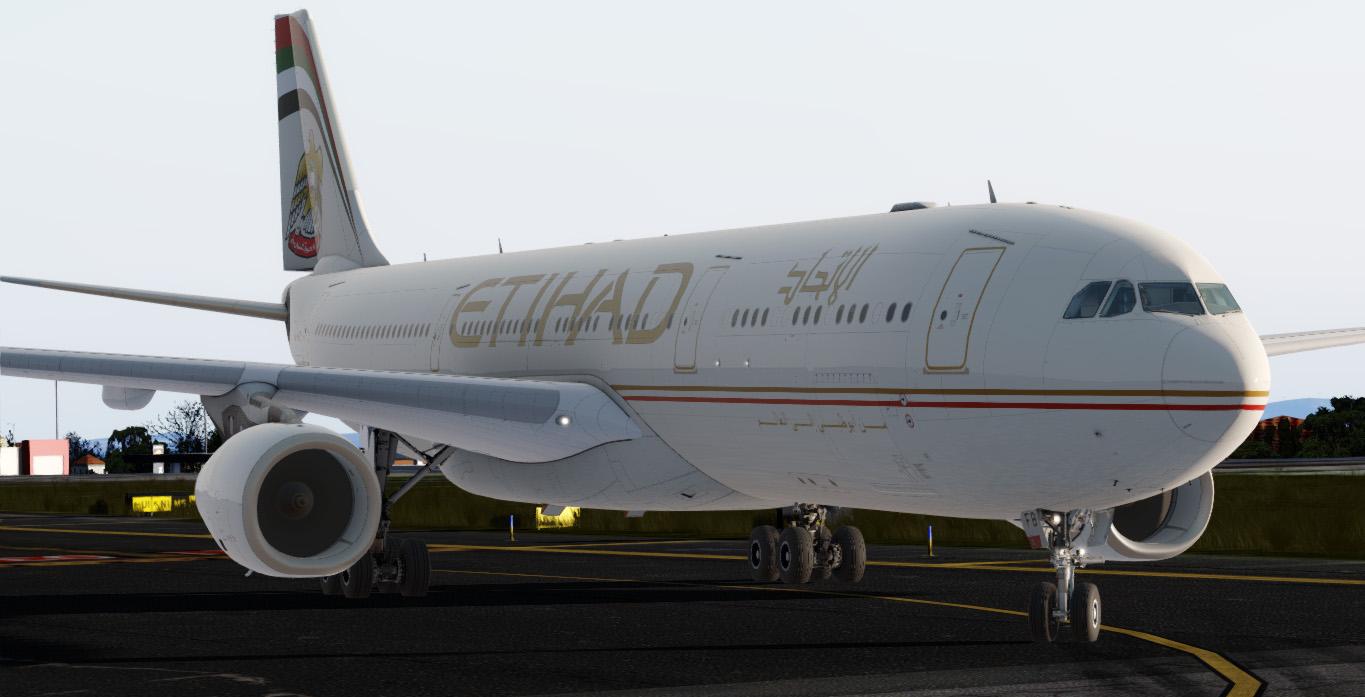
  17. Etihad Airways(A6-AFB) repaint for Aerosoft A330-300 RR. Textures only. Requires the payware Aerosoft A333 Professional addon. Repainted by Zayn Ridhwan/SimTextures by Y&Z. Compatible with P3D v4.4+ only.
    • 470 Downloads
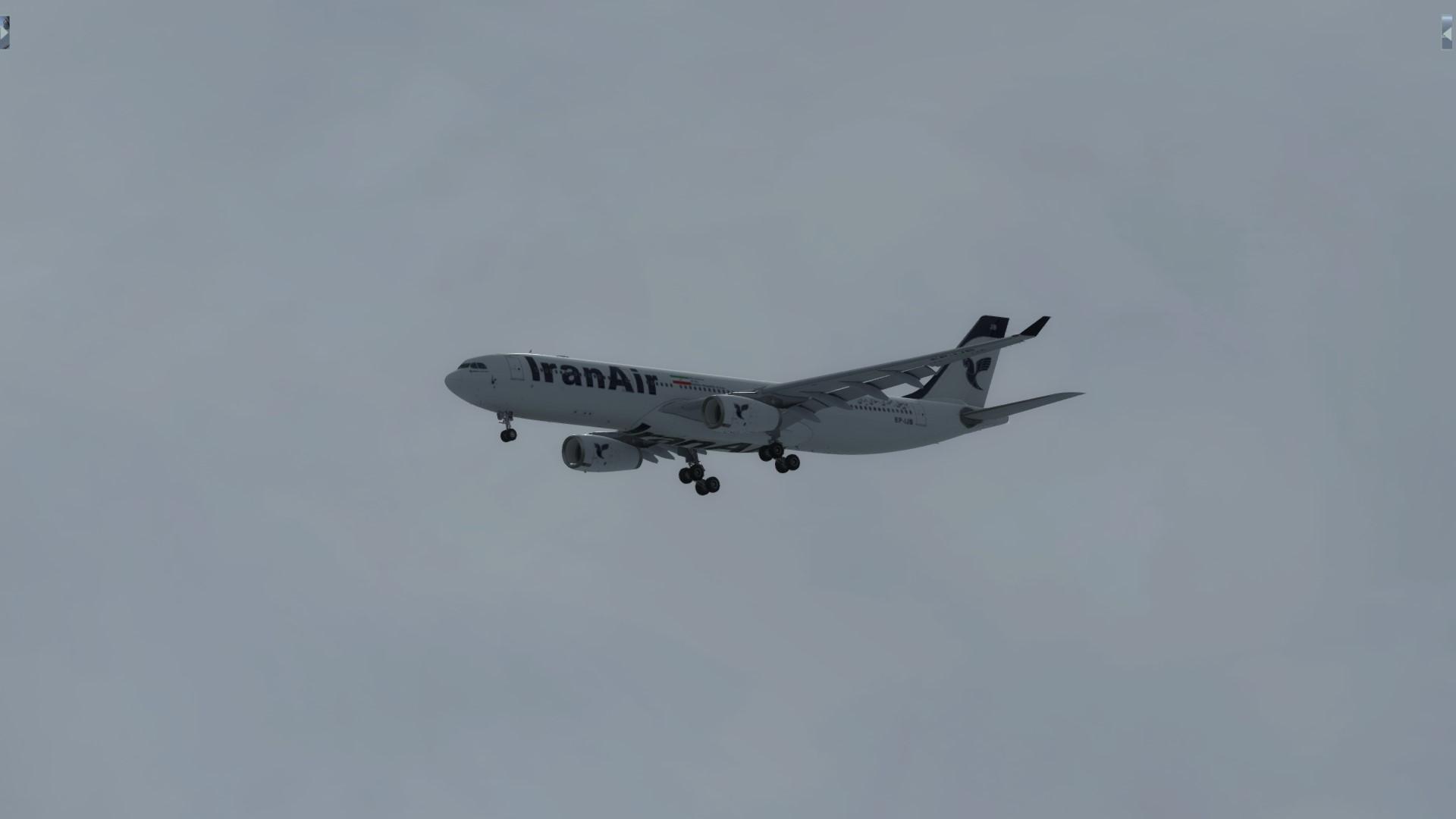
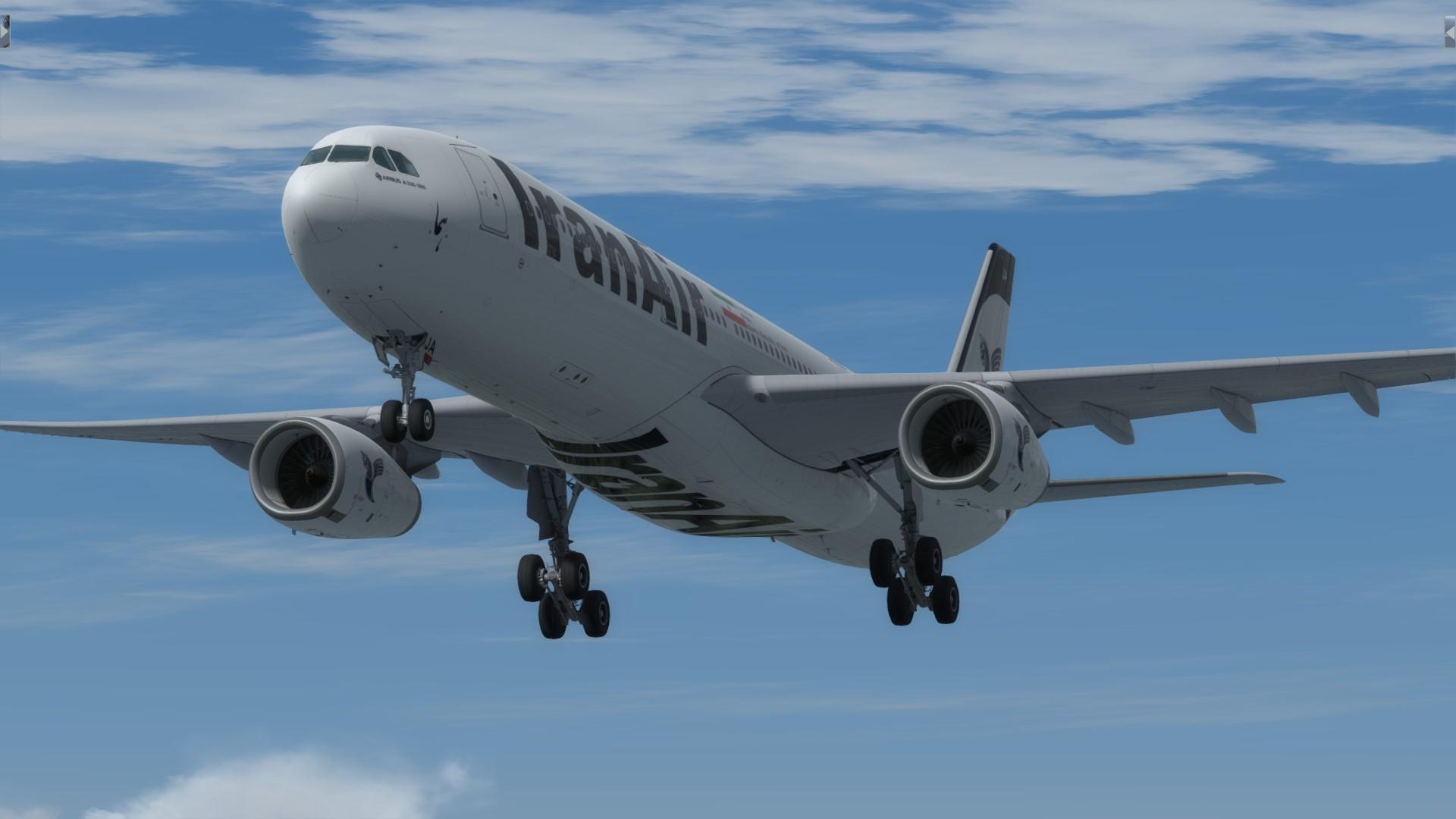
  18. both EP-IJA and EP-IJB Here!
    this file contain EP-IJA and EP-IJB repaints.
    For installation please read the " README FIRST!"
     
    or you can also download it one- by - one from links :
    EP-IJA
     
    EP-IJB 
    thanks, Best REGARDS
     
    mahyarvahdatpanah@gmail.com
    • 199 Downloads
  19. REPAINT BY:
    Mahyar Vahdatpanah
     
    AEROSOFT PAINTKIT BY:
    Mahyar Vahdatpanah
     
    INSTALLATION:
    1. Unzip to a temporary location.
    2. Copy the "texture.EPIJB" folder in this file to your "Aerosoft A333 RR Professional" folder.
    3. Copy and paste the following text into the "aircraft.cfg" file inside the "Aerosoft A333 RR Professional" Folder.
     
    (replacing the X with the next number in line after your last existing paint scheme - if the last paint scheme already on the list is [FLTSIM.2], this should be [FLTSIM.3])
     
    [FLTSIM.XX]
    title                = Aerosoft A333 professional IranAir EP-IJB
    sim                = A330-343
    model                = SD3
    panel                =
    sound                =
    texture                = EPIJB
    kb_checklists            = AirbusA333_check
    kb_reference            = AirbusA333_ref
    atc_id                = EP-IJA
    atc_airline            = IranAir
    atc_flight_number        = 1000
    ui_manufacturer            = Airbus
    ui_type                = A330-343 ROLLS-ROYCE
    ui_variation            = IranAir EP-IJB
    ui_typerole            = Commercial Airliner
    ui_createdby            = Aerosoft
    atc_parking_types        = GATE,RAMP
    atc_parking_codes           = EP
    description            = Airbus A330 - 343 RR / IranAir EP-IJA \nwww.aerosoft.com\nRepaint by Mahyar VahdatPanah
     
    If you are looking for more or other repaints then you can also search my name at aerosoft forum.
     
    ACKNOWLEDGEMENTS:
    ***ITS FREE PLEASE DONT SELL OR BUY IT***
     
    LEGAL STUFF:
    This repaint is released as FREEWARE. You may use and modify it in any way you wish, but you may NOT use it in any kind of money-making endeavor, and you may NOT publicly distribute any copies of it, whether modified or not, without my permission.
    Regards
     
    Mahyar Vahdatpanah
    mahyarvahdatpanah@gmail.com
    • 225 Downloads
    • 4 Comments
  20. This is Version 2.0.0 EP-IJA
    ----------------------------------------------
    REPAINT BY:
    Mahyar Vahdatpanah
     
    AEROSOFT PAINTKIT BY:
    Mahyar Vahdatpanah
     
    INSTALLATION:
    1. Unzip to a temporary location.
    2. Copy the "texture.EPIJA" folder in this file to your "Aerosoft A333 RR Professional" folder.
    3. Copy and paste the following text into the "aircraft.cfg" file inside the "Aerosoft A333 RR Professional" Folder.
     
    (replacing the X with the next number in line after your last existing paint scheme - if the last paint scheme already on the list is [FLTSIM.2], this should be [FLTSIM.3])
     
    [FLTSIM.XX]
    title                = Aerosoft A333 professional IranAir EP-IJA
    sim                = A330-343
    model                = SD3
    panel                =
    sound                =
    texture                = EPIJA
    kb_checklists            = AirbusA333_check
    kb_reference            = AirbusA333_ref
    atc_id                = EP-IJA
    atc_airline            = IranAir
    atc_flight_number        = 1000
    ui_manufacturer            = Airbus
    ui_type                = A330-343 ROLLS-ROYCE
    ui_variation            = IranAir EP-IJA
    ui_typerole            = Commercial Airliner
    ui_createdby            = Aerosoft
    atc_parking_types        = GATE,RAMP
    atc_parking_codes           = EP
    description            = Airbus A330 - 343 RR / IranAir EP-IJA \nwww.aerosoft.com\nRepaint by Mahyar VahdatPanah
     
    If you are looking for more or other repaints then you can also search my name at aerosoft forum.
     
    ACKNOWLEDGEMENTS:
    ***ITS FREE PLEASE DONT SELL OR BUY IT***
     
    LEGAL STUFF:
    This repaint is released as FREEWARE. You may use and modify it in any way you wish, but you may NOT use it in any kind of money-making endeavor, and you may NOT publicly distribute any copies of it, whether modified or not, without my permission.
    Regards
     
    Mahyar Vahdatpanah
    mahyarvahdatpanah@gmail.com
    • 272 Downloads
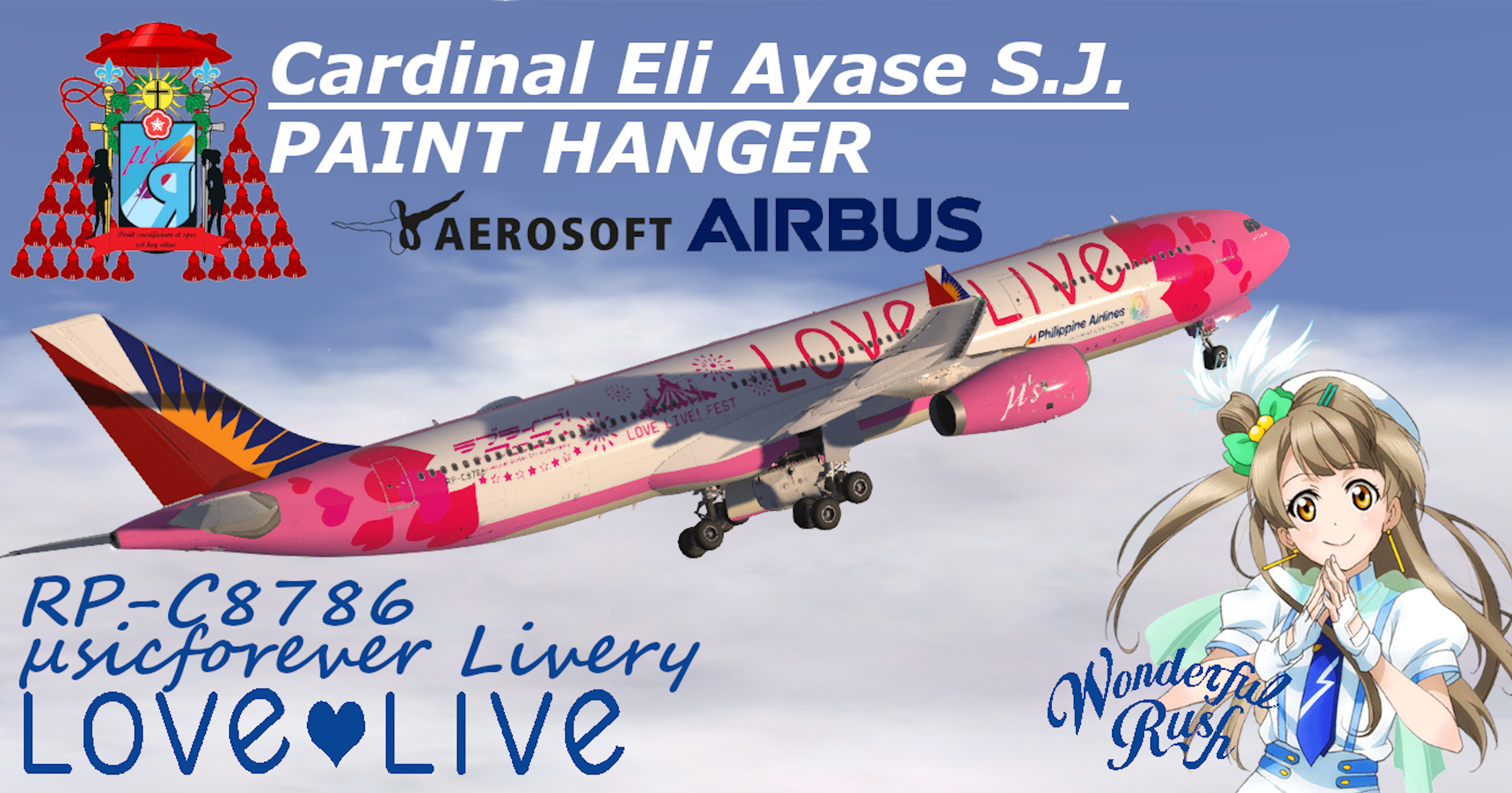
  21. Hello To Everyone! Happy New Year 2020 to all!
    This will be my First Project for the Aerosoft A330 and the first for 2020
    I hope you enjoy this work!
     
    Cardinal Eli Ayase S.J.
    Archdiocese of Tokyo
    "Periit sacrificium et spes est key vitae."
    • 287 Downloads
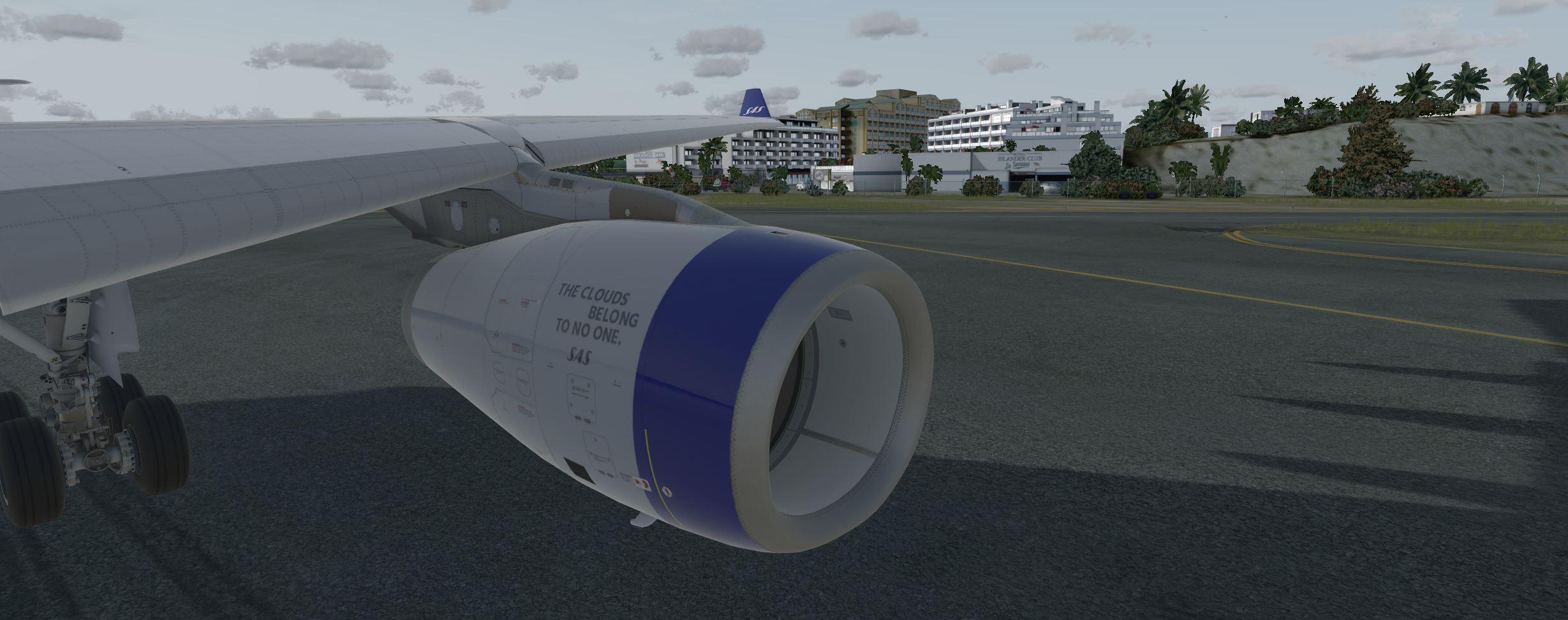
  22. AEROSOFT A330
    SAS A330 New Colors

    This painting will have no modification.
    This is the final version!

    Do not comment requesting anything, I will not read.

    requests are paid.
    • 1841 Downloads
    • 12 Comments
  23. Created by Bigmousse ! Youtube : https://www.youtube.com/user/ConnectMX
     
    Discord : https://discord.gg/GmW5wAQ


    • 971 Downloads
  24. Created by Enzo585 !   Youtube : https://www.youtube.com/user/ConnectMX
     
    Discord : https://discord.gg/GmW5wAQ


    • 615 Downloads
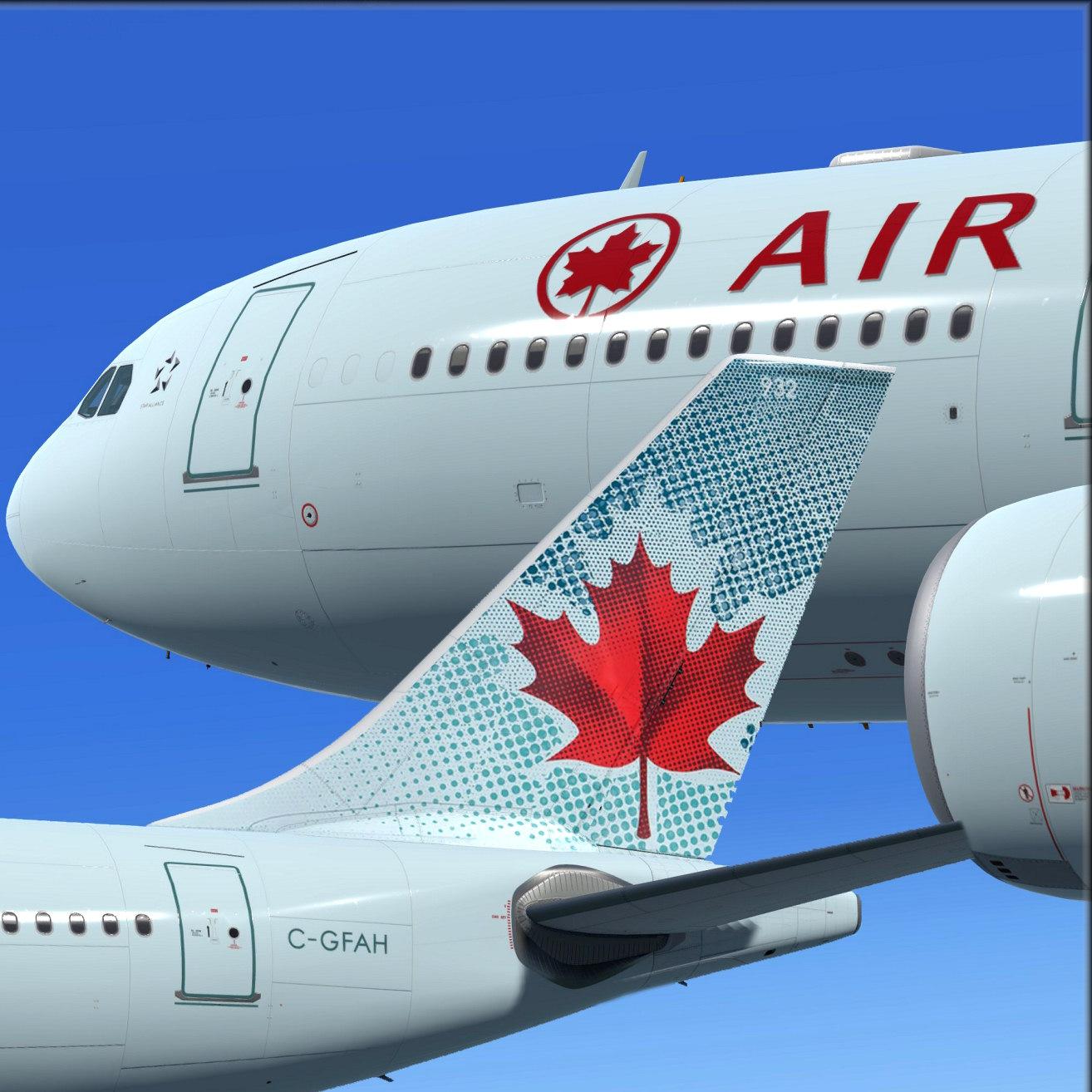
  25. To install this aircraft, copy the following text into your 'aircraft.cfg',  inside the folder 'SimObjects\Airplanes\Aerosoft A333 RR Professional'. Replace the XX in [FLTSIM.XX] by the next number in your sequence (like [FLTSIM.11,12 etc])
    [FLTSIM.XX]
    title                = Aerosoft A333 professional Air Canada C-GFAH
    sim                = A330-343
    model                = SD3
    panel                =
    sound                =
    texture                = C-GFAH
    kb_checklists            = AirbusA333_check
    kb_reference            = AirbusA333_ref
    atc_id                = C-GFAH
    atc_airline            = Air Canada
    atc_flight_number        = 1000
    ui_manufacturer            = Airbus
    ui_type                = A330-343 ROLLS-ROYCE
    ui_variation            = Air Canada C-GFAH
    ui_typerole            = Commercial Airliner
    ui_createdby            = Aerosoft
    atc_parking_types        = GATE,RAMP
    atc_parking_codes           = ACA
    description            = Airbus A330 - 343 RR / Air Canada C-GFAH \nwww.aerosoft.com\nRepaint by Steve Drabek

    Next, copy the complete texture.XXXXXXX folder in the zip file to the your \AS Airbus 330\Aerosoft A330 Professional\SimObjects\Airplanes\Aerosoft A333 RR Professional folder (your folder will be wherever you installed the Airbus)
    That's it!
    • 2106 Downloads
    • 1 Comments

Important Information

We have placed cookies on your device to help make this website better. You can adjust your cookie settings, otherwise we'll assume you're okay to continue. Privacy Policy & Terms of Use

Account

Navigation

Search

Search

Configure browser push notifications

Chrome (Android)
  1. Tap the lock icon next to the address bar.
  2. Tap Permissions → Notifications.
  3. Adjust your preference.
Chrome (Desktop)
  1. Click the padlock icon in the address bar.
  2. Select Site settings.
  3. Find Notifications and adjust your preference.