Files posted by Holgi
-
Contents of this ZIP-package: CRJ550ER airbierlin D-BEER (fictional)
Repaint by: Holger Sobl
Aerosoft paintkit by: Stefan Hoffmann
Livery – Installation Guide
1) Locate your MSFS Content folder. That’s the folder you chose on the update screen whenyou first started MSFS. I will use [MSFS] as a placeholder for this.
2) Unzip the contents of this file into your [MSFS]\Community folder.
3) Start MSFS, enter the world menu, select the Aircraft, your new livery and a departure airport, then click FLY!
Acknowledgements: The blanks used as a basis for this repaint are by Aerosoft/Digital Aviation. Thank you for the wonderful model and the great paintkit. Thank you Hans.
Legal Stuff: This repaint is released as FREEWARE. You may use and modify it in any way you wish, but you may NOT use it in any kind of money-making endeavor, and you may NOT publicly distribute any copies of it, whether modified or not, without my permission.
Holgi @ simtexture.de
- 69 Downloads
-
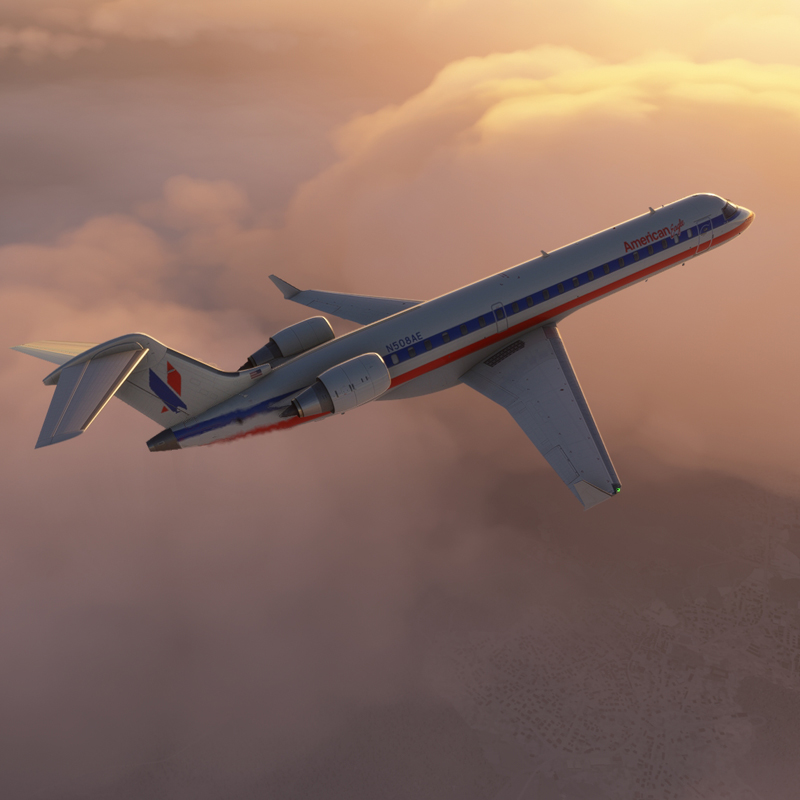
Contents of this ZIP-package: CRJ700ER American Eagle N508AE OC
Repaint by: Holger Sobl
Aerosoft paintkit by: Stefan Hoffmann
Livery – Installation Guide
1) Locate your MSFS Content folder. That’s the folder you chose on the update screen whenyou first started MSFS. I will use [MSFS] as a placeholder for this.
2) Unzip the contents of this file into your [MSFS]\Community folder.
3) Start MSFS, enter the world menu, select the Aircraft, your new livery and a departure airport, then click FLY!
Acknowledgements: The blanks used as a basis for this repaint are by Aerosoft/Digital Aviation. Thank you for the wonderful model and the great paintkit. Thank you Hans.
Legal Stuff: This repaint is released as FREEWARE. You may use and modify it in any way you wish, but you may NOT use it in any kind of money-making endeavor, and you may NOT publicly distribute any copies of it, whether modified or not, without my permission.
Holgi
- 435 Downloads
-
Contents of this ZIP-package: CRJ550ER Privat OE-AMM (fictional)
Repaint by: Holger Sobl
Aerosoft paintkit by: Stefan Hoffmann
Livery – Installation Guide
1) Locate your MSFS Content folder. That’s the folder you chose on the update screen whenyou first started MSFS. I will use [MSFS] as a placeholder for this.
2) Unzip the contents of this file into your [MSFS]\Community folder.
3) Start MSFS, enter the world menu, select the Aircraft, your new livery and a departure airport, then click FLY!
Acknowledgements: The blanks used as a basis for this repaint are by Aerosoft/Digital Aviation. Thank you for the wonderful model and the great paintkit. Thank you Hans.
Legal Stuff: This repaint is released as FREEWARE. You may use and modify it in any way you wish, but you may NOT use it in any kind of money-making endeavor, and you may NOT publicly distribute any copies of it, whether modified or not, without my permission.
Holgi
- 195 Downloads
-
Contents of this ZIP-package: CRJ700ER Ryanair 9H-FUQ (fictional)
Repaint by: Holger Sobl
Aerosoft paintkit by: Stefan Hoffmann
Livery – Installation Guide
1) Locate your MSFS Content folder. That’s the folder you chose on the update screen whenyou first started MSFS. I will use [MSFS] as a placeholder for this.
2) Unzip the contents of this file into your [MSFS]\Community folder.
3) Start MSFS, enter the world menu, select the Aircraft, your new livery and a departure airport, then click FLY!
Acknowledgements: The blanks used as a basis for this repaint are by Aerosoft/Digital Aviation. Thank you for the wonderful model and the great paintkit. Thank you Hans.
Legal Stuff: This repaint is released as FREEWARE. You may use and modify it in any way you wish, but you may NOT use it in any kind of money-making endeavor, and you may NOT publicly distribute any copies of it, whether modified or not, without my permission.
Holgi
- 172 Downloads
-
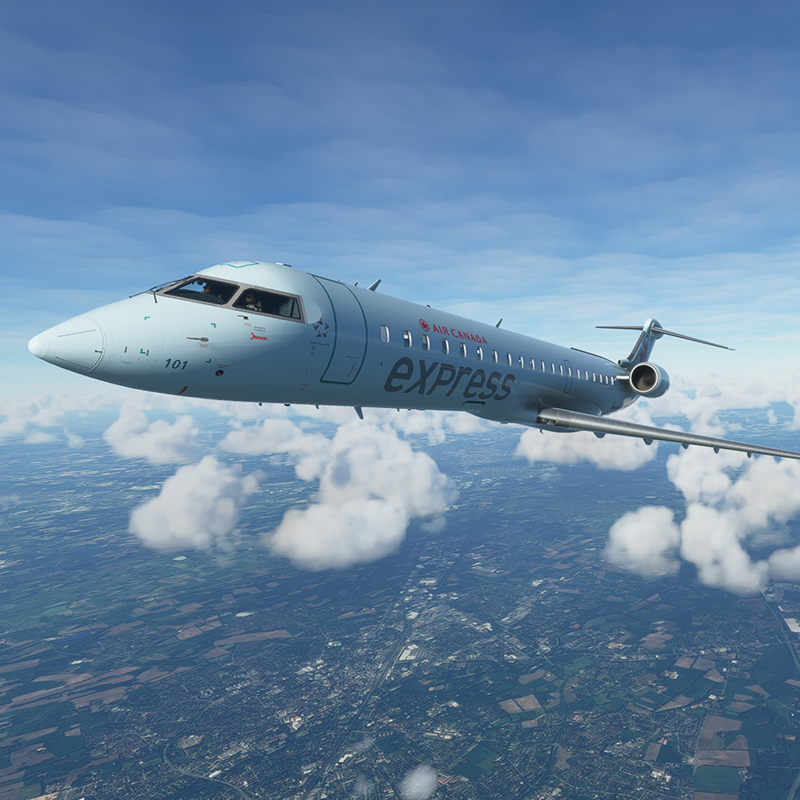
Contents of this ZIP-package: CRJ700ER Air Canada Express C-GOJA (fictional)
Repaint by: Holger Sobl
Aerosoft paintkit by: Stefan Hoffmann
CRJ Livery – Installation Guide
1) Locate your MSFS Content folder. That’s the folder you chose on the update screen whenyou first started MSFS. I will use <MSFS> as a placeholder for this.
2) Unzip the contents of this file into your <MSFS>\Community folder.
3) Start MSFS, enter the world menu, select the CRJ, your new livery and a departure airport, then click FLY!
Acknowledgements: The blanks used as a basis for this repaint are by Aerosoft/Digital Aviation. Thank you for the wonderful model and the great paintkit. Thank you Hans.
Legal Stuff: This repaint is released as FREEWARE. You may use and modify it in any way you wish, but you may NOT use it in any kind of money-making endeavor, and you may NOT publicly distribute any copies of it, whether modified or not, without my permission.
Holgi
- 277 Downloads
-
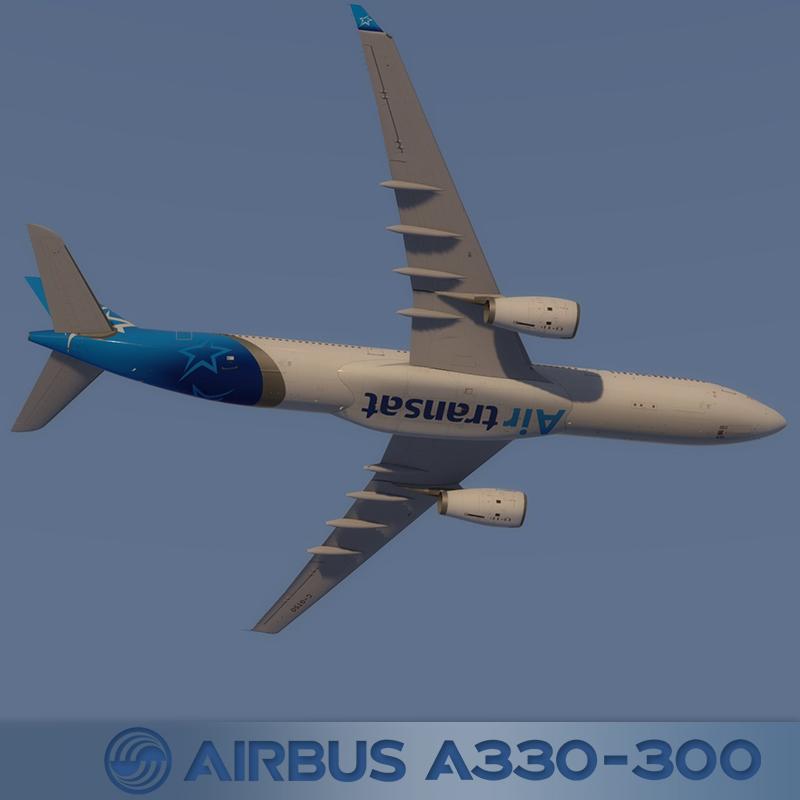
Air Transat C-GTSO
REPAINT BY:
Holger Sobl
AEROSOFT PAINTKIT BY:
Stefan Hoffmann
INSTALLATION:
1. Unzip to a temporary location.
2. Copy the "texture.CGTSO" folder in this file to your "Aerosoft A333 RR Professional" folder.
3. Copy and paste the following text into the "aircraft.cfg" file inside the "Aerosoft A333 RR Professional" folder.
(replacing the X with the next number in line after your last existing paint scheme - if the last paint scheme already on the list is [FLTSIM.2], this should be [FLTSIM.3])
[FLTSIM.X]
title = Aerosoft A333 professional Air Transat C-GTSO
sim = A330-343
model =
panel =
sound =
texture = CGTSO
kb_checklists = AirbusA333_check
kb_reference = AirbusA333_ref
atc_id = C-GTSO
atc_airline = TRANSAT
atc_flight_number = 1000
ui_manufacturer = Airbus
ui_type = A330-343 ROLLS-ROYCE
ui_variation = Air Transat
ui_typerole = Commercial Airliner
ui_createdby = Aerosoft
atc_parking_types = GATE,RAMP
atc_parking_codes = TS
description = Airbus A330 - 343 RR / Air Transat C-GTSO \nwww.aerosoft.com \nRepaint by Holger Sobl (simtexture.de)\n\n
If you are looking for more or other repaints then you can also look on my homepage http://simtexture.de!
ACKNOWLEDGEMENTS:
The blanks used as a basis for this repaint are by Aerosoft. Thank you for the wonderful model and the great paintkit.
LEGAL STUFF:
This repaint is released as FREEWARE. You may use and modify it in any way you wish, but you may NOT use it in any kind of money-making endeavor, and you may NOT publicly distribute any copies of it, whether modified or not, without my permission.
Holgi
- 846 Downloads
-
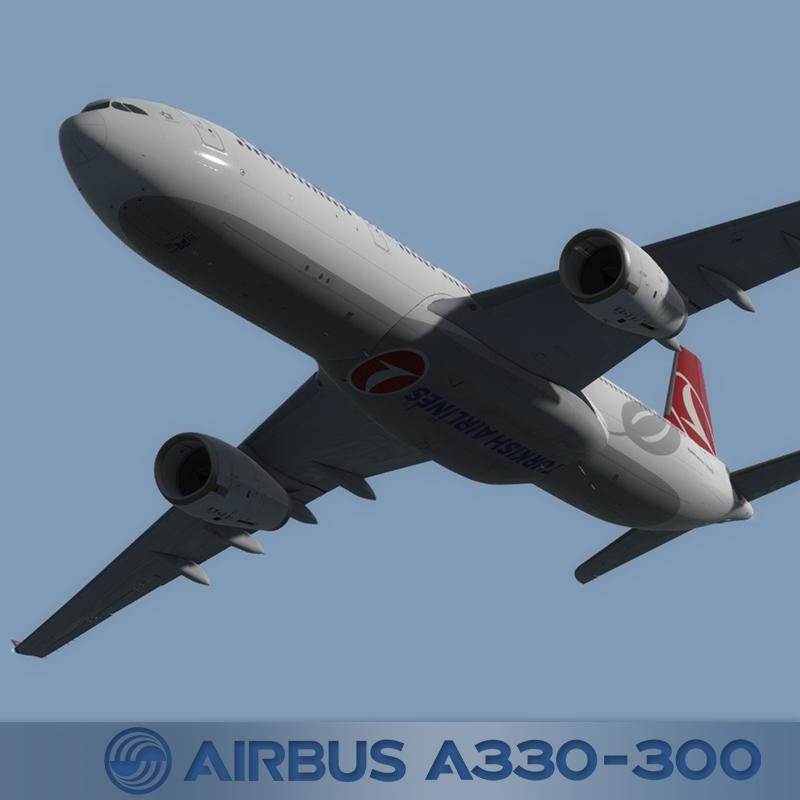
Turkish Airlines TC-LOE
REPAINT BY:
Holger Sobl
AEROSOFT PAINTKIT BY:
Stefan Hoffmann
INSTALLATION:
1. Unzip to a temporary location.
2. Copy the "texture.TCLOE" folder in this file to your "Aerosoft A333 RR Professional" folder.
3. Copy and paste the following text into the "aircraft.cfg" file inside the "Aerosoft A333 RR Professional" Folder.
(replacing the X with the next number in line after your last existing paint scheme - if the last paint scheme already on the list is [FLTSIM.2], this should be [FLTSIM.3])
[FLTSIM.X]
title = Aerosoft A333 professional Turkish Airlines TC-LOE
sim = A330-343
model = LH
panel =
sound =
texture = TCLOE
kb_checklists = AirbusA333_check
kb_reference = AirbusA333_ref
atc_id = TC-LOE
atc_airline = TURKISH
atc_flight_number = 1000
ui_manufacturer = Airbus
ui_type = A330-343 ROLLS-ROYCE
ui_variation = Turkish Airlines
ui_typerole = Commercial Airliner
ui_createdby = Aerosoft
atc_parking_types = GATE,RAMP
atc_parking_codes = TK
description = Airbus A330 - 343 RR / Turkish Airlines TC-LOE \nwww.aerosoft.com \nRepaint by Holger Sobl (simtexture.de)\n\n
If you are looking for more or other repaints then you can also look on my homepage http://simtexture.de!
ACKNOWLEDGEMENTS:
The blanks used as a basis for this repaint are by Aerosoft. Thank you for the wonderful model and the great paintkit.
LEGAL STUFF:
This repaint is released as FREEWARE. You may use and modify it in any way you wish, but you may NOT use it in any kind of money-making endeavor, and you may NOT publicly distribute any copies of it, whether modified or not, without my permission.
Holgi
- 1401 Downloads
-
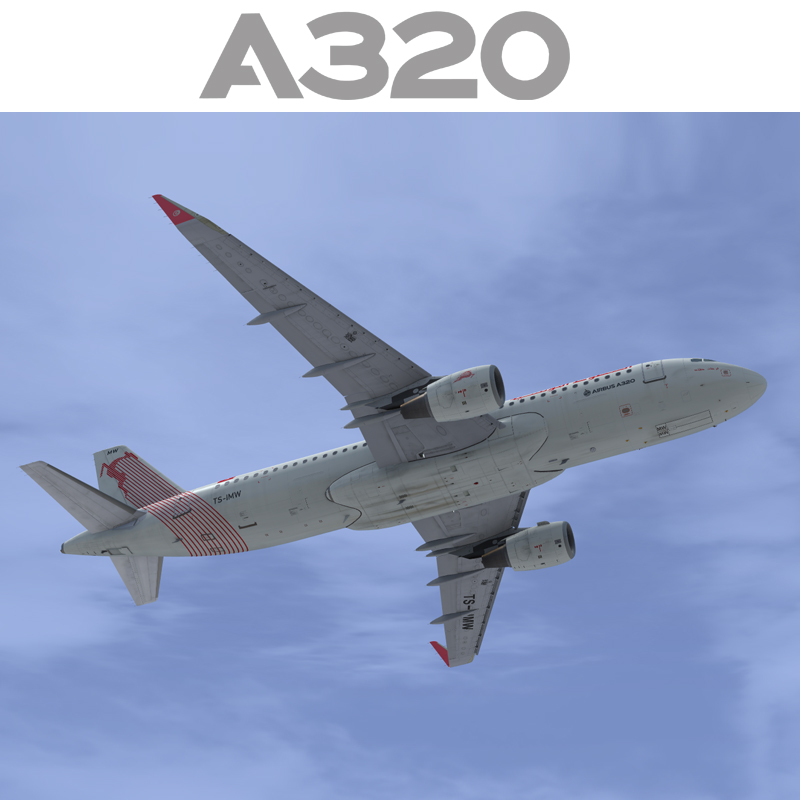
Contents of this ZIP-package:
Airbus A320 Tunisair TS-IMW (CFM Sharklets)
(clean and dirt)
Repaint by:
Holger Sobl
Stefan Hoffmann
Aerosoft paintkit by:
Stefan Hoffmann
Installation (Airbus Livery Manager):
Start the aerosoft Airbus Livery Manager and drag the ZIP-File into the list - or click "Add Livery" and select the desired file. You get a preview of the new livery - and install it with just one click. (You can read all Livery Manager functions by clicking the "?" button!)
If you are looking for more or other repaints then you can also look on my homepage http://simtexture.de!
- 1596 Downloads
- 3 Comments
-
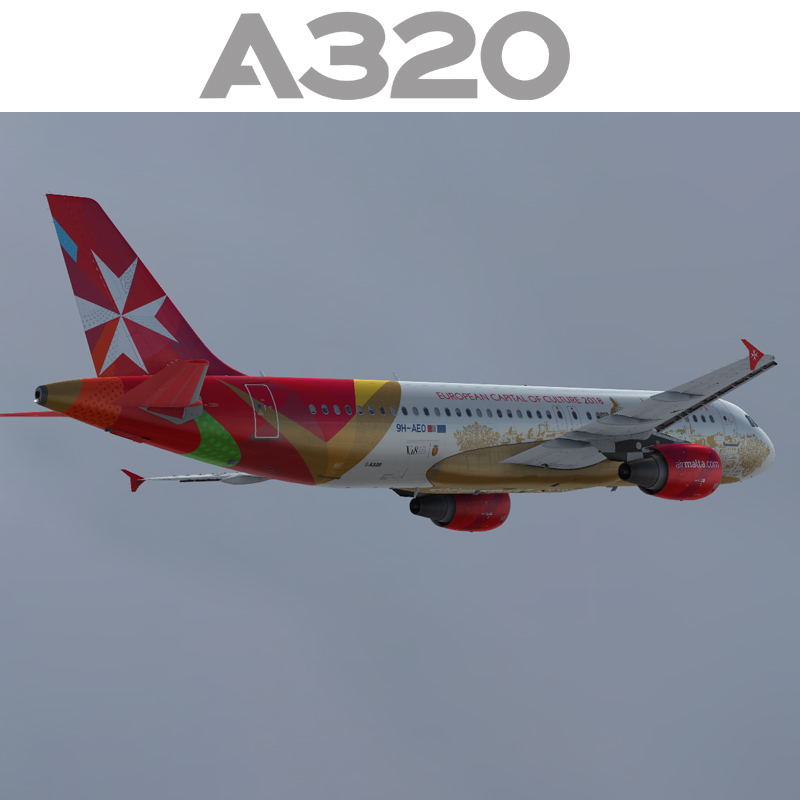
Contents of this ZIP-package:
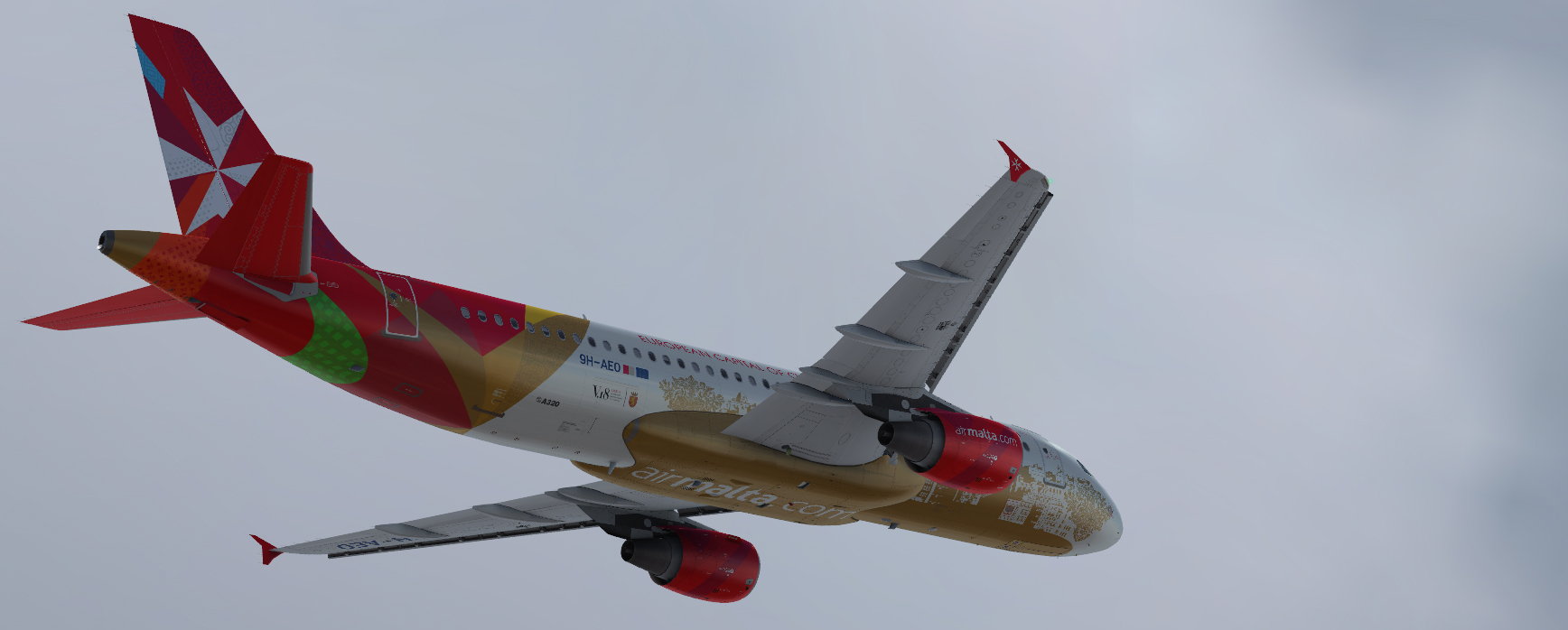
Airbus A320 AIR MALTA 9H-AEO
(clean and dirt)
Repaint by:
Holger Sobl
Aerosoft paintkit by:
Stefan Hoffmann
Installation (Airbus Livery Manager):
Start the aerosoft Airbus Livery Manager and drag the ZIP-File into the list - or click "Add Livery" and select the desired file. You get a preview of the new livery - and install it with just one click. (You can read all Livery Manager functions by clicking the "?" button!)
If you are looking for more or other repaints then you can also look on my homepage http://simtexture.de!
- 2608 Downloads
- 1 Comments
-
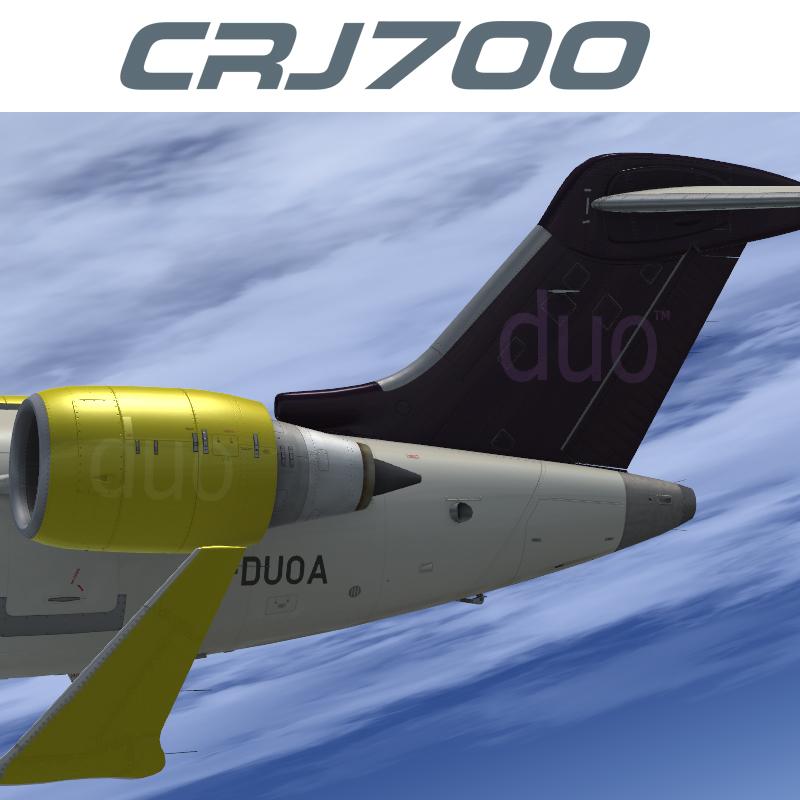
Contents of this ZIP-package: Bombardier CRJ700ER Duo Airways G-DUOA
Repaint by: Holger Sobl
Aerosoft paintkit by: Stefan Hoffmann
Installation (CRJ Livery Manager): Start the Aerosoft/Digital Aviation CRJ Livery Manager and drag the ZIP-File into the list - or click "Add Livery" and select the desired file. You get a preview of the new livery - and install it with just one click. (You can read all Livery Manager functions by clicking the "?" button!)
The entry for the aircraft.cfg:
[FLTSIM.X]
title=CRJ700ER Duo Airways G-DUOA
sim=CRJ700_AMM
model=
panel=
sound=
texture=VB_G-DUOA
kb_checklists=BombardierCRJ700_check
kb_reference=BombardierCRJ700_ref
atc_id=G-DUOA
atc_airline=FLY DUO
atc_parking_types=GATE,RAMP
ui_manufacturer="Bombardier"
ui_type="CRJ700ER"
ui_variation="Duo Airways"
ui_typerole="Regional Jet"
ui_createdby="Aerosoft/Digital Aviation"
description="CRJ700ER/Duo Airways G-DUOA\nwww.aerosoft.com\nRepaint by Holger Sobl (simtexture.de / Holgi)\n\nThe CRJ (Canadair Regional Jet) family of aircraft was derived from the Canadair Challenger business jet, which began its operational life as the LearStar 600. The Bombardier Canadair CRJ700, which entered service in 2001, is a stretched version of the CRJ100/200 regional jet, with increased seating capacity from 50 to 70. With increased length and upgraded landing gear, the CRJ700 features a longer wing span and leading edge slats. Like other members of the CRJ family, the CRJ700 features an electronic flight instrument system (EFIS) avionics suite and “glass cockpit” instrumentation."
category=airplane
Acknowledgements: The blanks used as a basis for this repaint are by Aerosoft/Digital Aviation. Thank you for the wonderful model and the great paintkit. Thank you Hans.
Legal Stuff: This repaint is released as FREEWARE. You may use and modify it in any way you wish, but you may NOT use it in any kind of money-making endeavor, and you may NOT publicly distribute any copies of it, whether modified or not, without my permission.
Holgi
- 285 Downloads
-
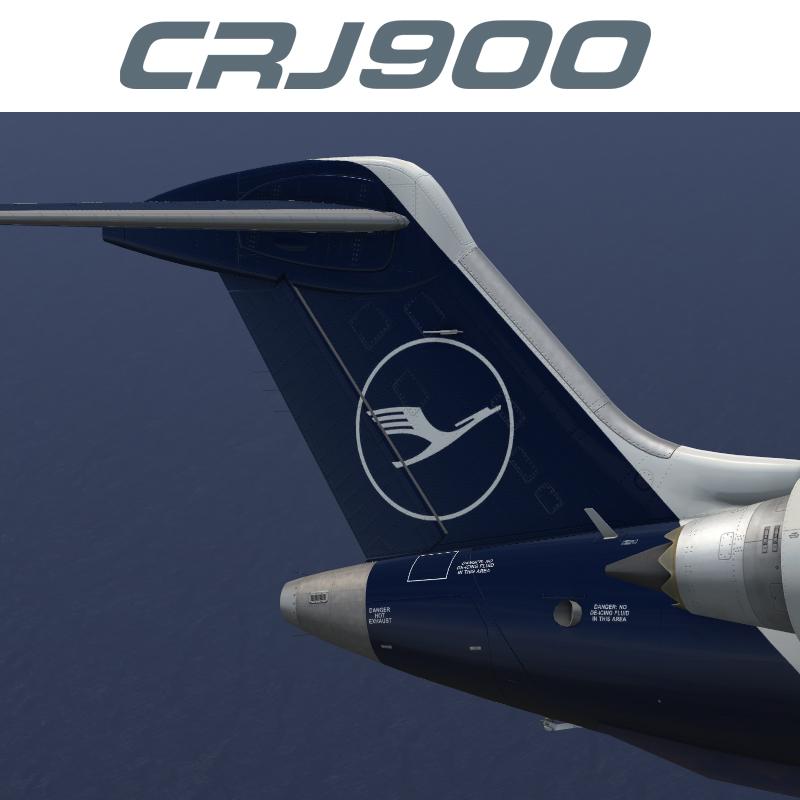
Contents of this ZIP-package: Bombardier CRJ900ER Lufthansa CityLine D-ACNM newcolor
Repaint by: Holger Sobl
Aerosoft paintkit by: Stefan Hoffmann
Installation (CRJ Livery Manager): Start the Aerosoft/Digital Aviation CRJ Livery Manager and drag the ZIP-File into the list - or click "Add Livery" and select the desired file. You get a preview of the new livery - and install it with just one click. (You can read all Livery Manager functions by clicking the "?" button!)
The entry for the aircraft.cfg:
[FLTSIM.X]
title=CRJ900ER Lufthansa CityLine D-ACNM newcolor
sim=CRJ900_AMM
model=
panel=
sound=
texture=CLH_DACNM_NC
kb_checklists=BombardierCRJ900_check
kb_reference=BombardierCRJ900_ref
atc_id=D-ACNM
atc_airline=HANSALINE
atc_parking_types=GATE,RAMP
ui_manufacturer="Bombardier"
ui_type="CRJ900ER"
ui_variation="Lufthansa CityLine"
ui_typerole="Regional Jet"
ui_createdby="Aerosoft/Digital Aviation"
description="CRJ900ER/Lufthansa CityLine D-ACNM new color\nwww.aerosoft.com\nRepaint by Holger Sobl (simtexture.de / Holgi)\n\nThe CRJ (Canadair Regional Jet) family of aircraft was derived from the Canadair Challenger business jet, which began its operational life as the LearStar 600. The Bombardier Canadair CRJ700, which entered service in 2001, is a stretched version of the CRJ100/200 regional jet, with increased seating capacity from 50 to 70. With increased length and upgraded landing gear, the CRJ700 features a longer wing span and leading edge slats. Like other members of the CRJ family, the CRJ700 features an electronic flight instrument system (EFIS) avionics suite and “glass cockpit” instrumentation."
category=airplane
Acknowledgements: The blanks used as a basis for this repaint are by Aerosoft/Digital Aviation. Thank you for the wonderful model and the great paintkit. Thank you Hans.
Legal Stuff: This repaint is released as FREEWARE. You may use and modify it in any way you wish, but you may NOT use it in any kind of money-making endeavor, and you may NOT publicly distribute any copies of it, whether modified or not, without my permission.
Holgi
- 1580 Downloads
-
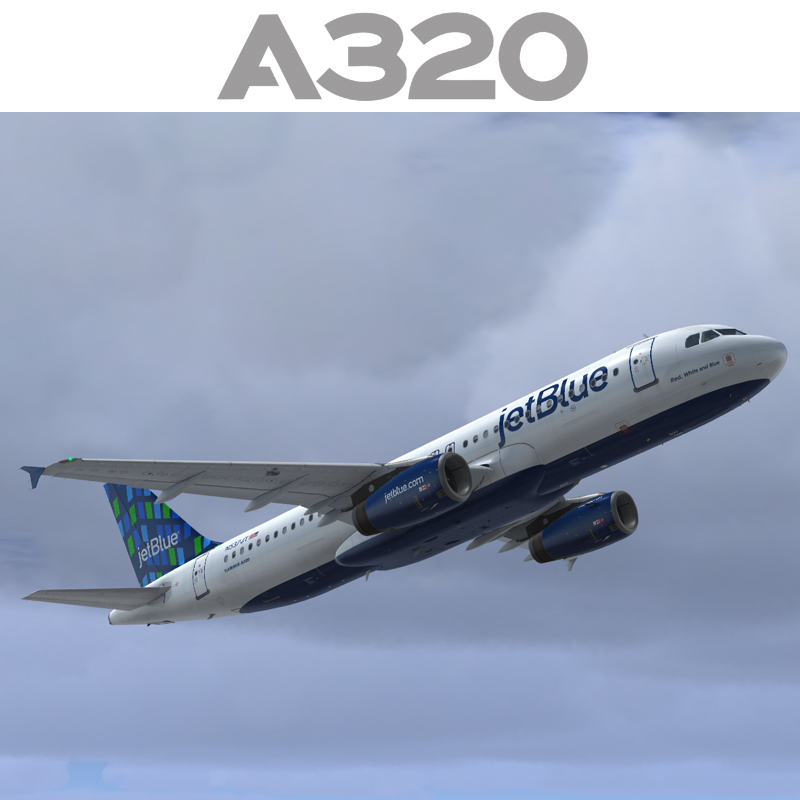
Contents of this ZIP-package:
Airbus A320 IAE jetBlue N537JT
(clean and dirt)
Repaint by:
Holger Sobl
Aerosoft paintkit by:
Stefan Hoffmann
Installation (Airbus Livery Manager):
Start the aerosoft Airbus Livery Manager and drag the ZIP-File into the list - or click "Add Livery" and select the desired file. You get a preview of the new livery - and install it with just one click. (You can read all Livery Manager functions by clicking the "?" button!)
If you are looking for more or other repaints then you can also look on my homepage http://simtexture.de!
- 3909 Downloads
-
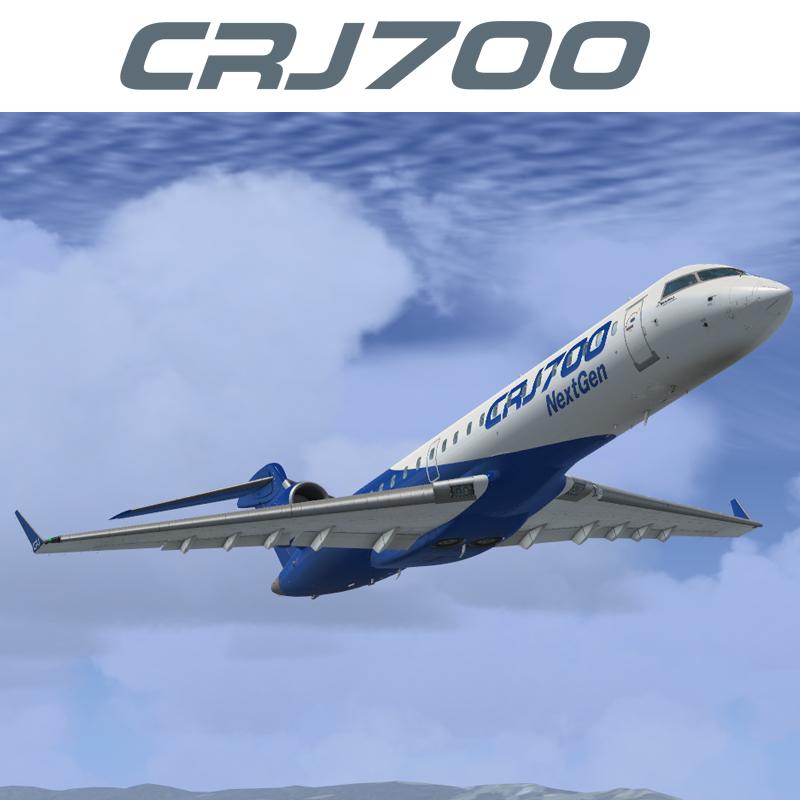
Contents of this ZIP-package: Bombardier CRJ700ER House Color
Repaint by: Holger Sobl
Aerosoft paintkit by: Stefan Hoffmann
Installation (CRJ Livery Manager): Start the Aerosoft/Digital Aviation CRJ Livery Manager and drag the ZIP-File into the list - or click "Add Livery" and select the desired file. You get a preview of the new livery - and install it with just one click. (You can read all Livery Manager functions by clicking the "?" button!)
The entry for the aircraft.cfg:
[FLTSIM.X]
title=CRJ700ER House Color
sim=CRJ700_AMM
model=
panel=
sound=
texture=House_Color
kb_checklists=BombardierCRJ700_check
kb_reference=BombardierCRJ700_ref
atc_id=
atc_airline=Bombardier
atc_parking_types=GATE,RAMP
ui_manufacturer="Bombardier"
ui_type="CRJ700ER"
ui_variation="House Color"
ui_typerole="Regional Jet"
ui_createdby="Aerosoft/Digital Aviation"
description="CRJ700ER/House Color\nwww.aerosoft.com\nRepaint by Holgi (simtexture.de)\n\nThe CRJ (Canadair Regional Jet) family of aircraft was derived from the Canadair Challenger business jet, which began its operational life as the LearStar 600. The Bombardier Canadair CRJ700, which entered service in 2001, is a stretched version of the CRJ100/200 regional jet, with increased seating capacity from 50 to 70. With increased length and upgraded landing gear, the CRJ700 features a longer wing span and leading edge slats. Like other members of the CRJ family, the CRJ700 features an electronic flight instrument system (EFIS) avionics suite and “glass cockpit” instrumentation."
category=airplane
Acknowledgements: The blanks used as a basis for this repaint are by Aerosoft/Digital Aviation. Thank you for the wonderful model and the great paintkit.
Thank you Hans.
Legal Stuff: This repaint is released as FREEWARE. You may use and modify it in any way you wish, but you may NOT use it in any kind of money-making endeavor, and you may NOT publicly distribute any copies of it, whether modified or not, without my permission.
Holgi
- 582 Downloads
- 1 Comments
-
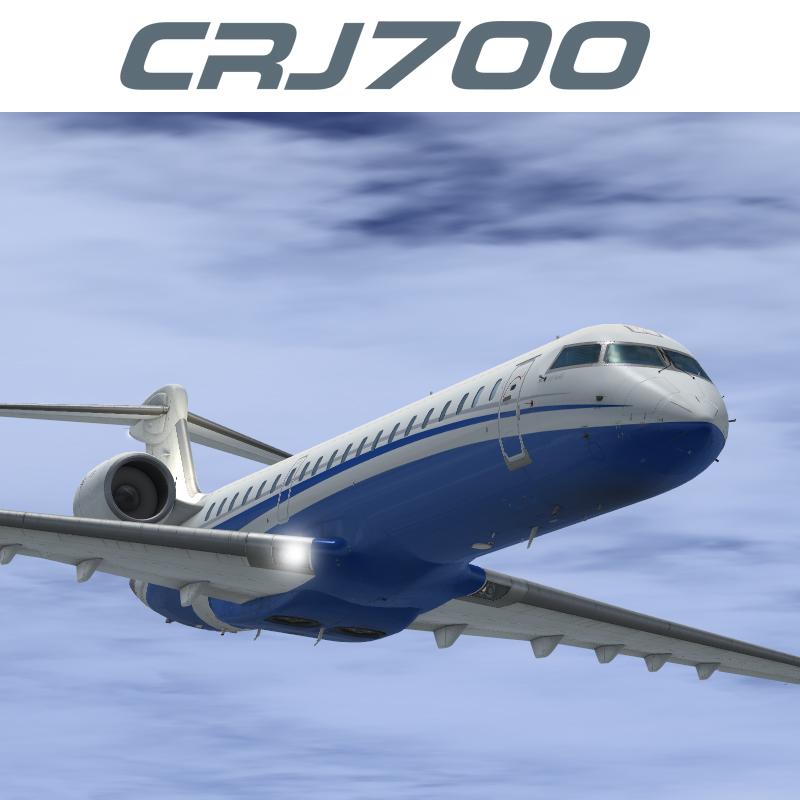
Contents of this ZIP-package: Bombardier CRJ700ER Privat D-ACRJ
Repaint by: Holger Sobl
Aerosoft paintkit by: Stefan Hoffmann
Installation (CRJ Livery Manager): Start the Aerosoft/Digital Aviation CRJ Livery Manager and drag the ZIP-File into the list - or click "Add Livery" and select the desired file. You get a preview of the new livery - and install it with just one click. (You can read all Livery Manager functions by clicking the "?" button!)
The entry for the aircraft.cfg:
[FLTSIM.X]
title=CRJ700ER Privat D-ACRJ
sim=CRJ700_AMM
model=
panel=
sound=
texture=privat_DACRJ
kb_checklists=BombardierCRJ700_check
kb_reference=BombardierCRJ700_ref
atc_id=D-ACRJ
atc_airline=PRIVAT
atc_parking_types=GATE,RAMP
ui_manufacturer="Bombardier"
ui_type="CRJ700ER"
ui_variation="Privat"
ui_typerole="Regional Jet"
ui_createdby="Aerosoft/Digital Aviation"
description="CRJ700ER/Privat D-ACRJ\nwww.aerosoft.com\nRepaint by Holgi (simtexture.de)\n\nThe CRJ (Canadair Regional Jet) family of aircraft was derived from the Canadair Challenger business jet, which began its operational life as the LearStar 600. The Bombardier Canadair CRJ700, which entered service in 2001, is a stretched version of the CRJ100/200 regional jet, with increased seating capacity from 50 to 70. With increased length and upgraded landing gear, the CRJ700 features a longer wing span and leading edge slats. Like other members of the CRJ family, the CRJ700 features an electronic flight instrument system (EFIS) avionics suite and “glass cockpit” instrumentation."
category=airplane
Acknowledgements: The blanks used as a basis for this repaint are by Aerosoft/Digital Aviation. Thank you for the wonderful model and the great paintkit. Thank you Hans.
Legal Stuff: This repaint is released as FREEWARE. You may use and modify it in any way you wish, but you may NOT use it in any kind of money-making endeavor, and you may NOT publicly distribute any copies of it, whether modified or not, without my permission.
Holgi
- 1490 Downloads
-
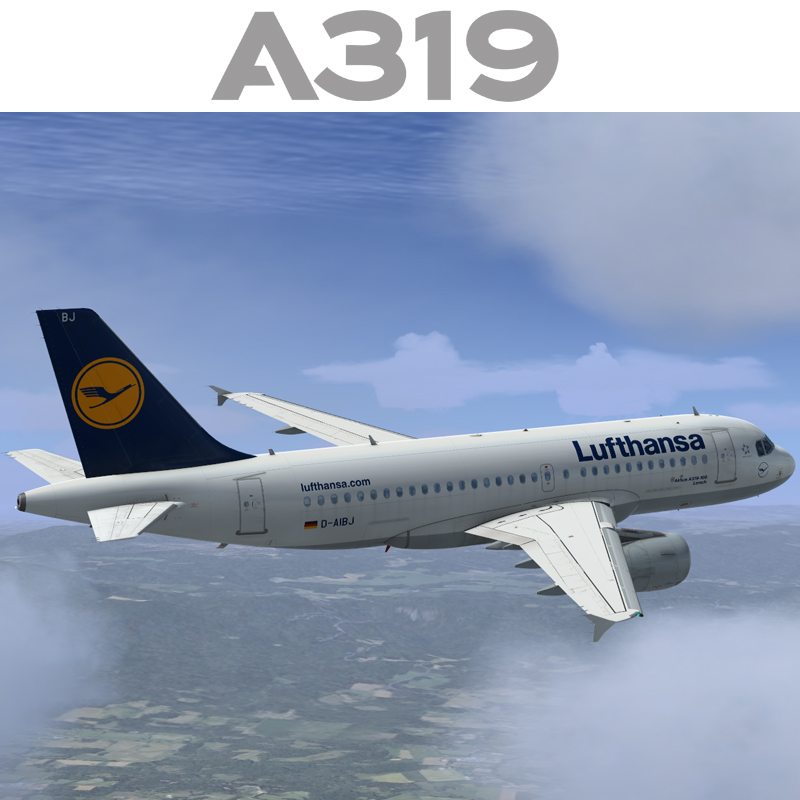
Contents of this ZIP-package:
Airbus A319 CFM Lufthansa D-AIBJ
(clean and dirt)
Repaint by:
Holger Sobl
Aerosoft paintkit by:
Stefan Hoffmann
Installation (Airbus Livery Manager):
Start the aerosoft Airbus Livery Manager and drag the ZIP-File into the list - or click "Add Livery" and select the desired file. You get a preview of the new livery - and install it with just one click. (You can read all Livery Manager functions by clicking the "?" button!)
If you are looking for more or other repaints then you can also look on my homepage http://simtexture.de!
- 2743 Downloads
- 6 Comments
-
Contents of this ZIP-package:
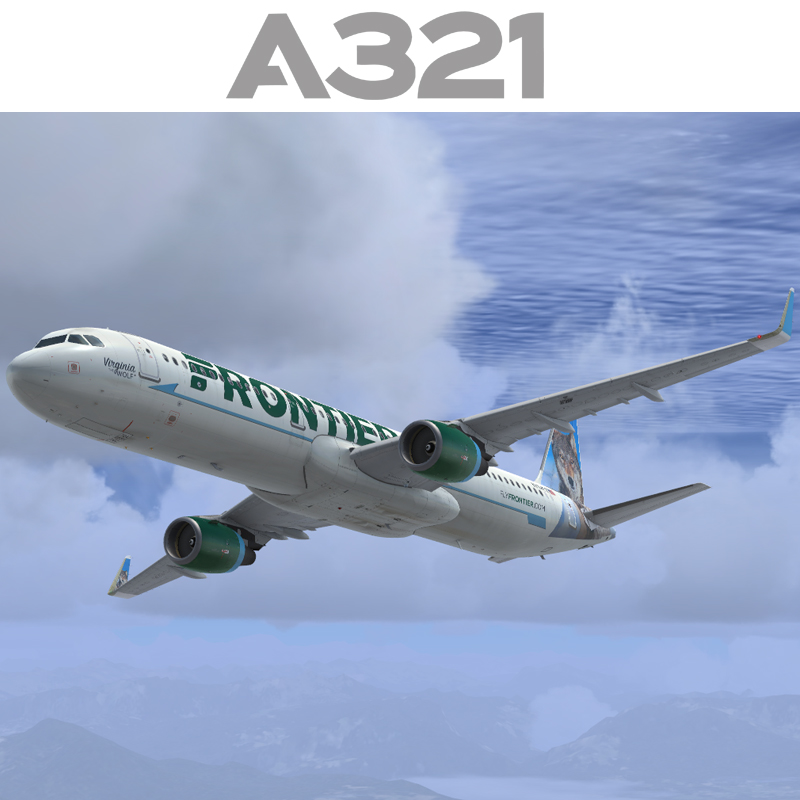
Airbus A321 CFM SL Frontier N704FR
(clean and dirt)
Repaint by:
Holger Sobl
Aerosoft paintkit by:
Stefan Hoffmann
Installation (Airbus Livery Manager):
Start the aerosoft Airbus Livery Manager and drag the ZIP-File into the list - or click "Add Livery" and select the desired file. You get a preview of the new livery - and install it with just one click. (You can read all Livery Manager functions by clicking the "?" button!)
If you are looking for more or other repaints then you can also look on my homepage http://simtexture.de!
- 3785 Downloads
- 1 Comments
-
Contents of this ZIP-package:
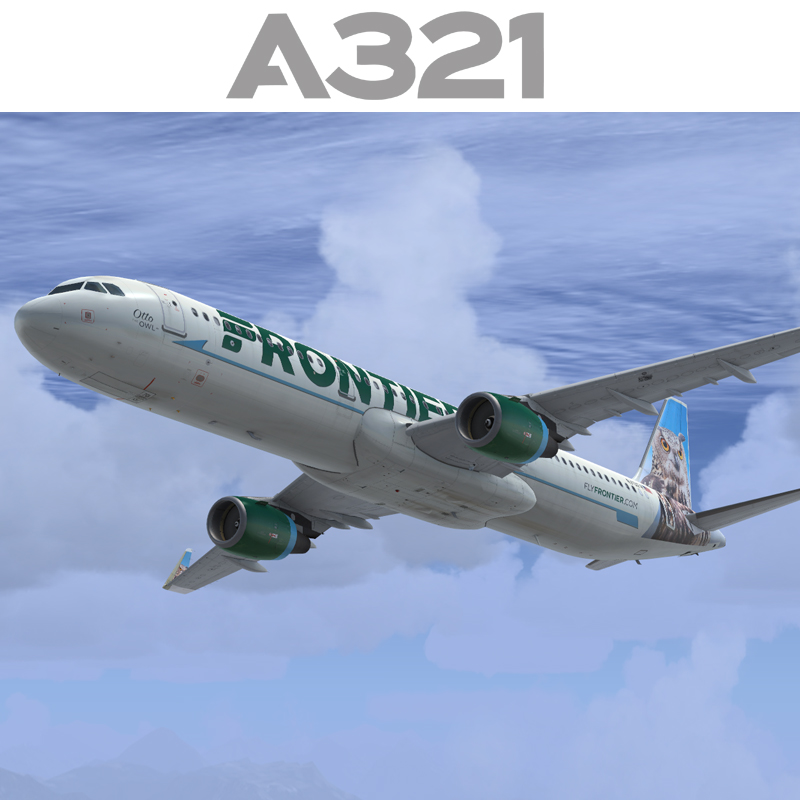
Airbus A321 CFM SL Frontier N701FR
(clean and dirt)
Repaint by:
Holger Sobl
Aerosoft paintkit by:
Stefan Hoffmann
Installation (Airbus Livery Manager):
Start the aerosoft Airbus Livery Manager and drag the ZIP-File into the list - or click "Add Livery" and select the desired file. You get a preview of the new livery - and install it with just one click. (You can read all Livery Manager functions by clicking the "?" button!)
If you are looking for more or other repaints then you can also look on my homepage http://simtexture.de!
- 3122 Downloads
- 1 Comments
-
Contents of this ZIP-package:
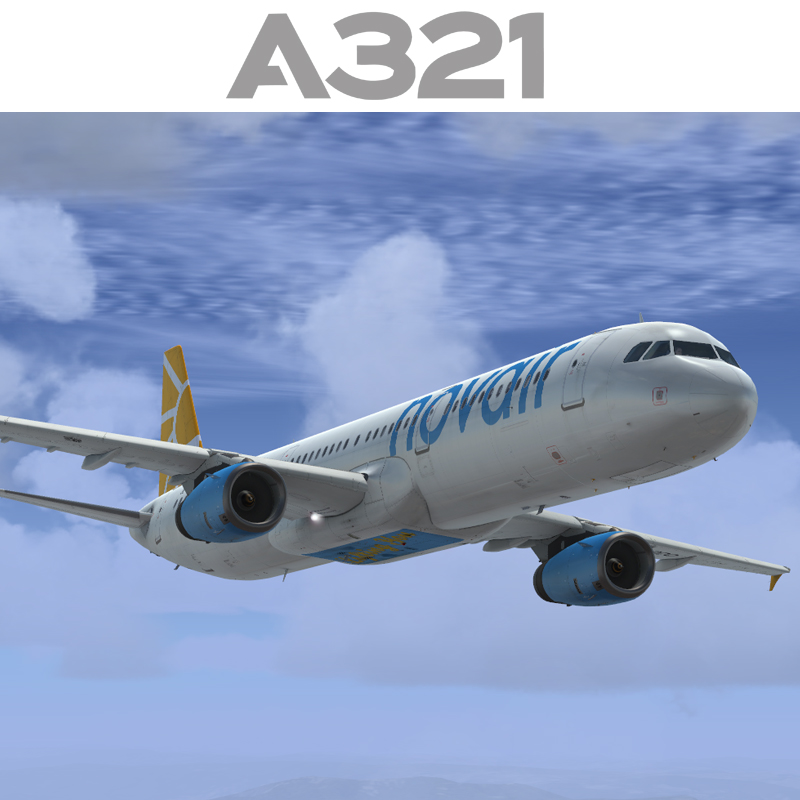
Airbus A321 IAE Novair SE-RDO
(clean and dirt)
Repaint by:
Holger Sobl
Aerosoft paintkit by:
Stefan Hoffmann
Installation (Airbus Livery Manager):
Start the aerosoft Airbus Livery Manager and drag the ZIP-File into the list - or click "Add Livery" and select the desired file. You get a preview of the new livery - and install it with just one click. (You can read all Livery Manager functions by clicking the "?" button!)
If you are looking for more or other repaints then you can also look on my homepage http://simtexture.de!
- 1402 Downloads
- 4 Comments
-
Contents of this ZIP-package:
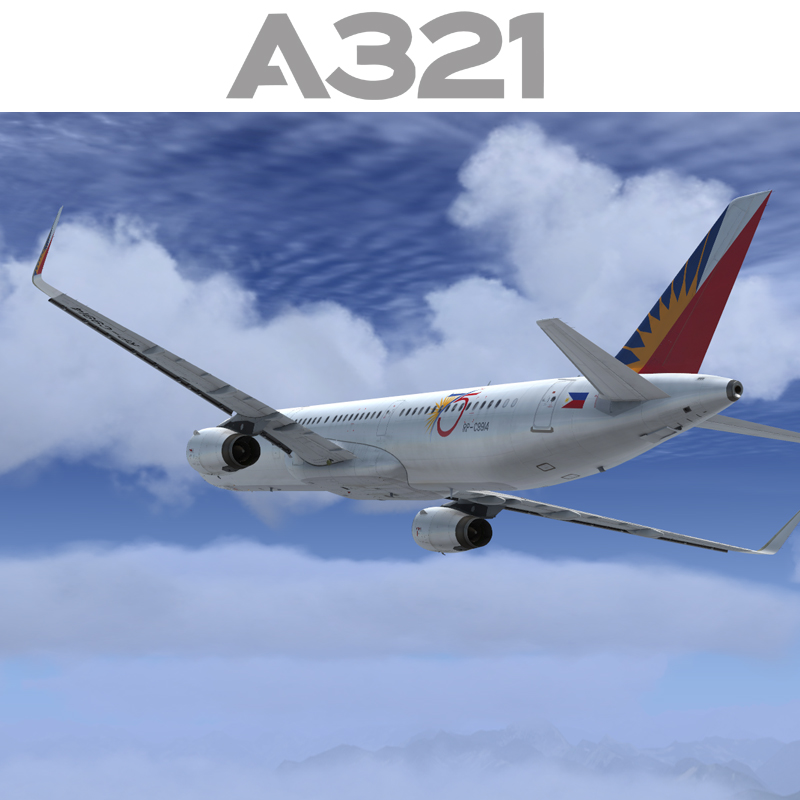
Airbus A321 IAE SL Philippine Airlines RP-C9914
(clean and dirt)
Repaint by:
Holger Sobl
Aerosoft paintkit by:
Stefan Hoffmann
Installation (Airbus Livery Manager):
Start the aerosoft Airbus Livery Manager and drag the ZIP-File into the list - or click "Add Livery" and select the desired file. You get a preview of the new livery - and install it with just one click. (You can read all Livery Manager functions by clicking the "?" button!)
If you are looking for more or other repaints then you can also look on my homepage http://simtexture.de!
- 3607 Downloads
- 8 Comments
-
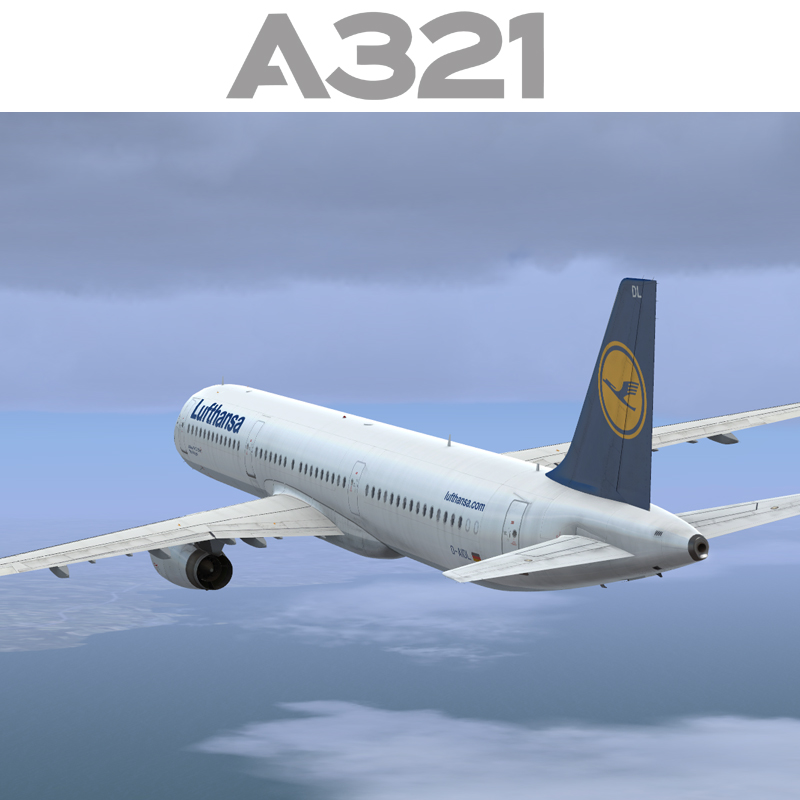
Contents of this ZIP-package:
Airbus A321 IAE Lufthansa D-AIDL
(clean and dirt)
Repaint by:
Holger Sobl
Aerosoft paintkit by:
Stefan Hoffmann
Installation (Airbus Livery Manager):
Start the aerosoft Airbus Livery Manager and drag the ZIP-File into the list - or click "Add Livery" and select the desired file. You get a preview of the new livery - and install it with just one click. (You can read all Livery Manager functions by clicking the "?" button!)
If you are looking for more or other repaints then you can also look on my homepage http://simtexture.de!
- 10147 Downloads
- 5 Comments
-
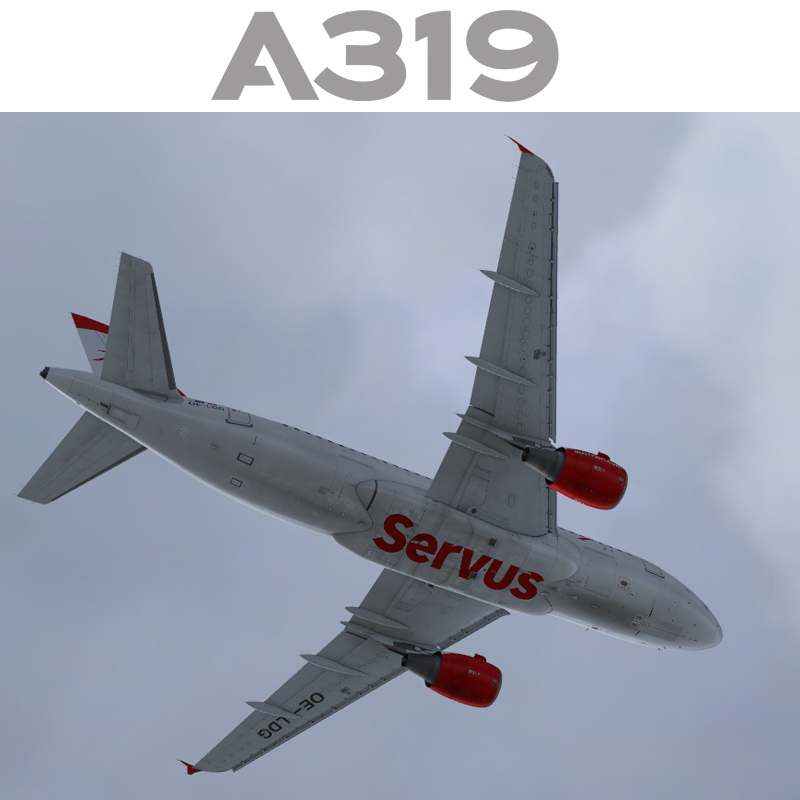
Contents of this ZIP-package:
Airbus A319 Austrian Airlines OE-LDG new color
(clean and dirt)
Repaint by:
Holger Sobl
Aerosoft paintkit by:
Stefan Hoffmann
Installation (Airbus Livery Manager):
Start the aerosoft Airbus Livery Manager and drag the ZIP-File into the list - or click "Add Livery" and select the desired file. You get a preview of the new livery - and install it with just one click. (You can read all Livery Manager functions by clicking the "?" button!)
If you are looking for more or other repaints then you can also look on my homepage http://simtexture.de!
- 5699 Downloads
- 1 Comments
-
Contents of this ZIP-package:
Airbus A321 IAE MEA OD-RMI
(clean, 70 years celebration and dirt, standard version)
Repaint by:
Holger Sobl
Aerosoft paintkit by:
Stefan Hoffmann
Installation (Airbus Livery Manager):
Start the aerosoft Airbus Livery Manager and drag the ZIP-File into the list - or click "Add Livery" and select the desired file. You get a preview of the new livery - and install it with just one click. (You can read all Livery Manager functions by clicking the "?" button!)
If you are looking for more or other repaints then you can also look on my homepage http://simtexture.de!
- 925 Downloads
- 3 Comments
-
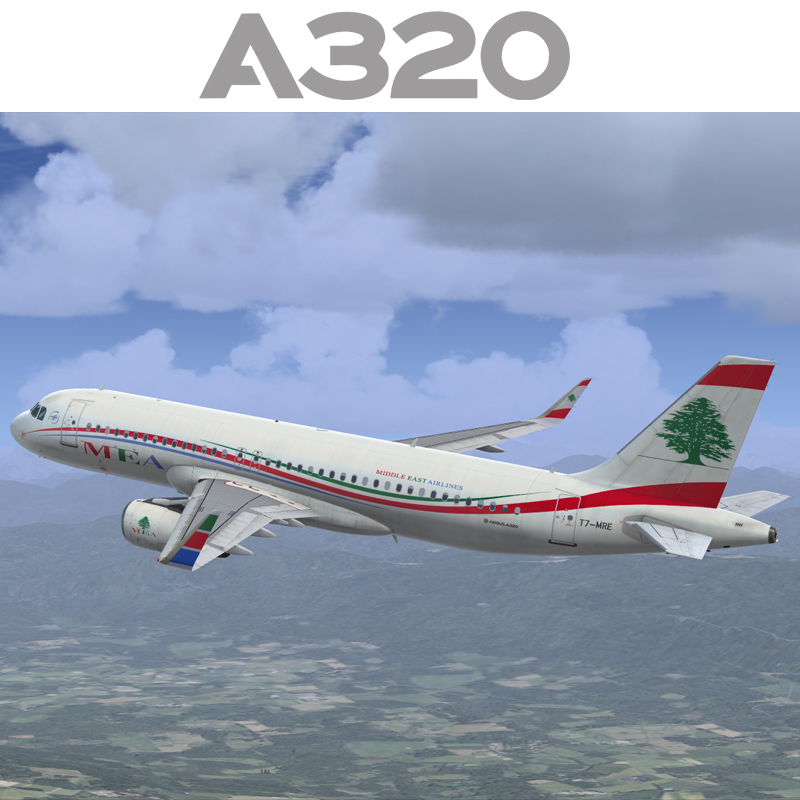
Contents of this ZIP-package:
Airbus A320 IAE SL MEA T7-MRE
(clean and dirt)
Repaint by:
Holger Sobl
Aerosoft paintkit by:
Stefan Hoffmann
Installation (Airbus Livery Manager):
Start the aerosoft Airbus Livery Manager and drag the ZIP-File into the list - or click "Add Livery" and select the desired file. You get a preview of the new livery - and install it with just one click. (You can read all Livery Manager functions by clicking the "?" button!)
If you are looking for more or other repaints then you can also look on my homepage http://simtexture.de!
- 1298 Downloads
- 2 Comments
-
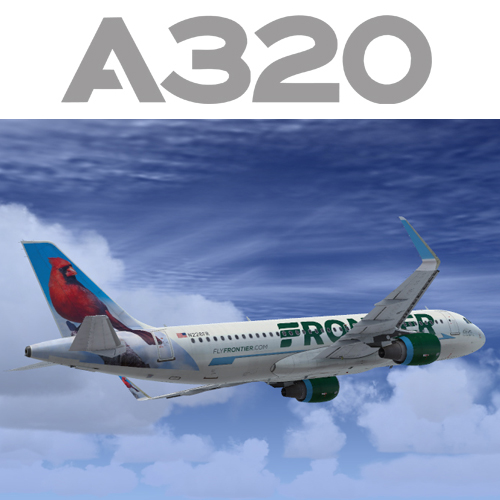
Contents of this ZIP-package:
Airbus A320 CFM SL Frontier N228FR
(clean and dirt)
Repaint by:
Holger Sobl
Aerosoft paintkit by:
Stefan Hoffmann
Installation (Airbus Livery Manager):
Start the aerosoft Airbus Livery Manager and drag the ZIP-File into the list - or click "Add Livery" and select the desired file. You get a preview of the new livery - and install it with just one click. (You can read all Livery Manager functions by clicking the "?" button!)
If you are looking for more or other repaints then you can also look on my homepage http://simtexture.de!
- 6989 Downloads
- 21 Comments
-
Contents of this ZIP-package:
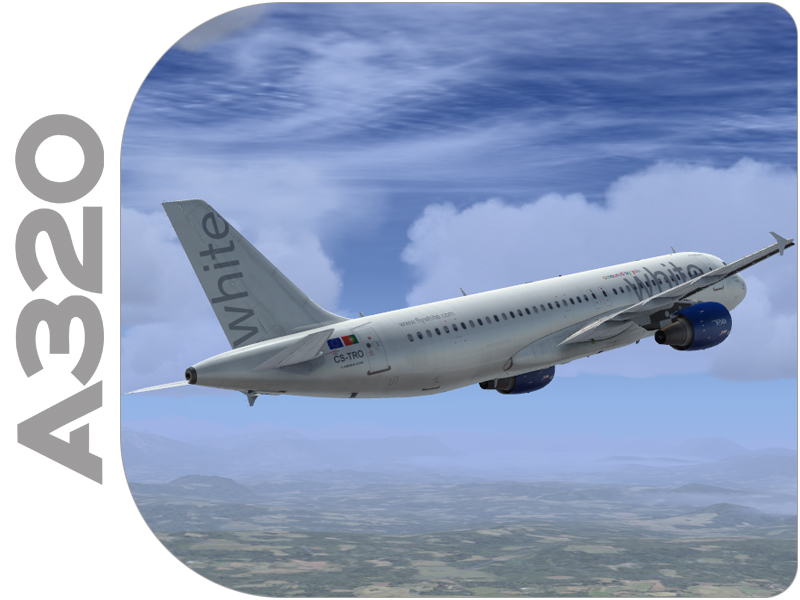
Airbus A320 CFM White Airways CS-TRO
(clean and dirt)
Repaint by:
Holger Sobl
Aerosoft paintkit by:
Stefan Hoffmann
Installation (Airbus Livery Manager):
Start the aerosoft Airbus Livery Manager and drag the ZIP-File into the list - or click "Add Livery" and select the desired file. You get a preview of the new livery - and install it with just one click. (You can read all Livery Manager functions by clicking the "?" button!)
If you are looking for more or other repaints then you can also look on my homepage http://simtexture.de!
- 1343 Downloads