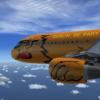
Alex F. 46 Posted June 15, 2011 Share Posted June 15, 2011 Hello, I paint a TUI and a Hapagfly A320 IAE. The TUI is ready but I need some more time for the Hapagfly I want to release both together Regards Alex Edit: scroll down for pictures and files Link to comment https://forum.aerosoft.com/index.php?/topic/46448-tuifly/ Share on other sites More sharing options...
kaspis29 29 Posted June 15, 2011 Share Posted June 15, 2011 Very good work! Link to comment https://forum.aerosoft.com/index.php?/topic/46448-tuifly/#findComment-311371 Share on other sites More sharing options...
Deputy Sheriffs Holgi 2366 Posted June 15, 2011 Deputy Sheriffs Share Posted June 15, 2011 Hello Alex, nice Airbus! Link to comment https://forum.aerosoft.com/index.php?/topic/46448-tuifly/#findComment-311383 Share on other sites More sharing options...
Alex F. 46 Posted June 15, 2011 Author Share Posted June 15, 2011 Thank you Holgi and Kaspis29 Regards Alex Link to comment https://forum.aerosoft.com/index.php?/topic/46448-tuifly/#findComment-311394 Share on other sites More sharing options...
hapag310 2 Posted June 17, 2011 Share Posted June 17, 2011 That repaint looks fantastic. I'm sure the hapagfly will look great as well. Can't wait for the release!! Link to comment https://forum.aerosoft.com/index.php?/topic/46448-tuifly/#findComment-311756 Share on other sites More sharing options...
Alex F. 46 Posted June 17, 2011 Author Share Posted June 17, 2011 Hello, Thanks I need some Help for the Hapagfly. I need the letters "Hapagfly.com" in a really big resolution. I can't find anything If noone can help me i try to do a photoreal repaint The Tui HaribAir is close to release, too Regards Alex Link to comment https://forum.aerosoft.com/index.php?/topic/46448-tuifly/#findComment-311773 Share on other sites More sharing options...
Alex F. 46 Posted June 17, 2011 Author Share Posted June 17, 2011 Hello The HaribAir is ready. I only need the "hapagfly.com" logo for the Hapagfly Regards Alex Link to comment https://forum.aerosoft.com/index.php?/topic/46448-tuifly/#findComment-311790 Share on other sites More sharing options...
John Glanville 821 Posted June 17, 2011 Share Posted June 17, 2011 Alex , At seeklogo.com , they have a lot of logo's as eps files , when you open them ( PaintShopPro / PhotoShop or other programme ) choose a large resolution ( for example 200 dpi - dots per inch ) . Here is a link to Hapag-Lloyd ( you can always use the TUI fly logo for the fly part ) . http://www.seeklogo....logo-65184.html John Link to comment https://forum.aerosoft.com/index.php?/topic/46448-tuifly/#findComment-311798 Share on other sites More sharing options...
Alex F. 46 Posted June 18, 2011 Author Share Posted June 18, 2011 Thank you very very much John now all three liverys are ready I think i upload them in the evening Regards Alex (Picture deleted) Link to comment https://forum.aerosoft.com/index.php?/topic/46448-tuifly/#findComment-311836 Share on other sites More sharing options...
Alex F. 46 Posted June 18, 2011 Author Share Posted June 18, 2011 The TUI Package N.1 is ready for takeoff with those 3 Liverys^^ http://forum.aerosoft.com/index.php?/files/file/854-tui-family-package-n1/ There will be a Package number 2 with the blue GoldbAir and the Hapaglloyd express Regards Alex Link to comment https://forum.aerosoft.com/index.php?/topic/46448-tuifly/#findComment-311857 Share on other sites More sharing options...
Alex F. 46 Posted June 18, 2011 Author Share Posted June 18, 2011 GoldbAir is ready too Regards Alex Link to comment https://forum.aerosoft.com/index.php?/topic/46448-tuifly/#findComment-311904 Share on other sites More sharing options...
Alex F. 46 Posted June 19, 2011 Author Share Posted June 19, 2011 All three liverys are ready HLX exp. new and old and GoldbAir. http://forum.aerosof...ily-package-n2/ Regards Alex (Picture deleted) Link to comment https://forum.aerosoft.com/index.php?/topic/46448-tuifly/#findComment-312025 Share on other sites More sharing options...
Alex F. 46 Posted June 25, 2011 Author Share Posted June 25, 2011 Hello, A321 is ready, too. I upload them in the evening. Edit: http://forum.aerosof...ackage-n3-a321/ Regards Alex (Picture deleted) Link to comment https://forum.aerosoft.com/index.php?/topic/46448-tuifly/#findComment-313175 Share on other sites More sharing options...
Alex F. 46 Posted July 24, 2011 Author Share Posted July 24, 2011 All packs are updated. http://forum.aerosoft.com/index.php?/files/file/879-tui-family-package-n3-a321/ http://forum.aerosoft.com/index.php?/files/file/858-tui-family-package-n2/ http://forum.aerosoft.com/index.php?/files/file/854-tui-family-package-n1/ Regards Alex Link to comment https://forum.aerosoft.com/index.php?/topic/46448-tuifly/#findComment-317863 Share on other sites More sharing options...


Recommended Posts