





Skip to content

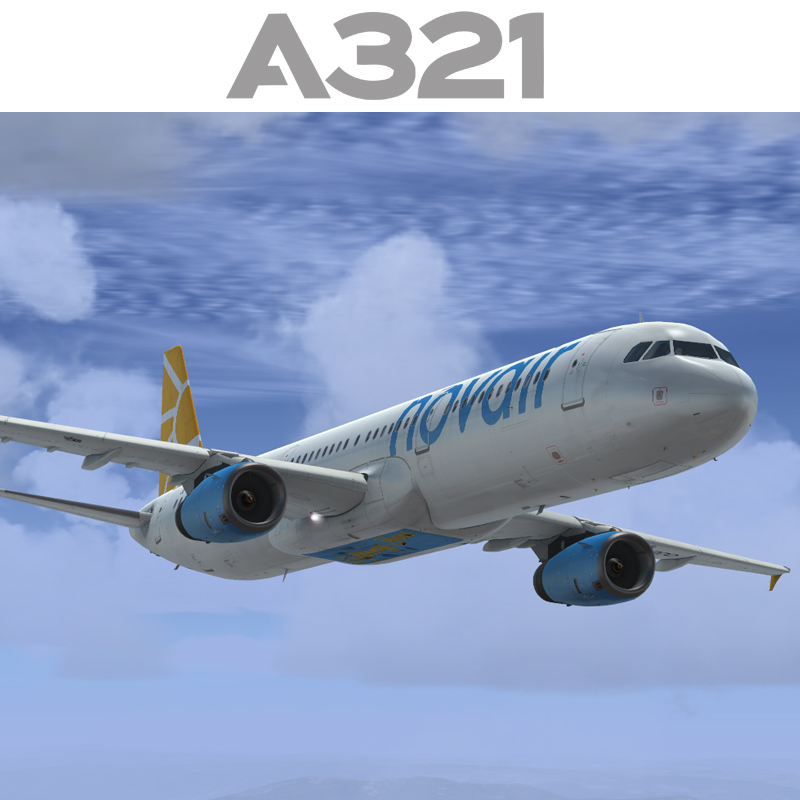
Airbus A321 IAE Novair SE-RDO 1.0.0

(0 reviews)

3 Screenshots

Contents of this ZIP-package:
Airbus A321 IAE Novair SE-RDO
(clean and dirt)

Repaint by:
Holger Sobl

Aerosoft paintkit by:
Stefan Hoffmann

Installation (Airbus Livery Manager):
Start the aerosoft Airbus Livery Manager and drag the ZIP-File into the list - or click "Add Livery" and select the desired file. You get a preview of the new livery - and install it with just one click. (You can read all Livery Manager functions by clicking the "?" button!)

If you are looking for more or other repaints then you can also look on my homepage http://simtexture.de!

User Feedback

Recommended Comments

Svantethepilot

Members

The ZIP file does not work. Any help??


Saspilot

Members

oll

William1

Members

Doesn't seem to work with livery installer and also tried installing manually but didn't work then either. If this gets fixed i will definitely use it!

emsss78

Members

Doesn't work...something is wrong with the textures in Livery Manager, it's like it's empty and also there is no preview of it.

Create an account or sign in to comment

Account

Navigation

Search

Search

Configure browser push notifications

Chrome (Android)
  1. Tap the lock icon next to the address bar.
  2. Tap Permissions → Notifications.
  3. Adjust your preference.
Chrome (Desktop)
  1. Click the padlock icon in the address bar.
  2. Select Site settings.
  3. Find Notifications and adjust your preference.