



About This File
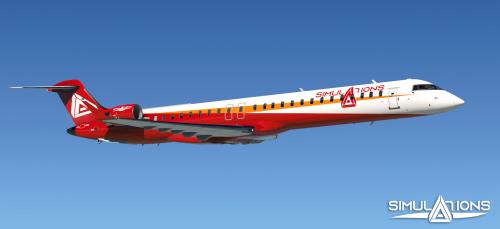
I have created a Bravo profile for the DeltaWing Simulations CRJ 700 & CRJ 900. 3 different profiles correspond to the datarefs before update 1.3.1 for X-Plane 12 (each aircraft needed a different profile) and after (only 1 profile is needed for all CRJs). Notice that in X-Plane 11 the addons use the old system and they need separate profiles in all versions.
To avoid confusion, refer to the list below to find out which file you need to download.
CRJ-700 v1.3.0 or older for X-Plane 11 or X-Plane 12 --> Download DW_CRJ-700_v1.0.json
CRJ-900 v1.3.0 or older for X-Plane 11 or X-Plane 12 --> Download DW_CRJ-900_v1.0.json
CRJ-700 or CRJ-900 v1.3.1 or newer for X-Plane 12 --> Download DW_CRJ-Series_v1.1.json
Below is a list with all the bindings.
-
Autopilot/Glareshield lights:
- HDG
- NAV
- APR
- ALT
- VS
- IAS (SPEED in CRJ)
- AUTOPILOT
-
Annunciator lights:
- MASTER WARNING
- MASTER CAUTION
- ENGINE FIRE (when LH/RH ENGINE FIRE buttons are lit)
- LOW OIL PRESSURE
- LOW HYD PRESSURE
- LOW FUEL PRESSURE
- AUX FUEL PUMP (when fuel boost pumps are turned on)
- ANTI ICE (both for wing and cowlings)
- PARKING BRAKE
- STARTER ENGAGED
- LOW VOLTS
- APU
- DOOR (only for the L1 door currently, as I didn't find the datarefs for the other doors but it's a WIP)
-
Left Knob:
- ALT
- VS (for the VS wheel in CRJ)
- HDG
- CRS (only for the left CRS knob)
- IAS
-
Right Knob:
- INCREASE the selected knob
- DECREASE the selected knob
- Gear Lights
Added in version 1.1:
- Gear Lever Up/Down
-
Autopilot/Glareshield buttons:
- HDG
- NAV
- APR
- ALT
- VS
- IAS (SPEED in CRJ)
- AUTOPILOT
-
Utility toggles (from left to right 1-7) :
- Landing lights (all 3 of them) On <--> Off
- Taxi Lights On <--> Off
- Navigation Lights On<--> Off
- Beacon On<--> Off
- Strobes On<--> Off
- No Smoking On<--> Off (skipping Auto)
- Seatbelts On<--> Off (skipping Auto)
Installation
Make sure you have the latest version of HC Configurator before you use it. After that, open the configurator and go to Profiles -> Import Profiles -> Select Files and import the file you downloaded. Then, with the profile loaded in the configurator (check the blue line at the bottom) go once more to the Profiles menu and press Activate Current Profile. That's it, you are all set.
Support
In a previous profile I made some people have reported issues with importing it in the Configurator. If you have issues importing, loading, and using the profile feel free to leave a comment in this thread. Make sure to mention your operating system, Configurator version, aircraft version, and X-Plane version. I will be glad to help.
User Feedback
You may only provide a review once you have downloaded the file.
There are no reviews to display.