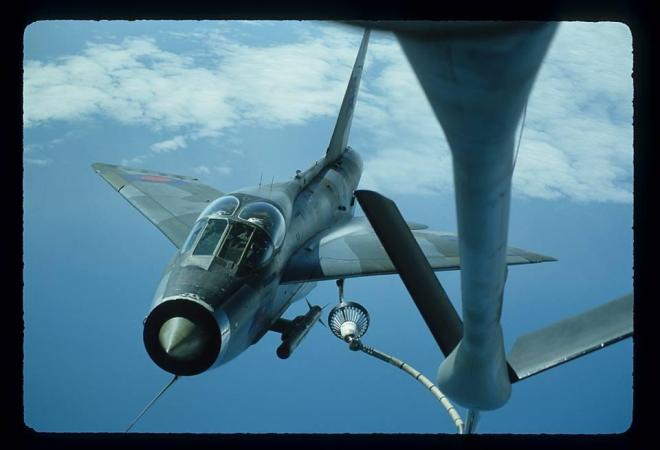
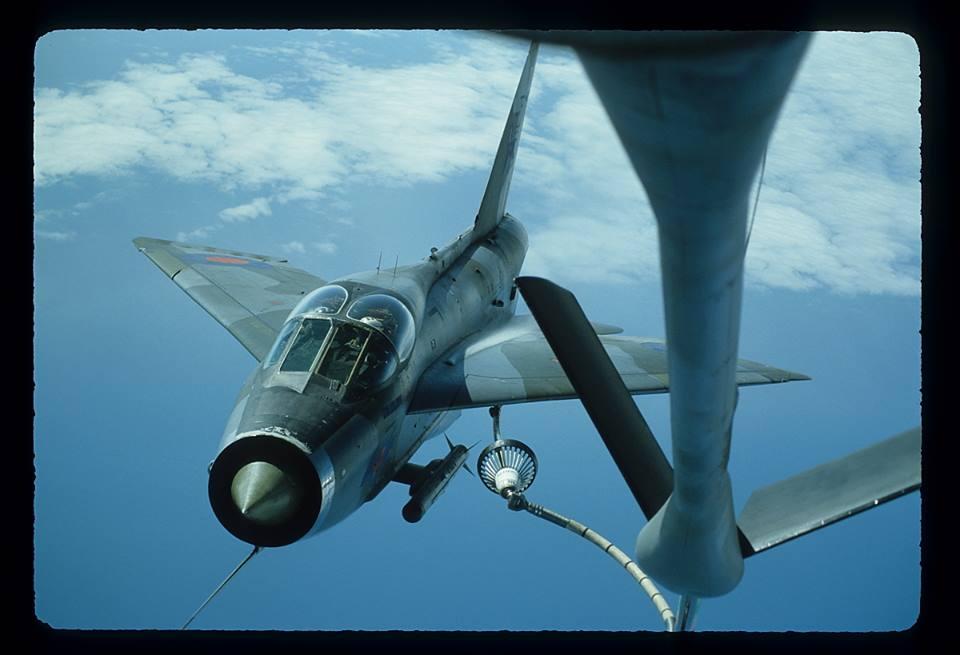
-
LIGHTNING F6 SWITCH ASSIGNMENTS and INFLIGHT REFUELLING
Hi Chris Shift+Ctrl + Back / Enter to move seat view L/R ( guess its easier with a head tracker :0) You can set your own parameters for height and speed in the refuel.xml for IFR, the original refuel rate was 500 . Carrier landings !! I know it has a hook but its for stopping at the end of the runway .... not the beginning 🤗 Best of luck with the rebuilds. Cheers Dave
-
LIGHTNING F6 SWITCH ASSIGNMENTS and INFLIGHT REFUELLING
Hi Chris If the refuel.xml code I attached in an earlier post is dropped into the aircrafts " Panel / Lit_F6 " folder ( and referenced in the panel.cfg ) all will work on the ground , with engines running . I just tried it, Fuel dump first ... gauges start to visibly drop after 10 seconds . Next I reduced the fuel state in the mains to 50% and switched transfer , engines at 70% transfer occurred in both directions , but it is SLOW ! if you zoom in on the gauges you can just see them creeping up and down . Next I hit the FRS switch and the gauges rocketed up because I set the rate at 10 X normal for testing . If refuel.xml is not installed the fuel dump and transfer will work on the ground , but you need to be flying at the set altitude and speed range to use FRS . None of the systems require Tacpack to work , although the radar system has greater usability with Tacpack . I haven't used Plan_G ( I was not aware of it until you mentioned it ! ) so I'm not much use there . Cheers Dave
-
LIGHTNING F6 SWITCH ASSIGNMENTS and INFLIGHT REFUELLING
Hi Chris Another thought , when you initially loaded the Lightnings could you have denied access to the gauge following the prompt ? Before you start the sim up next time , try renaming the file to .... LightningF66.dll .... and also make the same change in the panel cfg . Then when you start the sim and load the Lightning you should get the prompt asking if you trust the gauge , say yes and carry on and test the fuel dump . If you go to the FSX cfg file ( not the text document) ( mine is at C / users/name/app data/roaming/ microsoft/FSX ) open the .cfg file and scroll down and you should see it at the end of the [Trusted] section . Is the ASC.dll working ? easiest check for that is to flip the gunsight glass , if it goes "doink" its working . Cheers Dave
-
LIGHTNING F6 SWITCH ASSIGNMENTS and INFLIGHT REFUELLING
Hi Chris There is not a lot more I can think of , all your fuel problems point to the LightningF6.dll not being recognised , and I don't know why that would be . I believe it is possible for a .dll on another 3rd party model to effect others . You might try changing your saved default flight for one of the basic FSX aircraft . I know it doesn't fix the problem but have you tried one of the refuelling gauges you can download off avsim ? I run windows 10 but on checking it says I'm in vista compatibility mode. Your Tacpack problems could simply have been the built in failure rate for the red top where the missiles will just drop off , or fail to track , or fail to explode . The designers wanted to give an advantage to the newer missiles in online gaming so they gave a (fixed) percentage failure rate according to age for each of those categories ( I think they overdid it ) . Cheers Dave
-
LIGHTNING F6 SWITCH ASSIGNMENTS and INFLIGHT REFUELLING
Hi Chris Hm... It really looks like your system is not reading the Lightning F6.dll code , ( each version has one so I don't see how they all could be corrupted ! ) This one was working a few minutes ago so try that ......... LightningF6.dll The refuel lights are independent of the .dll and only show that the respected tank has filled ( out when full ) The fuel dump. xml just gives the visual "smoke" of the fuel escaping you should have the code in the F6 ferrytank / panel / Lit_F6 folder Check you have the line gauge02=LightningF6!FuelXFR, 0, 0, 0, 0 in the panel.cfg's Do you have the F2A and the F53 ? is so do they work ? If you could do all your testing on the XS904 ferrytank model then I know we are looking at the same thing . Cheers Dave
-
LIGHTNING F6 SWITCH ASSIGNMENTS and INFLIGHT REFUELLING
Hi Chris Didn't mean to confuse you , the "fuel .dll" I was referring to is the Lightning F6.dll ... its the code that runs all the fuel functions . An easy test should be to select an aircraft with O/Ws and hit the fuel jettison switch ( down by the left of the seat , but not the o/w tank jettison . ) you don't need to be flying and the gauges start to drop pretty quickly , I also made this code for the IFR to go in the panel / Lit_F6 folder . just add ......... gauge12=Lit_F6!refuel, 0, 0, 0, 0 ..... in the panel cfg. refuel.xml It is set so it works on the ground and a high flow rate , adjust your fuel state to half and just hit the IFR switch but if it works you can adjust the parameter's to suit . IFR ; transfer and fuel dump are all controlled by the LightningF6 .dll so if one works they all should ! I have the same problem with having to make all changes in documents and then copy/paste back . All my FSX is installed in default C : with the aircraft in the simobjects aircrafts folder . Cheers Dave
-
LIGHTNING F6 SWITCH ASSIGNMENTS and INFLIGHT REFUELLING
Hi Chris I have just flown a trip to burn off fuel and then held at 27,000 ish and 270 kts and the FR worked ok . ... slow but that's as it should be . How many kb is the lightning F6 .dll you are using ? mine is 65.5 kb, there have been variations with P3d etc. I shudder to ask but you are flying the mk 6 and not the 2A or mk53 ? There have been a few embarrassed pilots that lined up on a tanker only to realise at the last second that they had no probe ! 🤔 Before I had the fuel .dll I had a simple XML code :- (height and speed parameters) if{ (L:FR_switch,bool) if{ (>K:ADD_FUEL_QUANTITY) } } That gave instant topup . I never came across the term " shiny 5 " , but yes I was 5 sqdrn at Binbrook Cheers Dave
-
LIGHTNING F6 SWITCH ASSIGNMENTS and INFLIGHT REFUELLING
Hi Chris Well I dusted off my bone dome and pilots notes and took the old "Frightning" for a jolly ..... and I pretty much found the same as you ! ... so I amended the "Keys" entry to read :- (L:clutch,bool) ! (>L:clutch,bool) (L:clutch,enum) 0 == if{ 1 (>K:AP_AIRSPEED_OFF) 1 (>L:ASC_clutchoff,bool) } (L:clutch,enum) 1 == if{ 1 (>K:AP_AIRSPEED_ON) 1 (>L:ASC_clutchon,bool) } (A:AIRSPEED INDICATED,knots) 275 > (A:SIM ON GROUND, bool) 1 == || if{ 1 (>K:AP_AIRSPEED_OFF) } And that works a treat . I guess the same goes for any other keyboard commands that require more than just Lvars. Cheers Dave Edit Ps The pilots notes give the stabilised IAS as 175 -180 kts in autothrottle so 190ish should be ok . Shiny 5 ? .... Shiny's to us were office workers ( the backsides of their trousers became shiny from sitting down :0) ...... I was a sooty 🤗 D
-
LIGHTNING F6 SWITCH ASSIGNMENTS and INFLIGHT REFUELLING
Hi Chris Not sure I'm the one to help here , FSUPC is not a program I have ever used , and I suspect your commands to it are the problem here . In my XML coding the L;vars operate the animation then call up an event, ie. for the clutch :- <Name>switch_auto_throttle</Name> <AnimLength>50</AnimLength> <Animation> <Parameter> <Code>(L:clutch,enum) 50 *</Code> <Lag>200</Lag> </Parameter> </Animation> <MouseRect> <Cursor>Hand</Cursor> <TooltipText>Auto Throttle Clutch</TooltipText> <CallbackCode> (M:Event) 'LeftSingle' scmp 0 == if{ (L:clutch,enum) ! (>L:clutch,enum) } (L:clutch,enum) 0 == if{ 1 (>K:AP_AIRSPEED_OFF) 1 (>L:ASC_clutchoff,bool) } (L:clutch,enum) 1 == if{ 1 (>K:AP_AIRSPEED_ON) 1 (>L:ASC_clutchon,bool) } (A:AIRSPEED INDICATED,knots) 275 > (A:SIM ON GROUND, bool) 1 == || if{ 1 (>K:AP_AIRSPEED_OFF) } </CallbackCode> </MouseRect> So the clutch animation operates the simulators K event AP_AIRSPEED_ ON or OFF which controls the throttles . The Parachute is pure local animation so is not calling up any inbuilt programming. Operating the FR switch within the required parameters triggers the refuelling through the Lightning F6.dll in the panel folder . If you open up the MDL in ModelconverterX you can view all the xml coding to see what the L:vars are calling up . Hope this helps Dave R
-
LIGHTNING F6 SWITCH ASSIGNMENTS and INFLIGHT REFUELLING
Hi Chris My apologies for the slow response , and lets see if we can get you sorted. First , what sim are you running ?That way I can see if I can replicate the problems. With the auto-throttle do the throttles not move when the clutch is mouse selected or only using the keyboard shortcut ? And for the F/R are you obeying the general height/ speed restrictions or using something like tacpack Cheers Dave R
-
EE Lightning Mk F2A XN724
- 107 downloads
- Version 1.0.0
19 sqn metal finish -
wingman5 started following Radar Visor
-
Mitchell Wing Altimeter setting
Hi How strange You should still be able to use it though .... click and drag left or right . The fix for the popup box is at..... http://forum.aerosoft.com/index.php?/topic/55526-get-your-free-mitchell-wing-v101-here/page__st__40# post #78 gives you a radio, gps and transponder . Cheers Dave R
-
Mitchell Wing issues
Hi The ground showing through like that is due to the close proximity between the viewpoint and ground level , nothing can be done about it , you'll see it on all the smaller aircraft (and larger ones if you play with the viewpoint ) the effect goes as soon as you start to climb . As for power settings , it's only 40+ HP and small wheels. if you are taking off on grass you'll need a fist full of throttle to get it rolling ! cheers Dave R
-
Problem with American Aerolites Falcon
Hi You are doing nothing wrong nor can it be corrected as far as I know . Its an unfortunate consequence of the viewpoint being so close to the ground on these smaller machines . (That's why once you have climbed a few feet the anomaly goes.) If you use the pan buttons to lower your eyepoint you will see the same effect appear on even some medium sized aircraft (see attached sample) It's best if you don't zoom back so much ,that way its below your vision line . Cheers Dave R
-
Website...
That's great news Max A must for my "favorites"