





About This File
English:
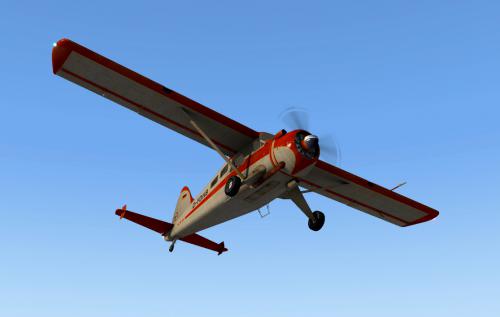
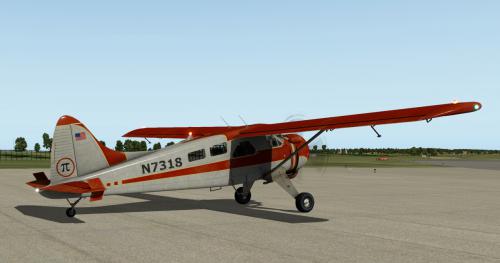
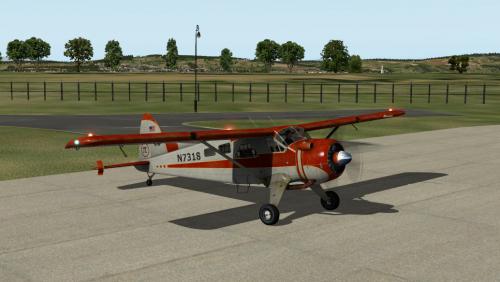
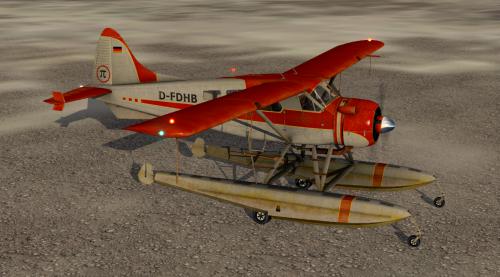
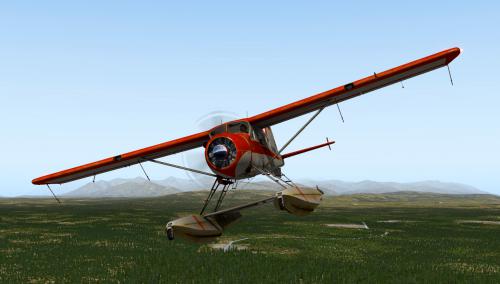
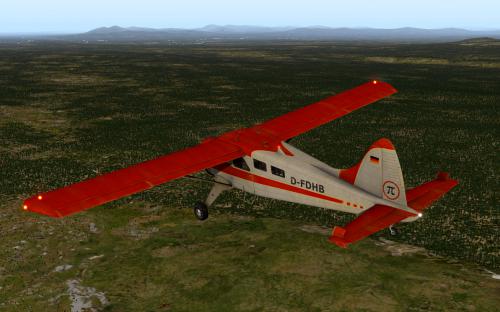
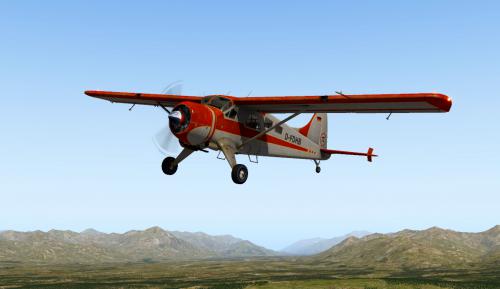
Livery with N and D registration for the SMS (SoulMade Simulations) DHC-2 Beaver.
The texture is present in a resolution of 4096x4096 px.
The Livery is inspired by the movie "six days & seven nights" with some own ideas.
The Livery is a little bit "used".
Installation: Copy the extracted folder "D-FDHB-Old-Paint" and N7318-Old-Paint" into the folder
<X-Plane root folder>\Aircraft\...\SMS DHC2 Beaver...\liveries.
Requirements:
X-Plane 10.51 or 11.11 or higher
Installed SMS (SoulMade Simulations) DHC-2 Beaver v 1.21/1.22 (xp10) and 1.23 (xp11) .
Have fun with this livery ... Heinz Flichtbeil Mar. 2018
----------------------------------------------------------------------------------------------
German:
Bemalung mit N und D Kennung für die SMS (SoulMade Simulations) DHC-2 Beaver.
Die Textur liegt in einer Auflösung von 4096x4096 px vor.
Die Anregung für die BemaLung stammt zum Teil aus dem Film "Sechs Tage Sieben Nächte".
Dazu habe ich ein paar eigene Ideen eingebracht... Die Bemalung ist ein wenig "gebraucht".
Installation: Den Zip Ordner entpacken und den Ordner "D-FDHB-Old-Paint" und N7318-Old-Paint" in den Ordner
"<X-Plane Hauptverzeichnis>\Aircraft\...\SMS DHC2 Beaver...\liveries" kopieren.
Voraussetungen:
X-Plane 10.51 oder X-Plane 11.11 or higher.
Installierte SMS (SoulMade Simulations) DHC-2 Beaver v1.21 oder 1.22 (xp10) und 1.23 (xp11) ...
Viel Spaß mit dieser Bemalung ... Heinz Flichtbeil, März 2018