


Jump to content

afnavarro

Members
  • Joined

  • Last visited

Files posted by afnavarro

  1. Dear friends,

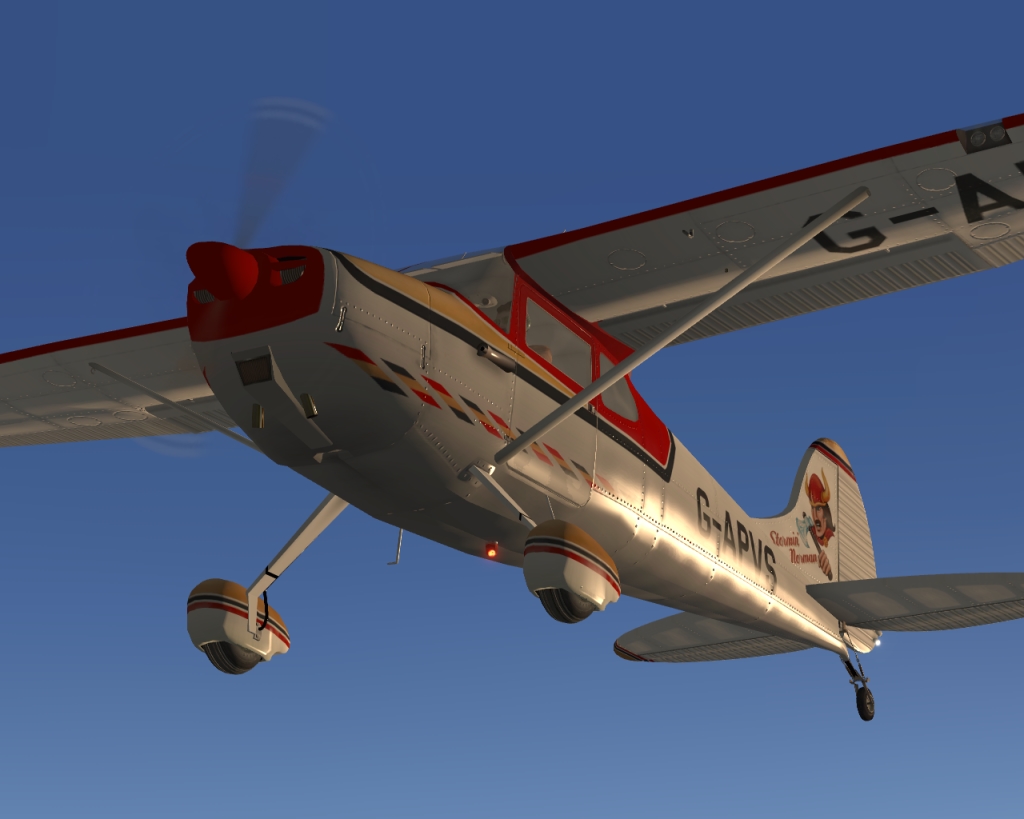
    This a repaint for splendid freeware Cessna-170B by Adrian (Awall86); this creation is a “jewel”. Thanks Adrian!

    This repaint represents registered G-APVS “Stormin’ Norman” C-170B; an amazing and attractive paint schema. Dedicated Normals are included.

    Credits:

    Thanks Leen de Jager for your contribution on Normals and Interiors.

    WARNING: G-APVS Normals do not match 100 % with default C-170 B liveries. Meke sure you have C-170B V1.03 (or later)

    Instructions: Just unzip downloaded file into downloads folder (or wherever you want) and drag unzipped folder “G-APVS” into the plane Cessna 170B 1.03 (or later) > Liveries.

    Enjoy and fly safe.

    AFNavarro
    • 14 Downloads
  2. Hi friends,
    I would like to share with you this repaint for Cessna 170B by Awall86, freeware for X-plane 9 & 10.
    This repaint is inspired on Cessna 170 EC-AFB, a veteran flying in Spain for many years.Real aircraft, as far as I know, flies at Sabadell, in the “Parc Aeronautic de Catalunya”.
    Credits:
    Leen de Jager, for his splendid work on airframe and instruments panel Normals.
    Interiors are based on Leen’s D-ESCB. Thanks a lot !.
    IMPORTANT:
    You’ll find two folders in this upload:
    EC-AFB: 2K (2048 x 2048) texture files which work on X-Plane 9 & 10.
    EC-AFB-4K-XPlane10: 4K (4096 x 4096) texture files (High Definition) which work on X Plane 10 only.
    This repaint includes some improvements on Normal files and additional Glass_Interior_NML.
    Instructions: Just unzip downloaded file into downloads folder (or wherever you want) and drag unzipped folder “EC-AFB” or “EC-AFB-4K-Xplane10” into the plane Cessna 170B 1.03 (or later) > Liveries.
    Gracias, Adrián, for this great plane
    AFNavarro
    • 18 Downloads

Important Information

We have placed cookies on your device to help make this website better. You can adjust your cookie settings, otherwise we'll assume you're okay to continue. Privacy Policy & Terms of Use

Account

Navigation

Search

Configure browser push notifications

Chrome (Android)
  1. Tap the lock icon next to the address bar.
  2. Tap Permissions → Notifications.
  3. Adjust your preference.
Chrome (Desktop)
  1. Click the padlock icon in the address bar.
  2. Select Site settings.
  3. Find Notifications and adjust your preference.
