Skip to content

RobertVdb

Members
  • Joined

  • Last visited

  1. Well, Robin, I don't have the scenery yet and I cannot test that. What you should try is: 1) go to the FS9\Scenery\Eurw\Scenery\ folder and rename AP949130.bgl by using another extension like AP949130.NL 2) go to the following folder in the NL2000 scenery: nl2000\featurepanel\fs2004\navaids\standaard\Microsoft Flight Simulator\Scenery\Eurw\Scenery\, copy AP949130.bgl and paste it in the FS9\Scenery\Eurw\Scenery\ folder 3) Start FS and see if the runway-to-grass effect is still there. If not, then it was indeed the altitude issue. Success Rob
  2. Hi Folks, There is another issue in making EHAM compatible with NL2000 and that's the altitude. NL2000-EHAM is somewhat lower in altitude than the default EHAM which is as I heart the same in Aerosoft-EHAM. This means that all AI aircraft will have the wheels somewhat sunk in the ground. Normally the freeware program JABBgl should solve that, BUT, this program cannot handle the special values for altitudes under sea level (4 million feet). Therefore you have to find another way to change in the AP949130.bgl file (scenery\eurw\scenery) the value 4.294.963,296 into the original 4.294.963,944 value. Another way to walk this around is to use the original AP949130.bgl file but then you have the problem with Rotterdam, Lelystad and Noordoostpolder which also have this special altitude values and where the AI-aircraft will hang somewhat above the airfield. Rob
  3. RobertVdb replied to psolk's topic in English
    Is it NL2000 compatible? (C9 isn't) I would like to know before purchasing it. Thanks Rob
  4. At LIRF it is not easy to line up with the marshall behind the fence (LOL) Cheers
  5. I finally solved the problem by copying the content of EBBR I had installed on my main PC. I always test on this PC before installing in my FS-PC Because I backuped the other one I can now compare and see what went wrong. Rob
  6. AES is on the top of the list and everything worked fine on my old PC (you saw my video on YouTube) I had started now with putting FS9 and all the addons from scratch. Also because I lost the old Aerosoft directory, I started with a fresh AES putting in my 5 codes (3 bought at Simmarket and 2 at Aerosft) I will check further Cheers Rob
  7. Thanks for the answer, Oliver, but, unfortunately that seems not to help. Also reinstalled the airport - still the same problem Strange, I seem to have it only at EBBR. Cheers Rob
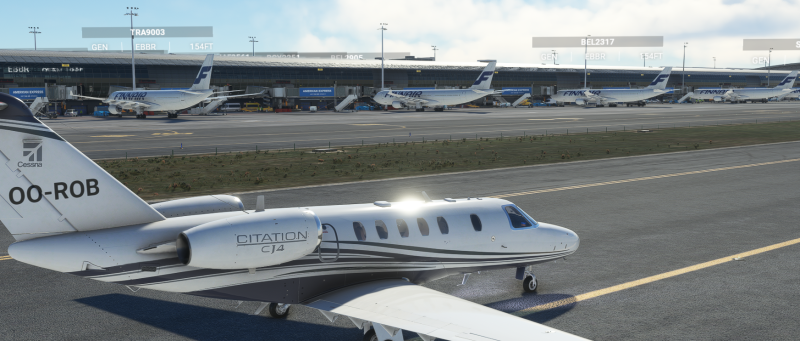
  8. Hi, After a complete reinstall on a new PC I encountered double jetways (one static and one moving) at EBBR (DFS). I have red the message of Micha who had the same problem at CYYZ but I could not resolve it as given in the answer. I don't see any errors in the HELP. Thanks Rob

Important Information

We have placed cookies on your device to help make this website better. You can adjust your cookie settings, otherwise we'll assume you're okay to continue. Privacy Policy & Terms of Use

Account

Navigation

Search

Search

Configure browser push notifications

Chrome (Android)
  1. Tap the lock icon next to the address bar.
  2. Tap Permissions → Notifications.
  3. Adjust your preference.
Chrome (Desktop)
  1. Click the padlock icon in the address bar.
  2. Select Site settings.
  3. Find Notifications and adjust your preference.