


Skip to content

TheDriver

Members
  • Joined

  • Last visited

Files posted by TheDriver

  1. Please use the manual/normal Installation! Nutze bitte die normale Installation!

    Link: http://forum.aerosof...e-construction/

    Thank you!

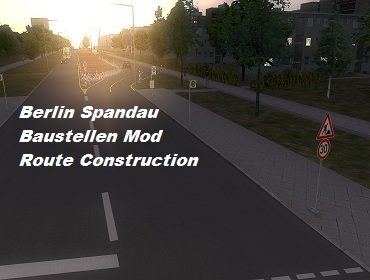
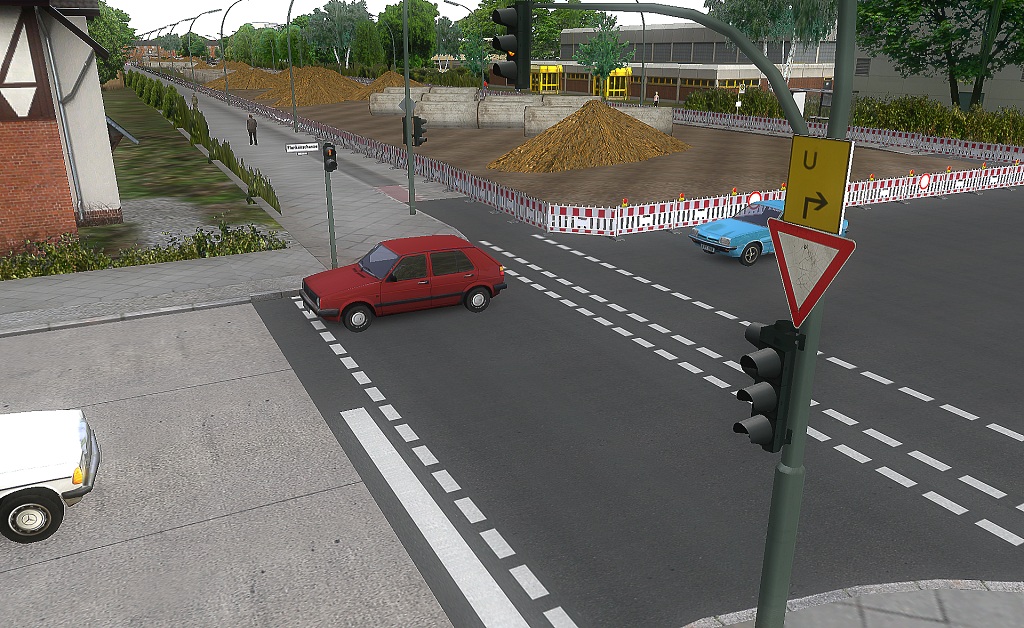
    Dies ist ein Mapmod, welcher auf der Berlin Spandau Map basiert. Zu finden sind die verschiedenen Baustellen zwischen dem Rathaus Spandau und der Stadtgrenze.

    V2: Neue Baustelle zwischen Rathaus Spandau und Freudstraße.
    V2: New Route Construction between Rathaus Spandau and Freudstraße.
    • 11541 Downloads
  2. Dies ist ein Mapmod, welcher auf der Berlin Spandau Map basiert. Zu finden sind die verschiedenen Baustellen zwischen dem Rathaus Spandau und der Stadtgrenze.

    V2: Neue Baustelle zwischen Rathaus Spandau und Freudstraße.
    V2: New Route Construction between Rathaus Spandau and Freudstraße.
    ___________

    Installation:

    C:\m-r-software\Omsi
    Installation:

    Just copy and paste the folders in your Omsi directory.
    Kopiere lediglich die Ordner in ihren Omsi Pfad.
    ____________

    Vielen Vielen Dank an folgende Objektbauer:
    Many many thanks to the following Objectbuilders:

    Seeadler für seine Straßenobjekte (Addon gcW)
    Nemolus für seine Verkehrsschilder
    Beckscholl für ein Baustellenobjekt
    bvb360 für sein Betonrohr
    ____________

    Viel Spaß beim fahren!
    Have fun with it!

    Mit freundlichen Grüßen
    Driver3737

    Bei Fragen und Problemen:
    Questions or Problems? :
    omnibussimulator.de/forum.htm -> Real Maps
    • 31613 Downloads

Important Information

We have placed cookies on your device to help make this website better. You can adjust your cookie settings, otherwise we'll assume you're okay to continue. Privacy Policy & Terms of Use
Account

Navigation

Search

Search

Configure browser push notifications

Chrome (Android)
  1. Tap the lock icon next to the address bar.
  2. Tap Permissions → Notifications.
  3. Adjust your preference.
Chrome (Desktop)
  1. Click the padlock icon in the address bar.
  2. Select Site settings.
  3. Find Notifications and adjust your preference.
