Skip to content

jeansy

Members
  • Joined

  • Last visited

Everything posted by jeansy

    • 50 downloads
    • Version 1.0.0
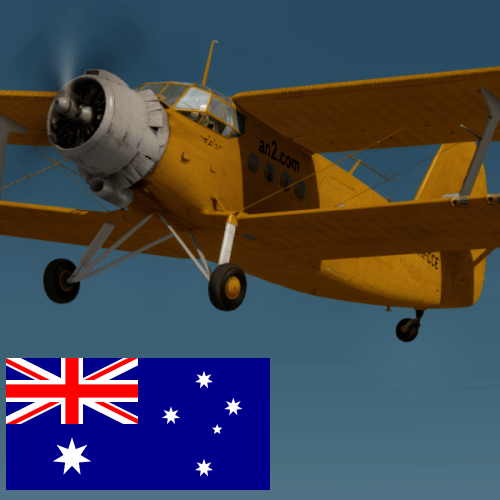
    An-2 Afghan Air Force 224
    • 115 downloads
    • Version 1.000
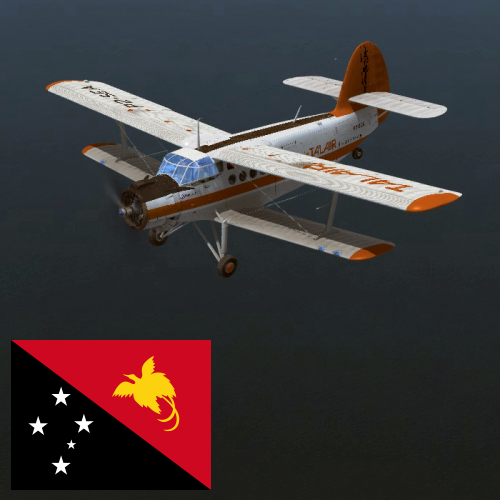
    An-2 dressed in Talair Papua New Guinea P2-SEA, Ideal for all those remote and mountain strips
    • 172 downloads
    • Version 1.0.0
    • 461 downloads
    • Version 1.0.0
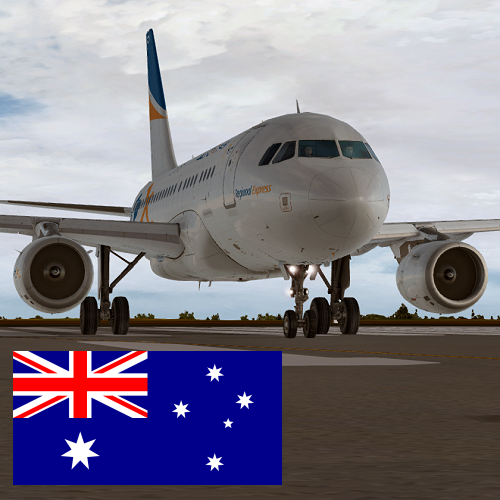
    textures for the Airbus A318 CFM in the REX Arlines VH-RXI livery
    • 339 downloads
    • Version 1.0.0
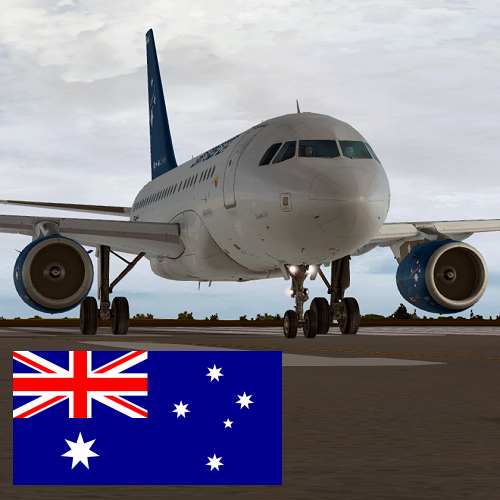
    Textures for the Airbus A318 CFM in the Air North VH-ANO livery
    • 433 downloads
    Textures for UH1D HELiPRO ZK-HYG
    • 813 downloads
    Textures for Huey NZ3804 Royal New Zealand Air Force
  1. Hi shaun I'm not having any problems with the paint kit, I simply made the statement of that I was highly disappointed in the quality of it to date I'm am painting after doing a rebuild of the kit , it just would been nice to see some more attention to detail in it
  2. dont get me wrong, this format just means you need to spend more time on a single paint where a decent format aids you in painting
  3. ive been biting my tongue on this for the past week... I tend to disagree, while experienced painters can work this, there are still a vast range of others out there from beginners to no so advanced, to make the remark " If a repainter cannot use this kit, he is no repainter, as far as I'm concerned" is very arrogant. You dont need to have a kit that has 100000s of layers. Some of the best kits out there can be done with a hand full of layers Me personally,im dissapointed with this release as i detest paintkits in this format where you multiply the main texture and the kits that lack detail, to me its just a lazy attempt of a kit but thats my veiw and my view alone. Since I mainly paint than fly its quite a let down but im properly being anal about it but for me i didnt pay to fly it i paid to paint it, now what annoys me more is the fact i have to create a paint kit when i was hoping for a half decent one. Hopefully down the track the next release has a little more in the kit than the current kit

Important Information

We have placed cookies on your device to help make this website better. You can adjust your cookie settings, otherwise we'll assume you're okay to continue. Privacy Policy & Terms of Use

Account

Navigation

Search

Search

Configure browser push notifications

Chrome (Android)
  1. Tap the lock icon next to the address bar.
  2. Tap Permissions → Notifications.
  3. Adjust your preference.
Chrome (Desktop)
  1. Click the padlock icon in the address bar.
  2. Select Site settings.
  3. Find Notifications and adjust your preference.