Skip to content

jeansy

Members
  • Joined

  • Last visited

Files posted by jeansy

  1. Textures for the P3D-FSX Carenado PA31-310 Navajo as I-DDEI

    • 59 Downloads
  2. Textures for the P3D-FSX Carenado PA31-310 Navajo as VH-AVF

    • 107 Downloads
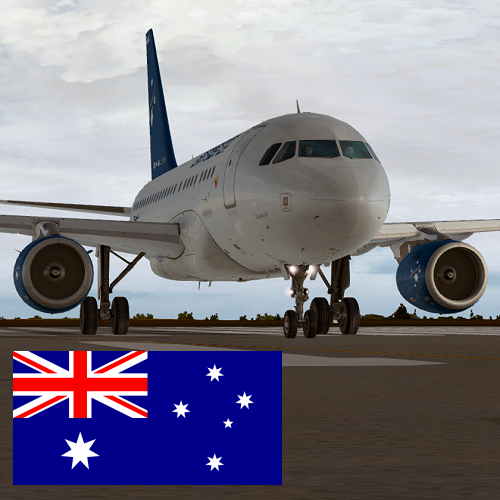
  3. Textures for the Aerosoft A318 CFM Professional  as Airnorth Australia VH-ANO

    • 591 Downloads
    • 3 Comments
  4. Textures for the the Aerosoft A319 IAE Professional depicting A319-132 IAE Tigerair Australia VH-VND

    • 860 Downloads
  5. textures for the former Hazelton Airline's VH-CMH
     

    • 141 Downloads
    • 3 Comments
  6. Contains the 2 current day textures for REX Airlines VH-ZLH & ZRZ


    • 309 Downloads
  7. Textures depicting real like OK-CCD

    • 127 Downloads
  8. More repaints can be found > https://www.facebook.com/the.repaint.hangar/
     

    • 139 Downloads
  9. More repaints can be found > https://www.facebook.com/the.repaint.hangar/

    • 254 Downloads
  10. More repaints can be found > https://www.facebook.com/the.repaint.hangar/

    • 237 Downloads
  11. More repaints can be found > https://www.facebook.com/the.repaint.hangar/

    • 154 Downloads
  12. More repaints can be found > https://www.facebook.com/the.repaint.hangar/
     

    • 245 Downloads
  13. More repaints can be found > https://www.facebook.com/the.repaint.hangar/

    • 283 Downloads
  14. More repaints can be found > https://www.facebook.com/the.repaint.hangar/
     

    • 188 Downloads
  15. More repaints can be found > https://www.facebook.com/the.repaint.hangar/

    • 72 Downloads
  16. An-2 OK-ELI

    • 113 Downloads
    • 134 Downloads
    • 90 Downloads
  17. Pre 1991 due to it being destroyed by airstrikes during Op Desert Storm

    • 86 Downloads
    • 172 Downloads
    • 1 Comments
  18. An-2 dressed in Talair Papua New Guinea P2-SEA, Ideal for all those remote and mountain strips

    • 115 Downloads
  19. An-2 Chinese People's Liberation Army Air Force 8192

    • 84 Downloads

Important Information

We have placed cookies on your device to help make this website better. You can adjust your cookie settings, otherwise we'll assume you're okay to continue. Privacy Policy & Terms of Use

Account

Navigation

Search

Search

Configure browser push notifications

Chrome (Android)
  1. Tap the lock icon next to the address bar.
  2. Tap Permissions → Notifications.
  3. Adjust your preference.
Chrome (Desktop)
  1. Click the padlock icon in the address bar.
  2. Select Site settings.
  3. Find Notifications and adjust your preference.