Skip to content

Shaun Fletcher

Members
  • Joined

  • Last visited

Files posted by Shaun Fletcher

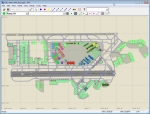
  1. For Aerosofts Mega Airport London Heathrow.

    The fixed AFX_EGLL.bgl file should land you more centrally on the runways at Mega Airport London Heathrow for FSX.
    Rename your original to AFX_EGLL.bgx

    Unzip the file and place AFX_EGLL.bgl file in the following folder.
    *:\Program Files\Microsoft Games\Microsoft Flight Simulator X\Aerosoft\Mega Airport London Heathrow\scenery

    Shaun Fletcher.
    Aerosoft.
    • 2943 Downloads
    • 1 Comments
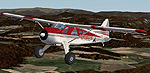
  2. FS 2004 AirmenBeans DHC-2 Beaver (required Aerosoft DH2-Beaver)

    Repainted by Manfred D.Saliger
    ******************************************************************************************

    To be used with AEROSOFT DHC-2 BEAVER TUNDRA Wheels (modern Cockpit)


    INSTALLATION:

    1. Unzip the contents of this file to a temporary directory.

    2. Copy the folders "texture.airmenbeans" to the folder Aerosoft Beaver Tundra Wheels Modern !!

    3. Copy the following text into your aircraft.cfg file which is located in the same
    folder above.


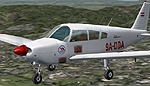
    [fltsim.xxx]
    title=AirmenBeans DHC-2 Tundra
    sim=DHC-2T
    model=wheel10
    panel=
    sound=
    texture=airmenbeans
    kb_checklists=DHC-2T_check
    kb_reference=DHC-2T_ref
    ui_manufacturer=Aerosoft DeHavilland BEAVER
    ui_type=DHC-2 Tundra Wheels (modern cockpit)
    ui_variation=AirmenBeans Tundra Wheels (modern cockpit)
    atc_heavy=0
    atc_id=OE-EMDS
    atc_airline=
    atc_flight_number=
    atc_parking_types=RAMP
    description= repaint by Manfred D.Saliger /www.airmenbeans.com


    4. Replace the 'x' where you see [fltsim.x] with the number this aircraft represents. If it is your fourth aircraft it would be [fltsim.4].


    Fly and have FUN !

    Manfred D.Saliger ( mds@flyingclassics.com)


    AirMenBeans Coffee-Guarana-Lozenges
    • 201 Downloads
  3. Hello Folks,

    Whilst looking around I came across a collection of AES config files that someone had kindly collected and placed them all together.
    Theres about 40 planes in this bunch payware and freeware.

    Bests Shaun
    • 14856 Downloads
    • 31 Comments
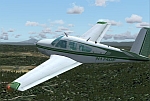
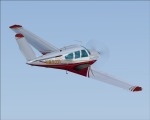
  4. This repaint of the excellent Carenado V35 Bonanza was painted by David Green.

    This is a Fictional Green texture including matching green interior.

    The base textures were provided by the Carenado folks. I just tweaked them a bit.

    I take absolutely NO responsibility for ANYTHING this file might or might not do to your computer, software etc.. USE AT YOUR OWN RISK!!

    YOU MAY NOT UPLOAD THESE FILES OR MODIFY THEM IN ANY WAY WITHOUT MY PRIOR PERMISSION.

    THIS FILE CANNOT BE USED FOR MONETARY PURPOSES IN ANY WAY WITHOUT MY PRIOR PERMISSION.

    YOU MUST OWN THE EXCELLENT Carenado V35 Bonanza for Fs2004 in order to use this file!!

    Drop the texture.Green folder in this download into your Bonanza V35b folder (Located in your main Aircraft folder). Then copy the contents of the texture folder (also in the Bonanza V35b Folder) and paste them into the texture.Green folder. DO NOT OVERWRITE WHEN PROMPTED!!! REPEAT, Do NOT Overwrite!


    Now copy and paste the info below into you aircraft.cfg file. Make sure you change x in the [fltsim.x] to the next number in sequence.


    [fltsim.x]
    Title=Beechcraft Bonanza V35B Retro Green
    sim=BonanzaV35B
    model=
    panel=
    sound=
    texture=Green
    kb_checklists=Bonanza V35B Checklist
    kb_reference=V35B Bonanza_Ref
    atc_id=N174DF
    ui_manufacturer=Carenado
    ui_type=Bonanza
    ui_variation=Retro Green
    visual_damage=1
    description=Beechcraft Bonanza V35B Carenado Team
    atc_heavy=0
    atc_airline=
    atc_flight_number=


    That's It!!

    Go Flying!

    Enjoy!!

    David Green
    • 232 Downloads
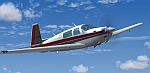
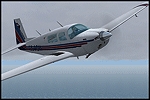
  5. This is a repaint of the Carenado Mooney. Made by Carenado for FS2004. Textures only. Requires the Carenado Mooney. Repaint by Sean Doran


    ************************************************************
    ************************************************************
    Installation..
    Place the texture Folder in the ..Flight Simulator 9\Aircraft\Carenado mooney Folder,Then add the following text to your aircraft.CFG, changing the x in [fltsim.x] to the next number in line.

    Important:
    This only includes the 3 edited texture files you will need to copy the rest from one of the other texture folders, not replacing the 3 I have included.


    [fltsim.x]
    title=Carenado Mooney C-GMZO
    sim=Mooney_Carenado
    model=
    panel=
    sound=
    texture=C-GMZO
    kb_checklists=mooney M20J_check
    kb_reference=mooney M20J_ref
    atc_id=
    ui_manufacturer=Carenado
    ui_type=Mooney M20J
    ui_variation=C-GMZO
    description="Welcome to Mooney's New Dimension in Speed and Economy. Your decision to select a New Mooney has placed you in an elite and distinctive class of aircraft owners. We hope that you find your New Mooney a unique flying experience, wheter for Business or Pleasure, the most profitable ever"

    atc_heavy=0
    atc_airline=
    atc_flight_number=
    atc_id_color=0000000000
    visual_damage=1


    ------------------------------------------------------------------
    ------------------------------------------------------------------

    These repaints are Freeware and are to be used as such.
    They are not to be uploaded to any other sites without the express written consent of the author

    Visit my site:
    R&S Repaints. http://www.rsrepaints.com/

    Need some help I can be found on the Netwings Forums at
    http://forums.netwings.org/forums/index.php?


    Sean Doran
    s_doran@insightbb.com
    • 167 Downloads
  6. FS2004 Piper Cherokee 180 G-ATHR Thomsonfly Flying Club

    Requires original aircraft by Carenado.

    Repaint by Ben Hartmann

    COPYRIGHT

    the textures are the property of Carenado
    These may not be used for any commercial purposes, or uploaded to any website, of placed on any CD without the permission of Carenado

    Disclaimer:

    Nothing in these files can harm your computer
    I accept no liability.

    -----------------------------------------------------------------------

    Installation

    Copy the texture and Panel folder into your Carenado folder FS2004.

    Insert the following lines into aircraft.cfg replacing XX on the [fltsim.XX] lines the apropriate figures.

    [fltsim.xx]
    title=Piper Cherokee180F/two persons on board g-athr
    sim=Cherokee180
    model=2pil
    panel=2pil
    sound=
    texture=G-ATHR
    kb_checklists=Carpiper180check
    kb_reference=Carpiper180_ref
    atc_id=G-ATHR
    ui_manufacturer=Carenado
    ui_type=Piper Cherokee 180F
    ui_variation=Cherokee 180 Thomsonfly Flying Club
    description=The Cherokee “F” is powered by a Lycoming O-360-A4A four cylinder direct drive, horizontally opposed engine rated at 180 HP at 2700RPM.Repaint By Ben Hartmann
    atc_heavy=0
    atc_airline=
    atc_flight_number=
    atc_id_color=0000000000


    Ben Hartmann

    msn: ben.hartmann@tesco.net
    mail: lightning_t5@hotmail.com
    • 154 Downloads
  7. Texture Only of Piper ArcherII Carenado, Airplane of instrucion of airport Franca /SP, project by Cristiano Magnani and Armando Alves


    Copy...

    [fltsim.XX]
    title=PA-28-181
    sim=Piper Archer II
    model=
    panel=
    sound=
    texture=1
    kb_checklists=Checklist Archer II
    kb_reference=Archer II Carenado_ref
    atc_id=PT-KRA
    ui_manufacturer=Carenado
    ui_type=Cherokee 181
    ui_variation=Aeroclube de Franca
    visual_damage=1
    description= Airplane of instrucion of airport Franca /SP, project by Cristiano Magnani and Armando Alves

    atc_heavy=0
    atc_airline=KRA
    atc_flight_number=KRA
    atc_id_color=0000000000
    • 149 Downloads
  8. Texture only for payware Carenado Beech F33a
    Based upon real aircraft. *Changed the N number
    to protect the innocent! Nice blue color scheme.
    Repainted by Jim Boynton. jlboynton@yahoo.com

    [fltsim.4]
    Title=two
    sim=BonanzaF33A
    model=
    panel=
    sound=
    texture=4
    kb_checklists=Bonanza F33A Checklist
    kb_reference=F33A Bonanza_Ref
    atc_id=N2069B
    ui_manufacturer=Carenado
    ui_type=Bonanza
    ui_variation=Blue N2069B
    visual_damage=1
    description=Beechcraft Bonanza F33A Carenado Team

    Repaint based upon real aircraft


    atc_heavy=0
    atc_airline=
    atc_flight_number=
    atc_id_color=0000000000
    • 499 Downloads
  9. Fs2004 - Bonanza F33 Franca

    Bonanza F33A, private colours, texture only by Cristiano Magnani, requires Beechcraft Bonanza F33A Carenado Team


    [fltsim.X]
    Title=Beechcraft Bonanza F33A
    sim=BonanzaF33A
    model=
    panel=
    sound=
    texture=LVG
    kb_checklists=Bonanza F33A Checklist
    kb_reference=F33A Bonanza_Ref
    atc_id=N6029
    ui_manufacturer=Carenado
    ui_type=Bonanza
    ui_variation=White-Dark Purple-Gold
    visual_damage=1
    description=Beechcraft Bonanza F33A Carenado Team - texture in colours of airport of Franca-SP by Cristiano Magnani and Armando Alves
    atc_heavy=0
    atc_airline=
    atc_flight_number=
    atc_id_color=0000000000
    • 178 Downloads
  10. F33A package 2 (the first package is "F33Apkg1.zip" in the Flightsim File Library, or search for "Rodich")

    This is my second upload to Flightsim, so any constructive comments would be appreciated. I don't have the time to make repaints from requests, as I am a student, and I am currently working on repainting the default Mooney Bravo to look like the one my roomate's family owns. These files are provided as is, and this is a freeware release. All texture files are modified from those provided with the payware aircraft. Base textures by Carenado. DO NOT Upload to any other site without first asking my permission. By using the included repaints you agree to these terms.

    Thanks,

    Alex C. Rodich - My e-Mail address is ac.skynet@gmail.com
    • 191 Downloads
  11. This is my first upload to Flightsim, so any constructive comments would be appreciated. I don't have the time to make repaints from requests, as I am a student, and I am currently working on repainting the default Mooney Bravo to look like the one my roomate's family owns. These files are provided as is, and this is a freeware release. All texture files are modified from those provided with the payware aircraft. Base textures by Carenado. DO NOT Upload to any other site without first asking my permission. By using the included repaints you agree to these terms.

    Thanks,

    Alex C. Rodich - My e-Mail address is ac.skynet@gmail.com
    • 227 Downloads
  12. Ejercito de Venezuela Cessna U206G Stationair II EV-8224

    Cessna U206G Stationair II, registration EV-8224, aircraft from Ejercito de Venezuela, (camouflage pattern),
    and based at the Metropolitan Airport, Caracas, Venezuela. Original model and textures by Carenado,
    (payware package), http://www.carenado.com/ . Textures only.


    INSTALLATION:
    Simply copy any entire texture folder into your Carenado Cessna 206 folder and rename as texture.EV-8224. Unzip these files directly into your new texture folder and edit your aircraft's config file:


    [fltsim.xx]
    title=Cessna U206G Stationair 6 II EV-8224
    sim=Caren206
    model=SC2PIL
    panel=
    sound=
    texture=EV-8224
    kb_checklists=Carenado Cessna 206_check
    kb_reference=Carenado Cessna 206_ref
    atc_id=EV-8224
    ui_manufacturer=Carenado
    ui_type= Cessna U206G Stationair 6 II
    ui_variation=EV-8224
    description=Carenado Cessna Stationair 6 II Model U206G www.carenado.com\t\n_______________________________________________\t\nPlease read documents included in the Pack\t\n_______________________________________________\t\n. Repaint by Juan Ernesto Oropeza
    atc_heavy=0
    atc_airline=Ejercito de Venezuela
    atc_flight_number=
    atc_id_color=0000000000
    visual_damage=1


    ********************************

    CREDITS:
    Model and default textures by Carenado, (http://www.carenado.com/). Ejercito de Venezuela EV-8224 repaint by Juan Ernesto Oropeza.(The registration number really goes in the tail sides, but the model does not accept fix)
    Thanks Carenado for this wonderful model! Thanks to Victor Pereira for the reference pics.
    • 170 Downloads
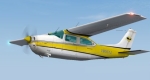
  13. Cessna 210 Repaint:
    Textures for the Carenado Cessna Centurion ( www.Carenado.com) done in Deer Valley Colors
    By Robert Hawk
    Installation:
    1st make a copy of the folder named Texture in Your C:\Program Files\Microsoft Games\Flight Simulator 9\Aircraft\Carenado Centurion, then re-name it to
    Texture.DVFC, copy the 2 texture files included here & paste them into
    the copied folder, then copy & paste the new aircraft configuration I enclosed
    and You'll be prompted to over write, click ok, then it's done- simple!
    Hawk@immortal.com
    • 161 Downloads
  14. <h2 class="main_topic_title">Fix for DV206.zip
    </h2>A simple correction to my upload named DV206.zip, just copy & over write into the panel folder (main model Carenado Cessna 206)
    • 314 Downloads
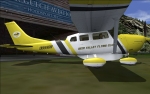
  15. FS2004 /FSX Carenado 206 (Cargo) and Optional leather seats for all Cessna 206 variations
    Cessna 206 Stationair 6 done in Deer Valley colors By Rick Hawke You must have the Payware Carenado 206 Stationair & expansion pack available @ www.Carenado.com ( RGH662@flydeervalley.net )
    painkit- official template By Carenado
    Deer Valley Logo © www.Flydeervalley.com


    Intallation:
    Since all the variations of the Carenado Stationar are aliased to the "Main 206 Model" You must copy & paste the textures named
    Carenado VC 206,Carenado VC 206B & Carenado VC 206C to all the texture files or You'll see a red door panel when in 2D mode
    if You fly in VC mode only then You'll not have to worry about changing these textures especially if You're a red 70's vinyl look
    kind of person from the Brady Bunch era
    • 399 Downloads
  16. FS2004/FSX Piper Dakota D-ESGC.
    This is a repaint of the real D-ESGC. These
    are textures only; you must own the payware
    Carenado Piper Dakota for this repaint. By
    Christoph Fuchs.
    • 325 Downloads
  17. LIVERY TEXTURE FOR USE WITH CARENADO PIPER CHEROKEE 180F FOR MS FS 2004

    D-EOZY livery for Piper Cherokee 180F by Hans-Joachim Jeran

    This livery texture is provided for FREE


    To install these textures:

    1) Make a copy from the aircraft.cfg

    2) copy my new folder Texture.D-EOZY into the folder xx:\FS9\Aircraft\Carenado Cherokee\

    3) Then paste the following text into the aircraft.cfg file.


    Installation:

    1) Zuerst eine eine Sicherungskopie der aircraft.cfg anlegen

    2) Den Ordner Texture.D-EOZY in das Verzeichnis xx:\FS9\Aircraft\Carenado Cherokee\ kopieren

    3) Den unten stehenden Text in die aircraft.cfg einfügen.

    Mail: achim@j-jeran.de
    Hompage: http://www.j-jeran.de

    ----------------------------------------------------------------

    [fltsim.4]
    title=Piper Cherokee180 FD-EOZY/no wheel pants/Two persons on board
    sim=Cherokee180
    model=2PILSC
    panel=2PILSC
    sound=
    texture=D-EOZY
    kb_checklists=Carpiper180check
    kb_reference=Carpiper180_ref
    atc_id=DEOZY
    ui_manufacturer=Carenado
    ui_type=Piper Cherokee 180F
    ui_variation=Cherokee 180 D-EOZY No wheel pants Two persons on board
    visual_damage=1
    description=The Cherokee “F” is powered by a Lycoming O-360-A4A four cylinder direct drive, horizontally opposed engine rated at 180 HP at 2700RPM.
    atc_heavy=0
    atc_airline=
    atc_flight_number=
    atc_id_color=0000000000

    [fltsim.5]
    title=Piper Cherokee180F D-EOZY
    sim=Cherokee180
    model=
    panel=
    sound=
    texture=D-EOZY
    kb_checklists=Carpiper180check
    kb_reference=Carpiper180_ref
    atc_id=N6609T
    ui_manufacturer=Carenado
    ui_type=Piper Cherokee 180F
    ui_variation=Cherokee 180F D-EOZY with pants
    visual_damage=1
    description=The Cherokee “F” is powered by a Lycoming O-360-A4A four cylinder direct drive, horizontally opposed engine rated at 180 HP at 2700RPM.
    atc_heavy=0
    atc_airline=
    atc_flight_number=
    atc_id_color=0000000000
    • 143 Downloads
  18. Hi folks,

    this is one of my first repaints. If you have the Carenado C172 for FSX you should make a copy of the texture.RED folder. Than rename this into texture.DELSA and copy the three files thumbnail, Alabeo172 *T into it.Aircraft.cfg into the main Carenado C172 folder thats all. There is a litle mistake on the left side with the "fly with me" because there is only on doorside in the DXT, but nobody is perfekt. I have no solution at the moment.

    I hope you like it.

    regards

    tomNorden (tomtor22@gmx.de)

    BTW the lucky lady is Nicki Benz
    • 439 Downloads
  19. FS2004/2002 PIPER DAKOTA AEROCLUB DE COLOMBIA HK-2308I

    ****************************************************************
    LIVERY TEXTURE TEMPLATE FOR USE WITH CARENADO PIPER DAKOTA PA28
    ****************************************************************

    This repaint is a Dakota paint scheme. The repaint is based on Aeroclub de Colombia aircraft HK-2308I.

    Permission to release this was granted by Juan Jose Navia.

    This file is provided free of charge but a copyright of the work is claimed by the authors. You may use or modify this image, but only for use with Carenado Dakota. This image may not be used, whole or in part, in any product other than Carenado Dakota without written permission from the authors.

    By Oscar Sanchez presidente@simaragon.com

    www.simaragon.com
    • 198 Downloads
    • 1 Comments
  20. ***************************************************************************************************************************

    Repaints By GLENN BAKER


    **************************************************************************************************************************

    This paint is for the Carenado Beechcraft V35b, (NOT INCLUDED), thanks for your interest! To contact me for help with install or request, email to gbaker212@sc.rr.com.

    **************************************************************************************************************************


    Installation

    Copy and paste the following to the aircraft.cfg file then replace the "x" with the next number in sequence. Then copy the texture folder with my paint to the Bonanza V35b folder, copy and paste all files from the original texture folder that came with the aircraft to the texture folder you downloaded being careful to click no when asked to overwrite! That's it, you should be ready to fly!

    Enjoy!


    [fltsim.x]
    Title=Beechcraft Bonanza V35B Yellow
    sim=BonanzaV35B
    model=
    panel=
    sound=
    texture=Yellow
    kb_checklists=Bonanza V35B Checklist
    kb_reference=V35B Bonanza_Ref
    atc_id=N881SL
    ui_manufacturer=Carenado
    ui_type=Bonanza
    ui_variation=Yellow_Polished Alluminum
    visual_damage=1
    description=Beechcraft Bonanza V35B Yellow_Polished Alluminum
    atc_heavy=0
    atc_airline=
    atc_flight_number=


    [fltsim.x]
    Title=Beechcraft Bonanza V35B Burgundy_Polished Alluminum
    sim=BonanzaV35B
    model=
    panel=
    sound=
    texture=burg
    kb_checklists=Bonanza V35B Checklist
    kb_reference=V35B Bonanza_Ref
    atc_id=N33TD
    ui_manufacturer=Carenado
    ui_type=Bonanza
    ui_variation=Burgundy_Polished Alluminum
    visual_damage=1
    description=Beechcraft Bonanza V35B Burgundy_Polished Alluminum
    atc_heavy=0
    atc_airline=
    atc_flight_number=
    • 89 Downloads
  21. ***************************************************************************************************************************

    Repaints By GLENN BAKER


    **************************************************************************************************************************

    This paint is for the Carenado Beechcraft V35b, (NOT INCLUDED), thanks for your interest! To contact me for help with install or request, email to gbaker212@sc.rr.com.

    **************************************************************************************************************************


    Installation

    Copy and paste the following to the aircraft.cfg file then replace the "x" with the next number in sequence. Then copy the texture folder with my paint to the Bonanza V35b folder, copy and paste all files from the original texture folder that came with the aircraft to the texture folder you downloaded being careful to click no when asked to overwrite! That's it, you should be ready to fly!

    Enjoy!


    [fltsim.x]
    Title=Beechcraft Bonanza V35B Yellow
    sim=BonanzaV35B
    model=
    panel=
    sound=
    texture=Yellow
    kb_checklists=Bonanza V35B Checklist
    kb_reference=V35B Bonanza_Ref
    atc_id=N881SL
    ui_manufacturer=Carenado
    ui_type=Bonanza
    ui_variation=Yellow_Polished Alluminum
    visual_damage=1
    description=Beechcraft Bonanza V35B Yellow_Polished Alluminum
    atc_heavy=0
    atc_airline=
    atc_flight_number=


    [fltsim.x]
    Title=Beechcraft Bonanza V35B Burgundy_Polished Alluminum
    sim=BonanzaV35B
    model=
    panel=
    sound=
    texture=burg
    kb_checklists=Bonanza V35B Checklist
    kb_reference=V35B Bonanza_Ref
    atc_id=N33TD
    ui_manufacturer=Carenado
    ui_type=Bonanza
    ui_variation=Burgundy_Polished Alluminum
    visual_damage=1
    description=Beechcraft Bonanza V35B Burgundy_Polished Alluminum
    atc_heavy=0
    atc_airline=
    atc_flight_number=


    [fltsim.x]
    Title=Beechcraft Bonanza V35B Red Polished Alluminum
    sim=BonanzaV35B
    model=
    panel=
    sound=
    texture=burg
    kb_checklists=Bonanza V35B Checklist
    kb_reference=V35B Bonanza_Ref
    atc_id=N385TG
    ui_manufacturer=Carenado
    ui_type=Bonanza
    ui_variation=Red Polished Alluminum
    visual_damage=1
    description=Beechcraft Bonanza V35B Red Polished Alluminum
    atc_heavy=0
    atc_airline=
    atc_flight_number=
    • 137 Downloads
    • 1 Comments
  22. ***************************************************************************************************************************

    Repaints By GLENN BAKER


    **************************************************************************************************************************

    This paint is for the Carenado Beechcraft V35b, (NOT INCLUDED), thanks for your interest! To contact me for help with install or request, email to gbaker212@sc.rr.com.

    **************************************************************************************************************************


    Installation

    Copy and paste the following to the aircraft.cfg file then replace the "x" with the next number in sequence. Then copy the texture folder with my paint to the Bonanza V35b folder, copy and paste all files from the original texture folder that came with the aircraft to the texture folder you downloaded being careful to click no when asked to overwrite! That's it, you should be ready to fly!

    Enjoy!


    [fltsim.x]
    Title=Beechcraft Bonanza V35B Yellow
    sim=BonanzaV35B
    model=
    panel=
    sound=
    texture=Yellow
    kb_checklists=Bonanza V35B Checklist
    kb_reference=V35B Bonanza_Ref
    atc_id=N881SL
    ui_manufacturer=Carenado
    ui_type=Bonanza
    ui_variation=Yellow_Polished Alluminum
    visual_damage=1
    description=Beechcraft Bonanza V35B Yellow_Polished Alluminum
    atc_heavy=0
    atc_airline=
    atc_flight_number=


    [fltsim.x]
    Title=Beechcraft Bonanza V35B Burgundy_Polished Alluminum
    sim=BonanzaV35B
    model=
    panel=
    sound=
    texture=burg
    kb_checklists=Bonanza V35B Checklist
    kb_reference=V35B Bonanza_Ref
    atc_id=N33TD
    ui_manufacturer=Carenado
    ui_type=Bonanza
    ui_variation=Burgundy_Polished Alluminum
    visual_damage=1
    description=Beechcraft Bonanza V35B Burgundy_Polished Alluminum
    atc_heavy=0
    atc_airline=
    atc_flight_number=
    • 149 Downloads
  23. This is a repaint of the Carenado Mooney in the colors of The LEÁVIA-School of Civil Aviation in Portugal. Made by Carenado for FS2004. Textures only. Requires the Carenado Mooney. Repaint by Sean Doran


    ************************************************************
    ************************************************************
    Installation..
    Place the texture Folder in the ..Flight Simulator 9\Aircraft\Carenado mooney Folder,Then add the following text to your aircraft.CFG, changing the x in [fltsim.x] to the next number in line.

    Important:
    This only includes the 3 edited texture files you will need to copy the rest from one of the other texture folders, not replacing the 3 I have included.


    [fltsim.x]
    title=Carenado Mooney CS-ASH
    sim=Mooney_Carenado
    model=
    panel=
    sound=
    texture=CS-ASH
    kb_checklists=mooney M20J_check
    kb_reference=mooney M20J_ref
    atc_id=
    ui_manufacturer=Carenado
    ui_type=Mooney M20J
    ui_variation=CS-ASH "LEÁVIA"
    description="Welcome to Mooney's New Dimension in Speed and Economy. Your decision to select a New Mooney has placed you in an elite and distinctive class of aircraft owners. We hope that you find your New Mooney a unique flying experience, wheter for Business or Pleasure, the most profitable ever"

    atc_heavy=0
    atc_airline=
    atc_flight_number=
    atc_id_color=0000000000
    visual_damage=1

    ------------------------------------------------------------------
    ------------------------------------------------------------------

    These repaints are Freeware and are to be used as such.
    They are not to be uploaded to any other sites without the express written consent of the author

    Visit my site:
    R&S Repaints. http://www.rsrepaints.com/

    Need some help I can be found on the Netwings Forums at
    http://forums.netwings.org/forums/index.php?

    Sean Doran
    s_doran@insightbb.com
    • 95 Downloads
  24. Add following lines in aircraft.cfg file. Replace replace x mark with next number in row.

    ----------------//copy-paste below this line//------------

    [fltsim.x]
    title=Piper Cherokee180F dda
    sim=Cherokee180
    model=sc
    panel=
    sound=
    texture=DDA
    kb_checklists=Carpiper180check
    kb_reference=Carpiper180_ref
    atc_id=9A-DDA
    ui_manufacturer=Piper
    ui_type=Piper Cherokee 180F
    ui_variation=9A-DDA
    visual_damage=1
    description=The Cherokee “F” is powered by a Lycoming O-360-A4A four cylinder direct drive, horizontally opposed engine rated at 180 HP at 2700RPM.
    atc_heavy=0
    atc_airline=
    atc_flight_number=
    atc_id_color=0000000000

    ----------------//copy-paste above this line//------------

    This repaint is Freeware.
    It may not be sold for profit or charged for in any way.
    You may upload it to any internet site that makes it available free of charge.

    Comments are welcome

    Mario Petrin
    mpetrin@inet.hr
    • 128 Downloads
  25. Carenado Piper Cherokee 180 Aerotica TI-AHQ
    Made by: David Villarreal Fallas.
    -------------------------------------------

    Made by petition, Aerotica Escuela de aviacion is a aviation school located in Tobias Bolaños Intl. Airport
    (MRPV).Bless and enjoy it!!


    -------------------------------------------
    INTALLATION INTRUCTIONS: Only paste the texture.AHQ in your Carenado Piper Cherokee 180 folder, then put the commands that are below in your aircraft.cfg and
    in fltsim.xx follow the sequence with the other ones.
    -------------------------------------------

    [fltsim.XX]
    title=Piper Cherokee180F Aerotica TI-AHQ
    sim=Cherokee180
    model=sc
    panel=sc
    sound=
    texture=AHQ
    kb_checklists=Carpiper180check
    kb_reference=Carpiper180_ref
    atc_id=TI-AHQ
    ui_manufacturer=Carenado
    ui_type=Piper Cherokee 180F
    ui_variation=Cherokee 180 Aerotica TI-AHQ
    visual_damage=1
    description=The Cherokee “F” is powered by a Lycoming O-360-A4A four cylinder direct drive, horizontally opposed engine rated at 180 HP at 2700RPM.
    atc_heavy=0
    atc_airline=
    atc_flight_number=
    atc_id_color=0000000000

    -------------------------------------------
    David Villarreal Fallas.
    drvf7@hotmail.com.
    • 106 Downloads

Important Information

We have placed cookies on your device to help make this website better. You can adjust your cookie settings, otherwise we'll assume you're okay to continue. Privacy Policy & Terms of Use
Account

Navigation

Search

Search

Configure browser push notifications

Chrome (Android)
  1. Tap the lock icon next to the address bar.
  2. Tap Permissions → Notifications.
  3. Adjust your preference.
Chrome (Desktop)
  1. Click the padlock icon in the address bar.
  2. Select Site settings.
  3. Find Notifications and adjust your preference.