Files posted by kurocl
-
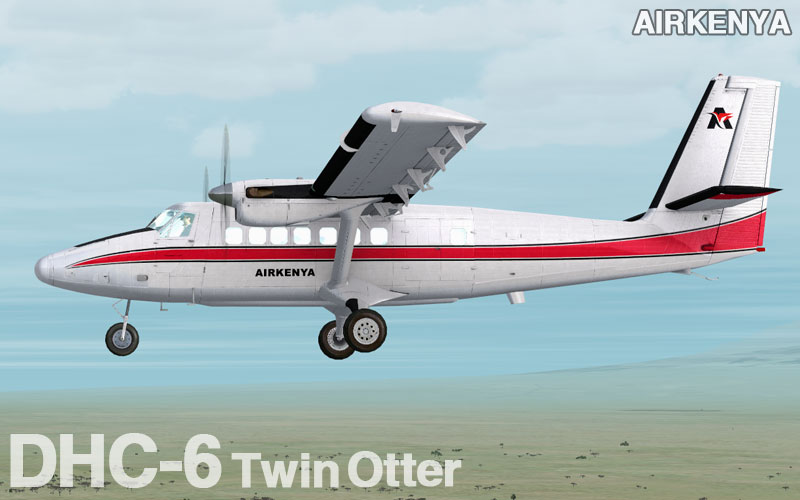
De Havilland Canadian Twin Otter Airkenya
textures for Aerosoft FSX payware model
Paint kit made by Aerosoft
Repaint by Curro Candela Lopez
--------------------------------------------------
Installation
------------
1) In directory "SimObjects\Airplanes" in your FSX find subdirectory "Aerosoft Twin Otter 300 modern"
2) Copy there directory "texture.5YBIO" from this archive
3) Open file "aircraft.cfg" which is in directory "Aerosoft Twin Otter 300 modern"
4) Paste there following text on place above section [General]
[FLTSIM.X]
title=de Havilland Canadian Twin Otter Airkenya
sim=DHC6
model=gps
panel=
sound=
texture=5YBIO
kb_checklists=dhc6-300-wheel_check
kb_reference=dhc6-300-wheel_ref
atc_id=5Y-BIO
atc_parking_types=GATE,RAMP
atc_airline=Airkenya
atc_flight_number=
ui_manufacturer="de Havilland Canada"
ui_type="DHC-6-300 modern"
ui_variation="Airkenya"
ui_typerole="Twin Engine TurboProp"
ui_createdby="Aerosoft"
5) Replace [fltsim.x] with the next number in sequence
- 672 Downloads
-
De Havilland Canadian Twin Otter Ontario Ministry of Natural resources
textures for Aerosoft FSX payware model
Paint kit made by Aerosoft
Repaint by Curro Candela Lopez
--------------------------------------------------
Installation
------------
1) In directory "SimObjects\Airplanes" in your FSX find subdirectory "Aerosoft Twin Otter 300 modern"
2) Copy there directory "texture.ontario" from this archive
3) Open file "aircraft.cfg" which is in directory "Aerosoft Twin Otter 300 modern"
4) Paste there following text on place above section [General]
[FLTSIM.X]
title=de Havilland Canadian Twin Otter ontario
sim=DHC6
model=gps
panel=
sound=
texture=ontario
kb_checklists=dhc6-300-wheel_check
kb_reference=dhc6-300-wheel_ref
atc_id=C-FOPG
atc_parking_types=GATE,RAMP
atc_airline=Ministry of Natural resources
atc_flight_number=
ui_manufacturer="de Havilland Canada"
ui_type="DHC-6-300 modern"
ui_variation="Ontario Ministry of Natural resources"
ui_typerole="Twin Engine TurboProp"
ui_createdby="Aerosoft"
5) Replace [fltsim.x] with the next number in sequence
- 412 Downloads
-
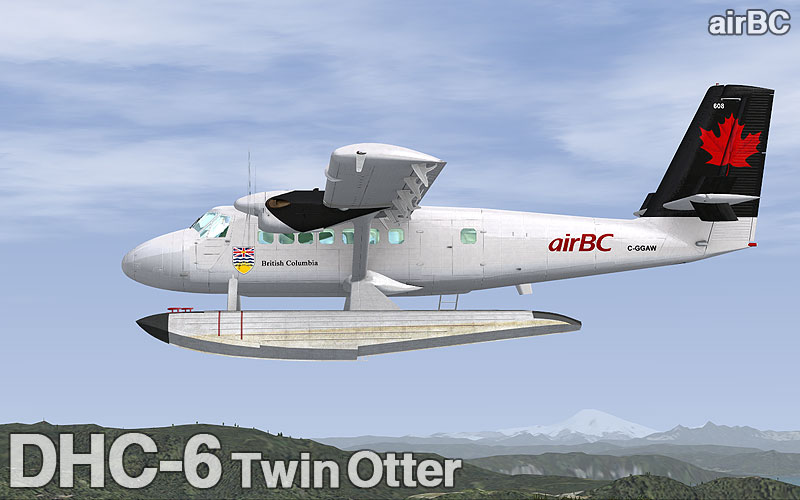
De Havilland Canadian Twin Otter AirBC Floatplane
textures for Aerosoft FSX payware model
Paint kit made by Aerosoft
Repaint by Curro Candela Lopez
--------------------------------------------------
Installation
------------
1) In directory "SimObjects\Airplanes" in your FSX find subdirectory "Aerosoft Twin Otter 100 floats"
2) Copy there directory "texture.airbc" from this archive
3) Open file "aircraft.cfg" which is in directory "Aerosoft Twin Otter 100 floats"
4) Paste there following text on place above section [General]
[FLTSIM.x]
title=de Havilland Canadian Twin Otter AirBC
sim=DHC6
model=float
panel=
sound=
texture=airbc
kb_checklists=dhc6-300-wheel_check
kb_reference=dhc6-300-wheel_ref
atc_id=C-GGAW
atc_parking_types=RAMP
atc_airline=airBC
atc_flight_number=
ui_manufacturer="de Havilland Canada"
ui_type="DHC-6-Float"
ui_variation="airBC"
ui_typerole="Twin Engine TurboProp"
ui_createdby="Aerosoft"
5) Replace [fltsim.x] with the next number in sequence
- 524 Downloads
-
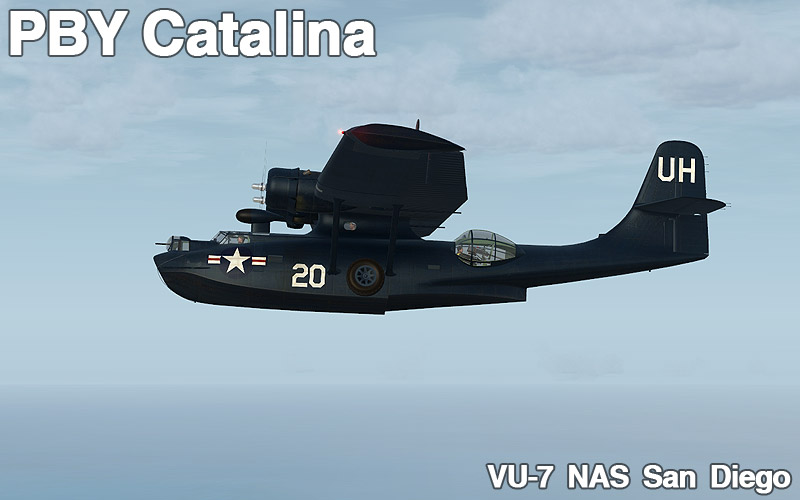
PBY 6A Catalina - VU-7 NAS San Diego 1948
textures for Aerosoft FSX payware model
Paint kit made by Aerosoft
Repaint by Curro Candela Lopez
--------------------------------------------------
Installation
------------
1) In directory "SimObjects\Airplanes" in your FSX find subdirectory "Aerosoft_PBY-6A_Mil"
2) Copy there directory "texture.black30" from this archive
3) Open file "aircraft.cfg" which is in directory "Aerosoft_PBY-5A_Mil"
4) Paste there following text on place under the last [fltsim] entry
[fltsim.X]
title=PBY-6A_Military_NAS1
sim=PBY6A_MIL
model=Pensacola
panel=
sound=
texture=NASsandiego
panel_alias=
sound_alias=
kb_checklists=cat_check
kb_reference=cat_ref
atc_id=20
atc_id_color=
atc_parking_types=RAMP
atc_parking_code=
atc_airline=
atc_flight_number=
atc_type=Consolidated
atc_model=None
ui_manufacturer="Consolidated"
ui_type="Catalina"
ui_variation="PBY-6A NAS San Diego"
ui_typerole="Twin Engine Prop"
ui_createdby="Aerosoft"
description=The Consolidated PBY Catalina was an American flying boat designed and produced by Consolidated Aircraft in the 1930s and 1940s.\n\n It served with all branches of the U.S. Armed Forces and with air forces and navies of many other countries.\n\n It is also known as the OA-10 (U.S. Air Force) and Cansos (Canadian build models).\n\nThis great looking US Navy model flew operations long after the Second World War."
visual_damage=0
5) Replace [fltsim.x] with the next number in sequence
- 552 Downloads
-
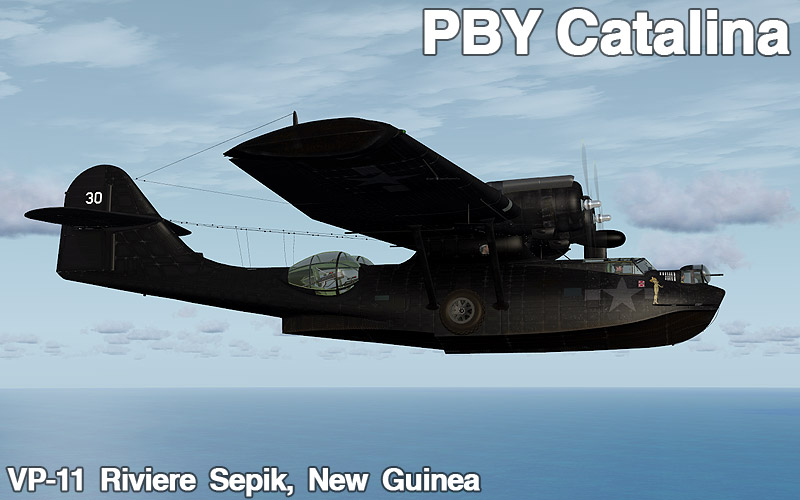
PBY 5A Catalina - VP-11 "Black Cat Command" Riviere Sepik, New Guinea, end of 1943.
textures for Aerosoft FSX payware model
Paint kit made by Aerosoft
Repaint by Curro Candela Lopez
--------------------------------------------------
Installation
------------
1) In directory "SimObjects\Airplanes" in your FSX find subdirectory "Aerosoft_PBY-5A_Mil"
2) Copy there directory "texture.black30" from this archive
3) Open file "aircraft.cfg" which is in directory "Aerosoft_PBY-5A_Mil"
4) Paste there following text on place under the last [fltsim] entry
[fltsim.X]
title=PBY-5A_Military_B30
sim =PBY5A_MIL
model=B64
panel=
sound=
texture=black30
panel_alias=
sound_alias=
kb_checklists=cat_check
kb_reference=cat_ref
atc_id=30
atc_id_color=
atc_parking_types=RAMP
atc_parking_code=
atc_airline=
atc_flight_number=
atc_type=Consolidated
atc_model=None
ui_manufacturer="Consolidated"
ui_type="Catalina"
ui_variation="PBY-5A Black Cat 30"
ui_typerole="Twin Engine Prop"
ui_createdby="Aerosoft"
description="The Consolidated PBY Catalina was an American flying boat designed and produced by Consolidated Aircraft in the 1930s and 1940s.\n\n It served with all branches of the U.S. Armed Forces and with air forces and navies of many other countries.\n\n It is also known as the OA-10 (U.S. Air Force) and Cansos (Canadian build models).\n\nThis aircraft flew night patrols to sneak up on submarines and damage them with depth charges before it could dive."
visual_damage=0
5) Replace [fltsim.x] with the next number in sequence
- 589 Downloads
-
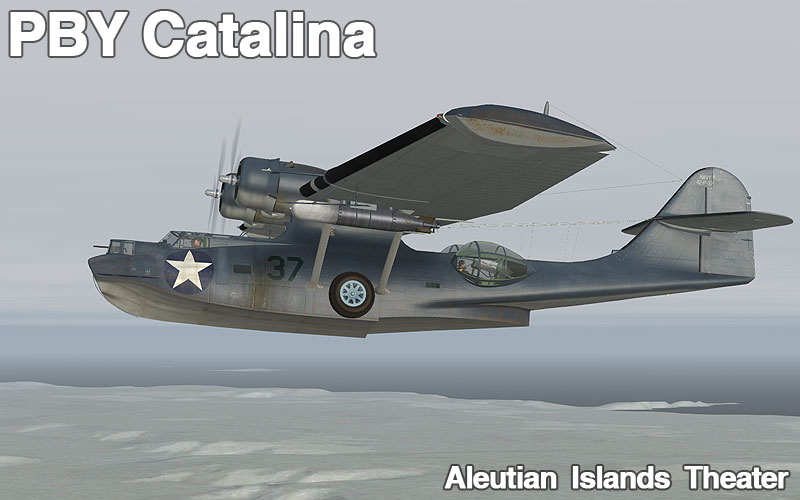
PBY 5A Catalina - Aleutian Islands Theater
textures for Aerosoft FSX payware model
Paint kit made by Aerosoft
Repaint by Curro Candela Lopez
--------------------------------------------------
NOTE: specialy made for the model NAVY4 (which is included in the update 1.11 available at the aerosoft's support area, the one that adds the torpedo) you need this update (1.11 ) to use this repaint.
Repaint made inspired in the Catalina shown in the LIFE magazine during the world war II
Installation
------------
1) In directory "SimObjects\Airplanes" in your FSX find subdirectory "Aerosoft_PBY-5A_Mil"
2) Copy there directory "texture.Navy37" from this archive
3) Open file "aircraft.cfg" which is in directory "erosoft_PBY-5A_Mil"
4) Paste there following text on place under the last [fltsim] entry
[fltsim.X]
title=PBY-5A Aleutian islands
sim=PBY5A_MIL
model=NAVY4
panel=
sound=
texture=NAVY37
panel_alias=
sound_alias=
kb_checklists=
kb_reference=
atc_id=37
atc_id_color=
atc_parking_types=
atc_parking_code=
atc_airline=
atc_flight_number=37
ui_manufacturer="CONSOLIDATED"
ui_type="CATALINA"
ui_variation="PBY-5A U.S. NAVY Aleutian islands"
ui_typerole="Twin Engine Prop"
ui_createdby="Aerosoft"
description="The Consolidated PBY Catalina was an American flying boat designed and produced by Consolidated Aircraft in the 1930s and 1940s.\n\n It served with all branches of the U.S. Armed Forces and with air forces and navies of many other countries.\n\n It is also known as the OA-10 (U.S. Air Force) and Cansos (Canadian build models).\n\nThis PBY-5A flew from Belem Air Base on Search and Rescue duties during the 50s and 60s"
visual_damage=0
5) Replace [fltsim.x] with the next number in sequence
- 981 Downloads
-
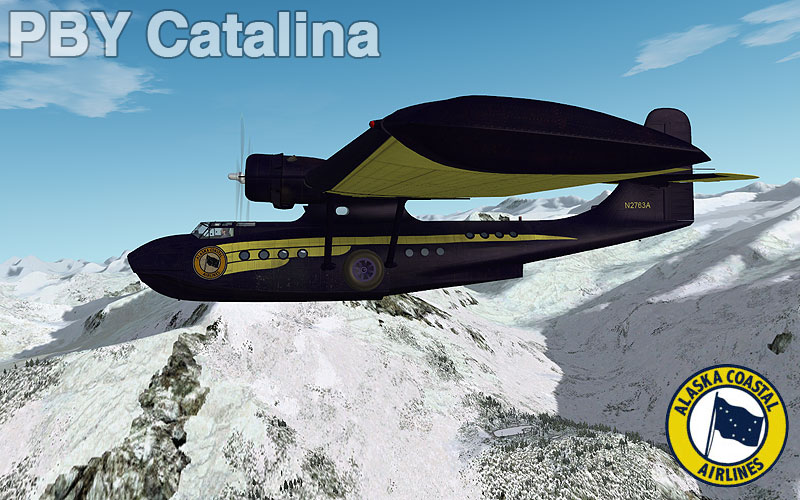
PBY 6A Catalina - Alaska Coastal Airlines
textures for Aerosoft FSX payware model
Paint kit made by Aerosoft
Repaint by Curro Candela Lopez
--------------------------------------------------
Installation
------------
1) In directory "SimObjects\Airplanes" in your FSX find subdirectory "Aerosoft_PBY-6A_Civ"
2) Copy there directory "texture.coastal" from this archive
3) Open file "aircraft.cfg" which is in directory "Aerosoft_PBY-6A_Civ"
4) Paste there following text on place under the last [fltsim] entry
[fltsim.X]
title=PBY-6A_Civil_coastal alaska
sim=PBY6A_MIL
model=AusBlackCat
panel=
sound=
texture=coastal
panel_alias=
sound_alias=
kb_checklists=
kb_reference=
atc_id=N2763A
atc_id_color=
atc_parking_types=RAMP
atc_parking_code=
atc_airline=Alaska Coastal Airlines
atc_flight_number=
atc_type=Consolidated
atc_model=None
ui_manufacturer="Consolidated"
ui_type="Catalina"
ui_variation="PBY-6A Alaska Coastal Airlines"
ui_typerole="Twin Engine Prop"
ui_createdby="Aerosoft"
description="The Consolidated PBY Catalina was an American flying boat designed and produced by Consolidated Aircraft in the 1930s and 1940s.\n\n It served with all branches of the U.S. Armed Forces and with air forces and navies of many other countries.\\nn It is also known as the OA-10 (U.S. Air Force) and Cansos (Canadian build models).\n\nThis aircraft flies in Australia and represent the famous Black Cats that operated in this area in the Second World War."
visual_damage=0
5) Replace [fltsim.x] with the next number in sequence
- 923 Downloads
-
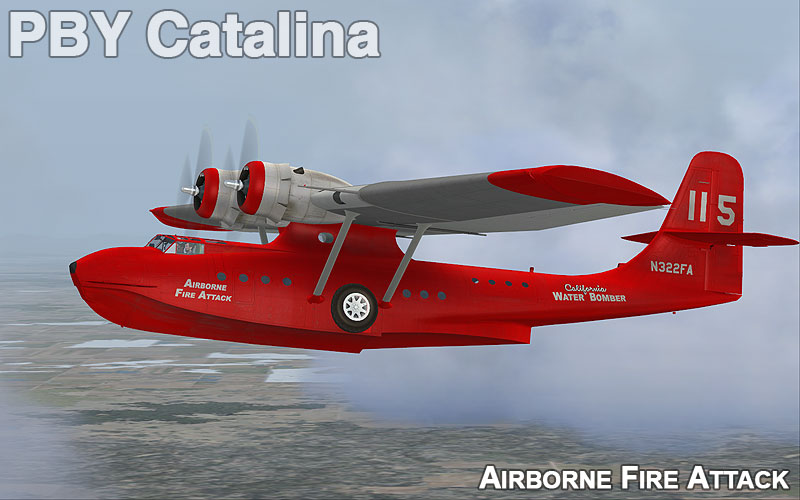
PBY 6A Catalina - California Airborne Fire Attack
textures for Aerosoft FSX payware model
Paint kit made by Aerosoft
Repaint by Curro Candela Lopez
--------------------------------------------------
Installation
------------
1) In directory "SimObjects\Airplanes" in your FSX find subdirectory "Aerosoft_PBY-6A_Civ"
2) Copy there directory "texture.calfire" from this archive
3) Open file "aircraft.cfg" which is in directory "Aerosoft_PBY-6A_Civ"
4) Paste there following text on place under the last [fltsim] entry
[fltsim.X]
title=PBY-6A_Civil_calfire
sim=PBY6A_MIL
model=AusBlackCat
panel=
sound=
texture=calfire
panel_alias=
sound_alias=
kb_checklists=
kb_reference=
atc_id=N322FA
atc_id_color=
atc_parking_types=RAMP
atc_parking_code=
atc_airline=Airborne Fire Attack
atc_flight_number=115
atc_type=Consolidated
atc_model=None
ui_manufacturer="Consolidated"
ui_type="Catalina"
ui_variation="PBY-6A Airborne Fire Attack"
ui_typerole="Twin Engine Prop"
ui_createdby="Aerosoft"
description="The Consolidated PBY Catalina was an American flying boat designed and produced by Consolidated Aircraft in the 1930s and 1940s.\n\n It served with all branches of the U.S. Armed Forces and with air forces and navies of many other countries.\\nn It is also known as the OA-10 (U.S. Air Force) and Cansos (Canadian build models).\n\nThis aircraft flies in Australia and represent the famous Black Cats that operated in this area in the Second World War."
visual_damage=0
5) Replace [fltsim.x] with the next number in sequence
- 862 Downloads
- 1 Comments
-
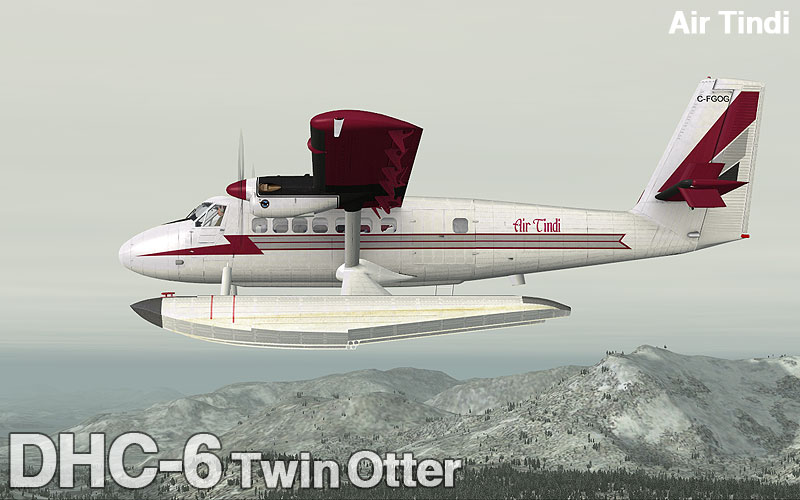
de Havilland Canadian Twin Otter Air Tindi float plane
textures for Aerosoft FSX payware model
Paint kit made by Aerosoft
Repaint by Curro Candela Lopez
--------------------------------------------------
Installation
------------
1) In directory "SimObjects\Airplanes" in your FSX find subdirectory "Aerosoft Twin Otter 100 floats"
2) Copy there directory "texture.tindi" from this archive
3) Open file "aircraft.cfg" which is in directory "Aerosoft Twin Otter 100 floats"
4) Paste there following text on place above section [General]
[FLTSIM.x]
title=de Havilland Canadian Twin Otter Air Tindi
sim=DHC6
model=float
panel=
sound=
texture=tindi
kb_checklists=dhc6-300-wheel_check
kb_reference=dhc6-300-wheel_ref
atc_id=C-FGOG
atc_parking_types=RAMP
atc_airline=Air Tindi
atc_flight_number=745
ui_manufacturer="de Havilland Canada"
ui_type="DHC-6-Float"
ui_variation="Air Tindi"
ui_typerole="Twin Engine TurboProp"
ui_createdby="Aerosoft"
5) Replace [fltsim.x] with the next number in sequence
- 576 Downloads
-
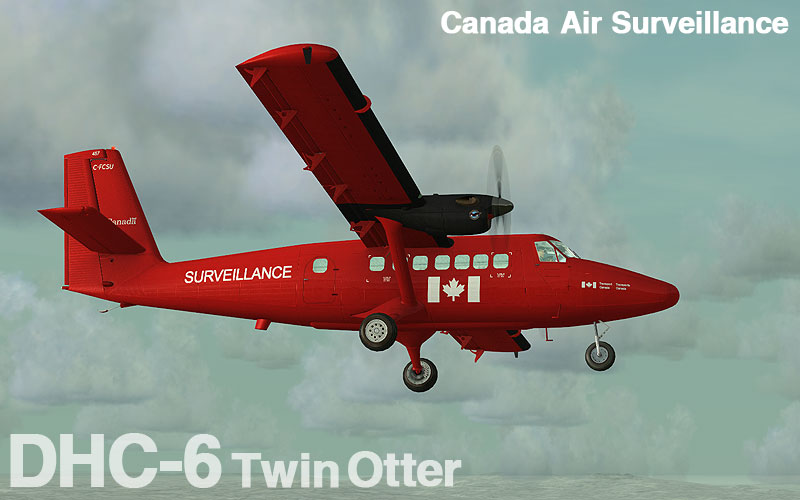
de Havilland Canadian Twin Otter Canada Air Survelliance
textures for Aerosoft FSX payware model
Paint kit made by Aerosoft
Repaint by Curro Candela Lopez
--------------------------------------------------
Installation
------------
1) In directory "SimObjects\Airplanes" in your FSX find subdirectory "Aerosoft Twin Otter 300 modern"
2) Copy there directory "texture.survcan" from this archive
3) Open file "aircraft.cfg" which is in directory "Aerosoft Twin Otter 300 modern"
4) Paste there following text on place above section [General]
[FLTSIM.X]
title=de Havilland Canadian Twin Otter survelliance
sim=DHC6
model=gps
panel=
sound=
texture=survcan
kb_checklists=dhc6-300-wheel_check
kb_reference=dhc6-300-wheel_ref
atc_id=C-FCSU
atc_parking_types=GATE,RAMP
atc_airline=Canada Air Survelliance
atc_flight_number=457
ui_manufacturer="de Havilland Canada"
ui_type="DHC-6-300 modern"
ui_variation="Canada Air Survelliance"
ui_typerole="Twin Engine TurboProp"
ui_createdby="Aerosoft"
5) Replace [fltsim.x] with the next number in sequence
- 779 Downloads
-
de Havilland Canadian Twin Otter ADK Hokkaido Air
textures for Aerosoft FSX payware model
Paint kit made by Aerosoft
Repaint by Curro Candela Lopez
--------------------------------------------------
Installation
------------
1) In directory "SimObjects\Airplanes" in your FSX find subdirectory "Aerosoft Twin Otter 300 modern"
2) Copy there directory "texture.ADK" from this archive
3) Open file "aircraft.cfg" which is in directory "Aerosoft Twin Otter 300 modern"
4) Paste there following text on place above section [General]
[FLTSIM.X]
title=de Havilland Canadian Twin Otter Hokkaido Air
sim=DHC6
model=gps
panel=
sound=
texture=adk
kb_checklists=dhc6-300-wheel_check
kb_reference=dhc6-300-wheel_ref
atc_id=JA8797
atc_parking_types=GATE,RAMP
atc_airline=Hokkaido Air
atc_flight_number=ADK302
ui_manufacturer="de Havilland Canada"
ui_type="DHC-6-300 modern"
ui_variation="ADK Hokkaido Air"
ui_typerole="Twin Engine TurboProp"
ui_createdby="Aerosoft"
5) Replace [fltsim.x] with the next number in sequence
- 403 Downloads
-
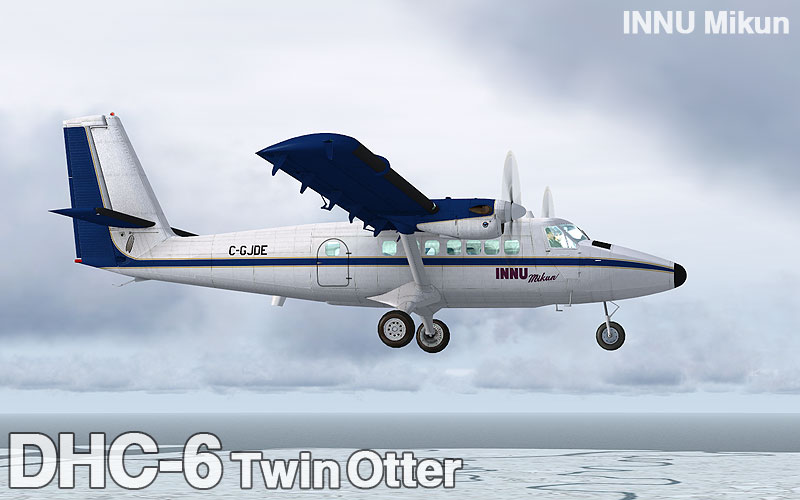
de Havilland Canadian Twin Otter Innu Mikun - Provincial Airlines
textures for Aerosoft FSX payware model
Paint kit made by Aerosoft
Repaint by Curro Candela Lopez
--------------------------------------------------
Installation
------------
1) In directory "SimObjects\Airplanes" in your FSX find subdirectory "Aerosoft Twin Otter 300 modern"
2) Copy there directory "texture.innu" from this archive
3) Open file "aircraft.cfg" which is in directory "Aerosoft Twin Otter 300 modern"
4) Paste there following text on place above section [General]
[FLTSIM.X]
title=de Havilland Canadian Twin Otter Innu
sim=DHC6
model=gps
panel=
sound=
texture=innu
kb_checklists=dhc6-300-wheel_check
kb_reference=dhc6-300-wheel_ref
atc_id=C-GJDE
atc_parking_types=GATE,RAMP
atc_airline=Innu Mikun
atc_flight_number=639
ui_manufacturer="de Havilland Canada"
ui_type="DHC-6-300 modern"
ui_variation="Innu Mikun - Provincial Airlines"
ui_typerole="Twin Engine TurboProp"
ui_createdby="Aerosoft"
5) Replace [fltsim.x] with the next number in sequence
- 631 Downloads
- 1 Comments
-
De Havilland Canadian DHC 6 Twin Otter 300 Ethiopian Airlines
textures for Aerosoft FSX payware model
Paint kit made by Aerosoft
Repaint by Curro Candela Lopez
--------------------------------------------------
Installation
------------
1) In directory "SimObjects\Airplanes" in your FSX find subdirectory "Aerosoft Twin Otter 300 modern"
2) Copy there directory "texture.ETAIN" from this archive
3) Open file "aircraft.cfg" which is in directory "Aerosoft Twin Otter 300 modern"
4) Paste there following text on place above section [General]
[FLTSIM.X]
title=de Havilland Canadian Twin Otter Ethiopian Airlines
sim=DHC6
model=gps
panel=
sound=
texture=ETAIN
kb_checklists=dhc6-300-wheel_check
kb_reference=dhc6-300-wheel_ref
atc_id=ET-AIN
atc_parking_types=GATE,RAMP
atc_airline=Ethiopian Airlines
atc_flight_number=ET304
ui_manufacturer="de Havilland Canada"
ui_type="DHC-6-300 modern"
ui_variation="Ethiopian Airlines"
ui_typerole="Twin Engine TurboProp"
ui_createdby="Aerosoft"
5) Replace [fltsim.x] with the next number in sequence
- 516 Downloads
-
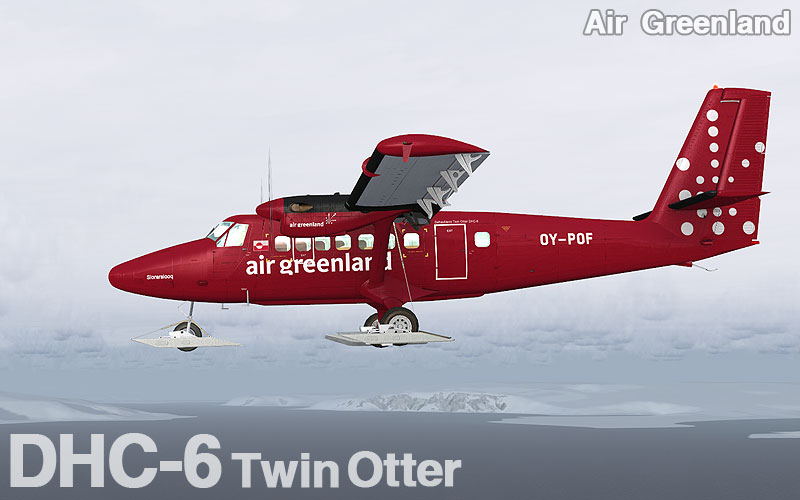
De Havilland Canadian Twin Otter Air Greenland
textures for Aerosoft FSX DHC-6 Twin Otter 300 payware model
Paint kit made by Aerosoft
Repaint by Curro Candela Lopez
--------------------------------------------------
Installation
------------
1) In directory "SimObjects\Airplanes" in your FSX find subdirectory "Aerosoft Twin Otter 300 Wheel Ski"
2) Copy there directory "texture.OYPOF" from this archive
3) Open file "aircraft.cfg" which is in directory "Aerosoft Twin Otter 300 Wheel Ski"
4) Paste there following text on place above section [General]
[FLTSIM.1]
title=de Havilland Canadian Twin Otter Greenland
sim=DHC6
model=ski
panel=
sound=
texture=OYPOF
kb_checklists=dhc6-300-wheel_check
kb_reference=dhc6-300-wheel_ref
atc_id=OY-POF
atc_parking_types=RAMP
atc_airline=Air Greenland
atc_flight_number=GL792
ui_manufacturer="de Havilland Canada"
ui_type="DHC-6-300"
ui_variation="Air Greenland"
ui_typerole="Twin Engine TurboProp"
ui_createdby="Aerosoft"
5) Replace [fltsim.x] with the next number in sequence
- 832 Downloads
- 2 Comments