

Skip to content

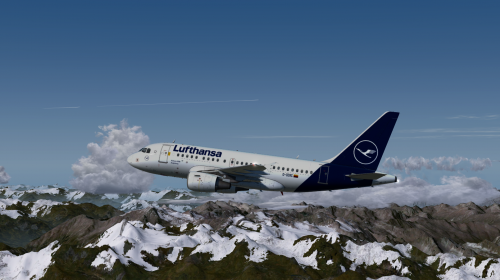
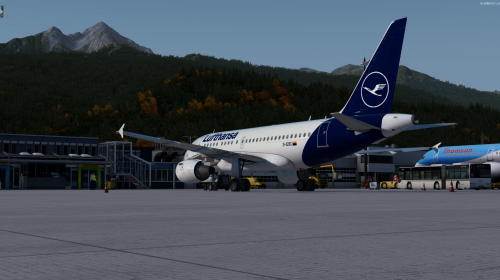
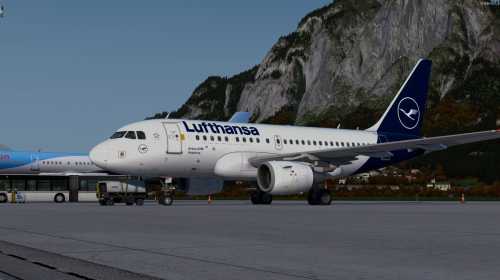
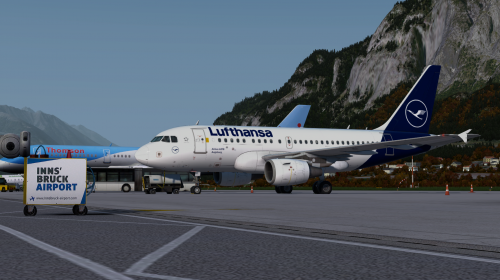
Lufthansa A318 (Fictional) 1.0.0

(2 reviews)

4 Screenshots

Lufthansa A318 (Fictional) - First release. 
Featuring Lufthansa's new colors.

For optimized experience add Tomatoshade reflections
Comments are welcome.
Have fun!


DO NOT ALTER, EDIT OR UPLOAD THIS PAINT TO ANY WEBSITE WITHOUT MY EXPLICIT PERMISSION.


What's New in Version 1.0.0

Released

No changelog available for this version.

User Feedback

Recommended Comments

Riptide

Members

Great looking livery,

But can't install as the aircraft.cfg file isn't included.

Can you update the file to include this?


thanks.

Carman1000AS

Members

For those who don't know how to do it:

[FLTSIM.XX]
title                            = Airbus A318 Lufthansa D-OZRC (2018)
sim                                = A318
model                            = AF_FGUGA
panel                            =
sound                            =
texture                          = LUFT
kb_checklists                    = AirbusA321_check
kb_reference                     = AirbusA321_ref
atc_id                            = D-OZRC
atc_airline                      = Lufthansa
atc_flight_number              = 1000
ui_manufacturer                 = Airbus
ui_type                           = A318-114 CFM
ui_variation                     = Lufthansa
ui_typerole                      = Commercial Airliner
ui_createdby                       = Aerosoft
atc_parking_types               = GATE,RAMP
atc_parking_codes               = DLH
description                        = Airbus A318 - 114 CFM / Lufthansa D-OZRC \nwww.aerosoft.com
 

Create an account or sign in to comment

Important Information

We have placed cookies on your device to help make this website better. You can adjust your cookie settings, otherwise we'll assume you're okay to continue. Privacy Policy & Terms of Use

Account

Navigation

Search

Search

Configure browser push notifications

Chrome (Android)
  1. Tap the lock icon next to the address bar.
  2. Tap Permissions → Notifications.
  3. Adjust your preference.
Chrome (Desktop)
  1. Click the padlock icon in the address bar.
  2. Select Site settings.
  3. Find Notifications and adjust your preference.