

About This File
English:
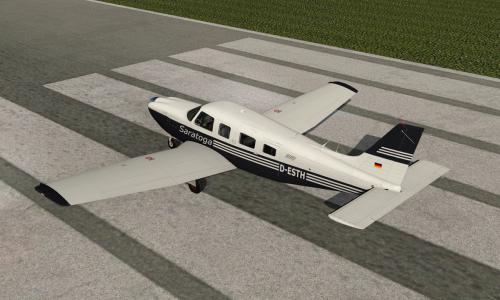
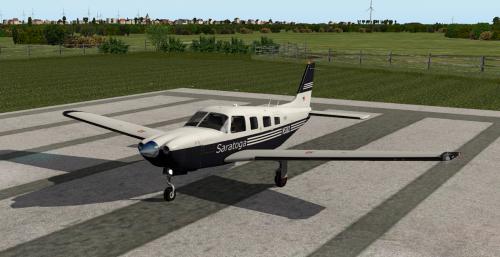
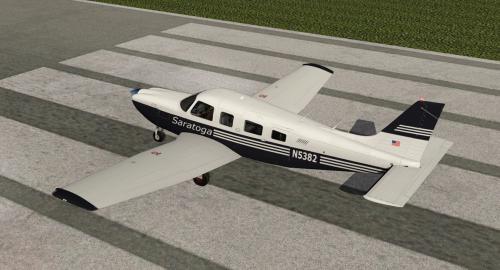
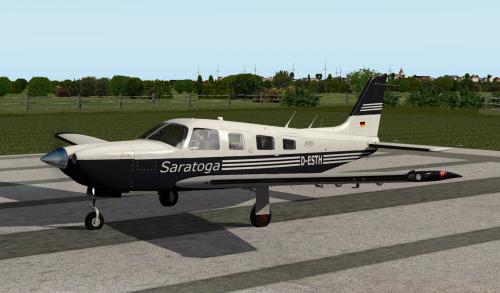
Livery with N and D registration for the PA32 Saratoga II TC (Alabeo).
The Livery is a little bit "used".
Installation: Copy the extracted folders "D-ESTH" and "N5382" into the folder
<X-Plane root folder>\Aircraft\...\Alabeo PA32_Saratoga_II_TC\liveries.
Requirements:
X-Plane 10.45+
Installed PA32 Saratoga II TC (Alabeo).
Have fun with this livery ... Heinz Flichtbeil 2016/03/22/
----------------------------------------------------------------------------------------------
German:
Bemalung mit N und D Kennung für die PA32 Saratoga II TC (Alabeo).
Die Bemalung ist ein wenig "gebraucht".
Installation: Den Zip Ordner entpacken und die Ordner "D-ESTH" und "N5382" in den Ordner
"<X-Plane Hauptverzeichnis>\Aircraft\...\Alabeo PA32_Saratoga_II_TC\liveries kopieren.
Voraussetungen:
X-Plane 10.45+
Installierte PA32 Saratoga II TC (Alabeo).
Viel Spaß mit dieser Bemalung ... Heinz Flichtbeil, 22.03.2016