

Skip to content

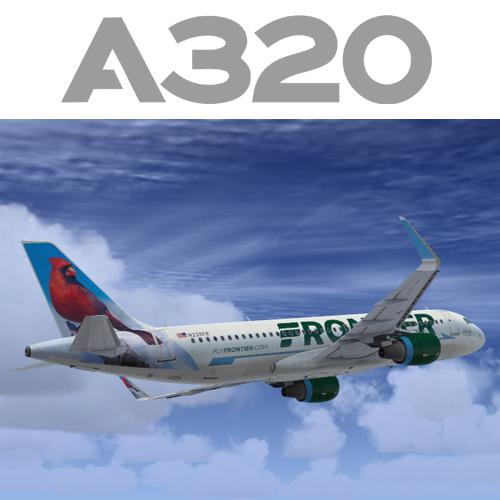
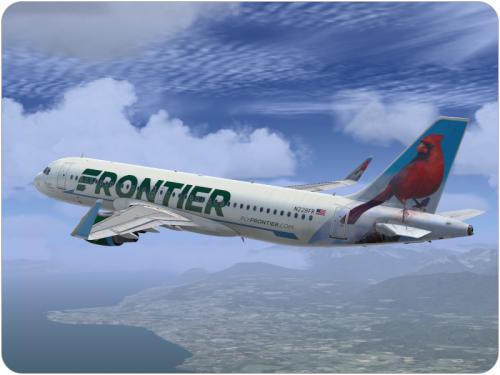
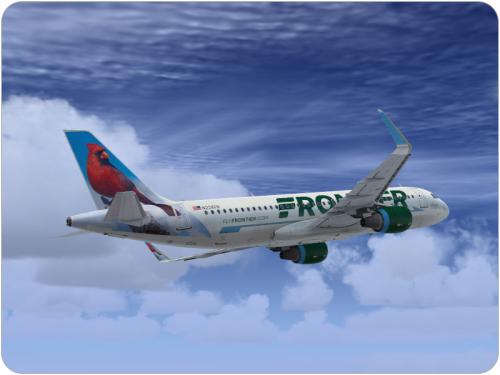
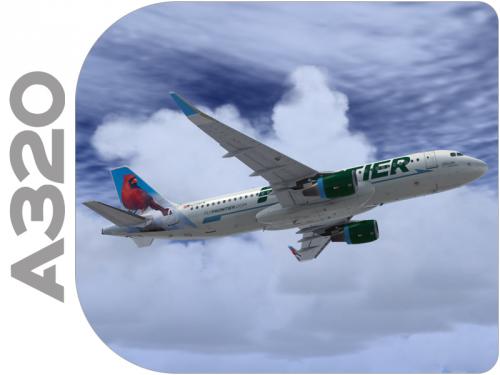
Airbus A320 CFM SL Frontier N228FR 1.0.0

(3 reviews)

4 Screenshots

Contents of this ZIP-package:
Airbus A320 CFM SL Frontier N228FR
(clean and dirt)


Repaint by:
Holger Sobl


Aerosoft paintkit by:
Stefan Hoffmann


Installation (Airbus Livery Manager):
Start the aerosoft Airbus Livery Manager and drag the ZIP-File into the list - or click "Add Livery" and select the desired file. You get a preview of the new livery - and install it with just one click. (You can read all Livery Manager functions by clicking the "?" button!)

If you are looking for more or other repaints then you can also look on my homepage http://simtexture.de!

User Feedback

Recommended Comments

B52H

Members

I don't have a sharklets model A320 CFM. What should I do?

AA777-200ER

Members

Thanks Holgi!

Darryl

CaptKornDog

Members

Thank you!

rudolf_fss

Members

Its installing itself by the A320 CFM with no sharklets i cant select the aircraft

Holgi

Expert

  • Expert

Its installing itself by the A320 CFM with no sharklets i cant select the aircraft

I don't have a sharklets model A320 CFM. What should I do?

Please test this LiveryManager to install this Repaint!

Jesus Varon

Members

Holgi it's back, welcome again, always excellent repaint.

Holgi

Expert

  • Expert

Holgi it's back, welcome again, always excellent repaint.

Thank you my friend ...

B52H

Members

I only have the A320 NEO sharklets and the standard model.

Holgi

Expert

  • Expert

I only have the A320 NEO sharklets and the standard model.

Please test this LiveryManager to install this Repaint!

acra24

Members

Wow, that's really lovely.

Holgi

Expert

  • Expert

Wow, that's really lovely.

Thank you!

maxreds19

Members

When I try installing the livery through the livery manager, it says "Sorry, this file cannot be installed!"


Holgi

Expert

  • Expert

When I try installing the livery through the livery manager, it says "Sorry, this file cannot be installed!"


Please check this manager ...

maxreds19

Members

Please check this manager ...

 Holgi, I just tried that livery manager, and it still says the same thing.

I am also not able to open the folder after downloading it. It says Windows cannot open file because it is invalid.

Edit: It seems to be doing the same thing for all other downloads, so it may not be just this download.

Holgi

Expert

  • Expert

Please be patient, that's a problem with the server!

robccx

Members

the file is empty. Please resubmit the file


Holgi

Expert

  • Expert

the file is empty. Please resubmit the file


Please be patient, that's a problem with the server!


Thank you DetCord!

Bsoup

Members

Looks amazing as always! Thanks!

Holgi

Expert

  • Expert

Looks amazing as always! Thanks!

:)

Gabriel Lima

Members

Air France and Tam A320, please.

Dwest

Members

ok clearly I'm doing something wrong.... none of the planes are showing in FSX. I use the manager and download it and then go into FSX and nothing....

Create an account or sign in to comment

Important Information

We have placed cookies on your device to help make this website better. You can adjust your cookie settings, otherwise we'll assume you're okay to continue. Privacy Policy & Terms of Use

Account

Navigation

Search

Search

Configure browser push notifications

Chrome (Android)
  1. Tap the lock icon next to the address bar.
  2. Tap Permissions → Notifications.
  3. Adjust your preference.
Chrome (Desktop)
  1. Click the padlock icon in the address bar.
  2. Select Site settings.
  3. Find Notifications and adjust your preference.