

Skip to content

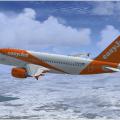
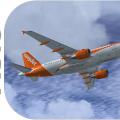
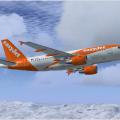
Airbus A319 CFM easyJet G-EZDE 1.00

(15 reviews)

3 Screenshots

Contents of this ZIP-package:

Airbus A319 CFM easyJet G-EZDE

(clean and dirt)

Repaint by:

Holger Sobl

Aerosoft paintkit by:

Stefan Hoffmann

Installation (Airbus Livery Manager):

Start the aerosoft Airbus Livery Manager and drag the ZIP-File into the list - or click "Add Livery" and select the desired file. You get a preview of the new livery - and install it with just one click. (You can read all Livery Manager functions by clicking the "?" button!)

If you are looking for more or other repaints then you can also look on my homepage http://simtexture.de!

User Feedback

Recommended Comments

easy14

Members

Magnificent, thanks a lot for this one and for all the easyJet paints in general. Thanks for your hard work!

Holgi

Expert

  • Expert

:)

DetCord

Members

5 stars Holgi. Thanks mate!

Holgi

Expert

  • Expert

5 stars Holgi. Thanks mate!

Thank you my friend!

redleaderwright

Members

More great liveries from you!.

Apart from the base product, I think all of my add on liveries come from you.

Great work. 5+ stars!!

EZY587

Members

Thank you Very Much!

Holgi

Expert

  • Expert

Thank you Very Much!

You are welcome!

Kabacus

Members

Thank you, my current favorite repaint. Love it :)

GamingTech88

Members

My cockpit is fully black and can't see anything. Any Help?

Photos are below. \/\/\/

2.PNG

1.PNG

Create an account or sign in to comment

Important Information

We have placed cookies on your device to help make this website better. You can adjust your cookie settings, otherwise we'll assume you're okay to continue. Privacy Policy & Terms of Use

Account

Navigation

Search

Search

Configure browser push notifications

Chrome (Android)
  1. Tap the lock icon next to the address bar.
  2. Tap Permissions → Notifications.
  3. Adjust your preference.
Chrome (Desktop)
  1. Click the padlock icon in the address bar.
  2. Select Site settings.
  3. Find Notifications and adjust your preference.