

Skip to content

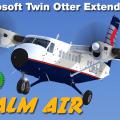
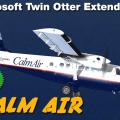
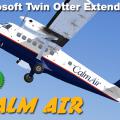
CALM AIR 3B-P/100

(4 reviews)

3 Screenshots

File Size: 32.56MB

hosted at :

http://www.lockonfiles.com/files/file/2727-aerosoft-twinotter-extended-calm-air-3b-p100/

2 sets of skins, one "Normal" without mipmaps and one "x4096" with mipmaps, mipmaps are better for zooming but in some GPU end up blurring the skin

each set contains

1 skin for the 3 Blades Cargo version


paste the

Aerosoft_DHC6_100_WHEEL

in the

Airplanes

folder, found in the
SimObjects folder

Microsoft Games\Microsoft Flight Simulator X\SimObjects\Airplanes

User Feedback

You may only provide a review once you have downloaded the file.


Broken link, impossible download it as all Tom Weiss repaints... Please, Aerosoft, DELETE ALL Tom Weiss repaints, he is passed away years ago and his site is no longer alive.


Excellent job with the textures!


Very nice to see a Canadian Airlines livery for the DHC6. Thank you very much for it!2017-10-9_20-47-53-344.BMP

2017-4-8_16-27-55-100.jpg


I've made everything right. Copied folder to the appropriate location and edit aircaft.cfg with the right Fltsim number. In the TwinOtter Livery Manager i can see the plane but not in the game.

Important Information

We have placed cookies on your device to help make this website better. You can adjust your cookie settings, otherwise we'll assume you're okay to continue. Privacy Policy & Terms of Use

Account

Navigation

Search

Search

Configure browser push notifications

Chrome (Android)
  1. Tap the lock icon next to the address bar.
  2. Tap Permissions → Notifications.
  3. Adjust your preference.
Chrome (Desktop)
  1. Click the padlock icon in the address bar.
  2. Select Site settings.
  3. Find Notifications and adjust your preference.