Skip to content

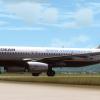
Aegean Airlines A320 fleet package 1.00

(6 reviews)

6 Screenshots

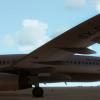
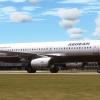
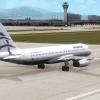
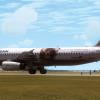
This package contains the complete Aegean Airlines A320 fleet for Aerosoft's Airbus X Extended. Each aircraft was modified separately and different
variations are included, like dirt, light dirt, clean etc.

Enjoy your flights!

User Feedback

Recommended Comments

iPetroSS

Members

Ωραίος!

captain911

Members

thanks Lukas but are the models a little blurry?

themkall

Members

 the aircraft is dark. can anyone help me?


Tom A320

Expert

  • Expert
6 minutes ago, themkall said:

Not good. the aircraft is dark. something must be wrong with the textures or the aircraft.cfg


Are you using the "Aerosoft Airbus X Extended" this livery was developed for? If not you should simply ask for help instead of down voting the author. That just shows deep disrespect towards other users who share their work with the community. 


themkall

Members

37 minutes ago, Tom A320 said:


Are you using the "Aerosoft Airbus X Extended" this livery was developed for? If not you should simply ask for help instead of down voting the author. That just shows deep disrespect towards other users who share their work with the community. 


yes sir i am using aerosoft airbus x extended and i downvoted because the instructions are not clear and because is not working for me. also read me file says something for 23 folders of textures, but the texture folders are 24. Anyway is there any way you can help me?

themkall

Members

okey i fixed it i just changed the texture cfg thanks for not helping me and criticizing me for downvoting good night

Create an account or sign in to comment

Important Information

We have placed cookies on your device to help make this website better. You can adjust your cookie settings, otherwise we'll assume you're okay to continue. Privacy Policy & Terms of Use

Account

Navigation

Search

Search

Configure browser push notifications

Chrome (Android)
  1. Tap the lock icon next to the address bar.
  2. Tap Permissions → Notifications.
  3. Adjust your preference.
Chrome (Desktop)
  1. Click the padlock icon in the address bar.
  2. Select Site settings.
  3. Find Notifications and adjust your preference.